 Digital Vikingz
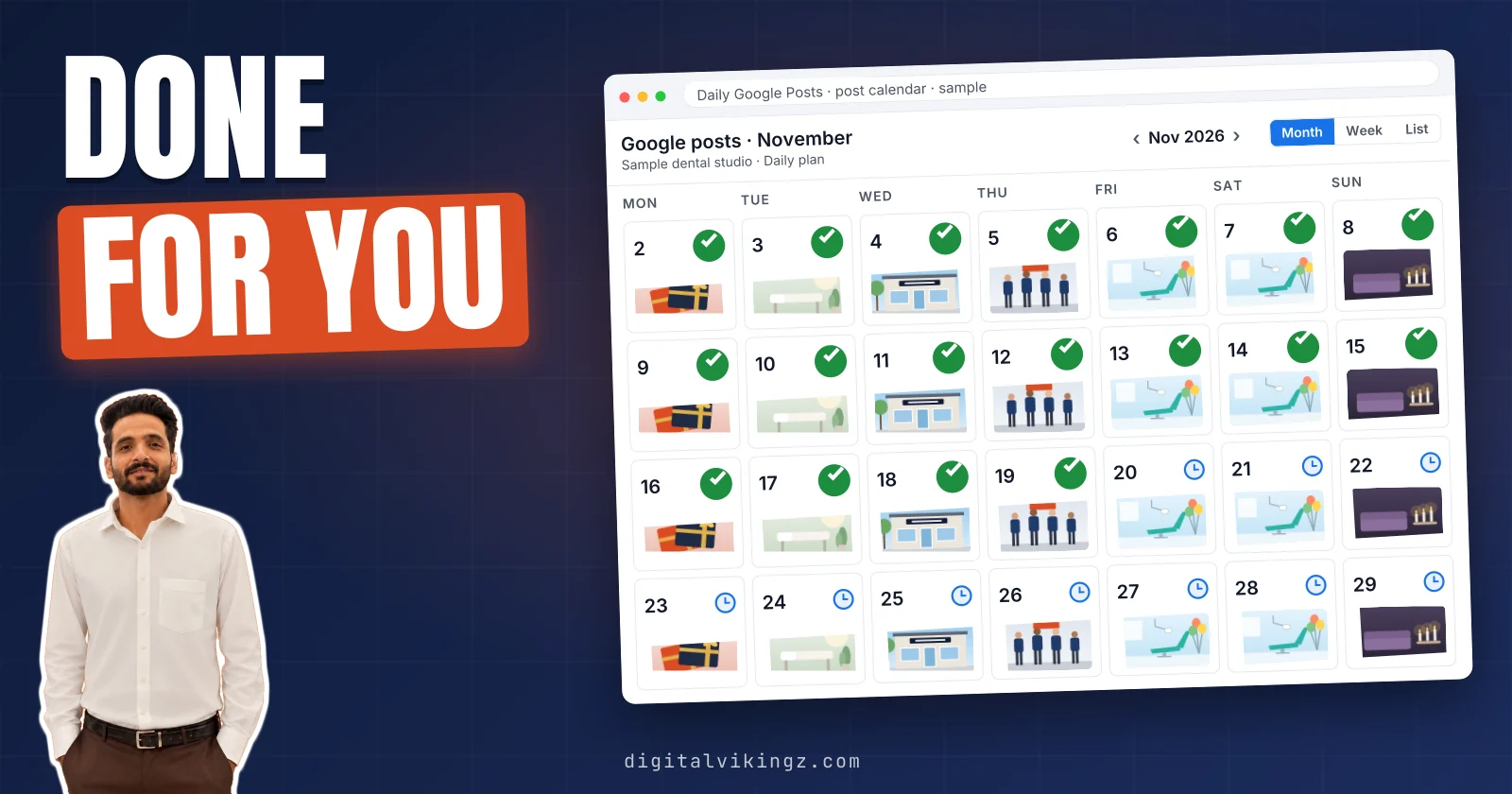
Done-for-you Google Business Profile posts are written, checked and published by a service, while a scheduling tool only publishes posts the owner has already written. A Google Business Profile post scheduler, from Google or a third party, sets the publish time and leaves the writing to the owner.
Done-for-you posts cost more per month than a scheduling tool and remove the weekly writing, photo and publishing work from the owner. Business Profile posting costs $0 with Google, $5 to $49 a month on 2026 vendor pricing pages, and $99 to $299 at Daily Google Posts.
Done-for-you posting beats a scheduling tool when nobody at the business has time to write a post each week, or when posting has already stopped.
Every option has a weak point, and a profile that also needs categories and reviews fixed fits the Local SEO and Google Business Profile service. Weekly posts are one of the 13 steps in how to optimize a Google Business Profile. Posting goes to a service through manager access on the Business Profile, so the owner keeps the profile and never shares the Google password.
What is the difference between done-for-you Google posts and a scheduling tool?
Done-for-you Google Business Profile posts are written, checked and published by a service, while a scheduling tool only publishes posts the owner has already written.
Google can schedule a post, but Google does not write one. Google's own post form gained a "Schedule this post" switch and a "Repeats" menu in November 2025, as Search Engine Land reported. Google Business Profile Help lists weekly, monthly and custom schedules in the Repeats menu.
Both controls work only on text that someone has typed into the form. A scheduling tool adds convenience around the timing and still waits for someone to write each post. A done-for-you service takes over the writing, the photo, the policy check and the publishing.
A plumber, a dental clinic or a med spa faces the same choice: write each post or hand the writing over. Every later section of the comparison measures cost, time and control against the writing step. Who does the writing decides the owner's weekly work, so each model is defined by its writer.
What does a done-for-you Google posts service do?
A done-for-you Google posts service writes each post from the business's facts, adds a photo, checks Google's policy and publishes the post.
The tasks a done-for-you Google posts service takes off the owner are listed below:
- Topic choice: the service picks the offer, service or seasonal notice for each post.
- Writing: the service drafts the post text from the website, offers and hours.
- Photo: the service adds a picture of the work or an image sized for Google.
- Policy check: the service removes phone numbers and other lines Google might reject.
- Publishing and log: the service publishes each post and records the date, text and link.
Daily Google Posts hands writing, picture, publishing and logging to our AI agent, and a person steps in when a fact needs checking.
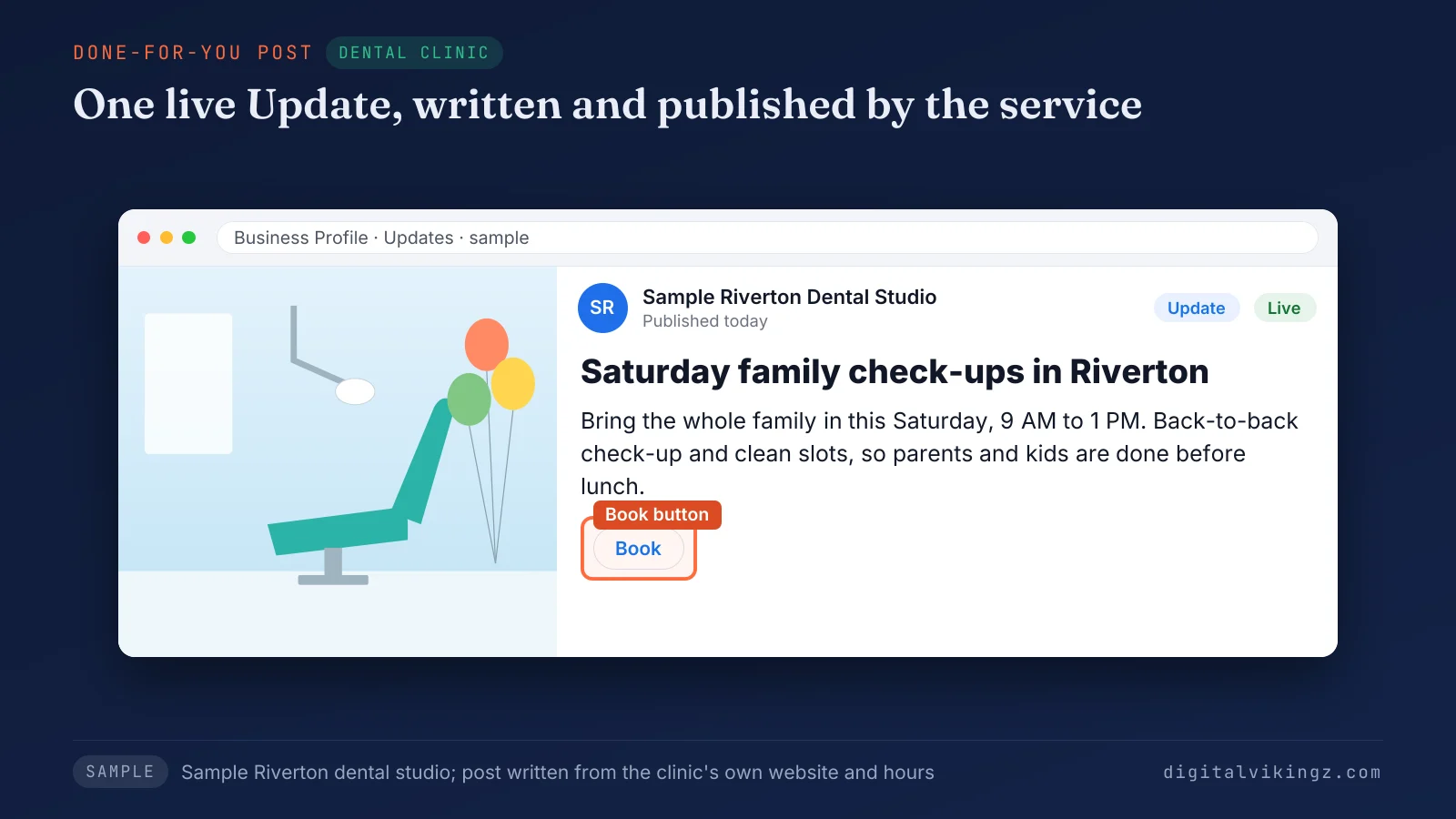
Figure 1 shows a Riverton dental studio's Saturday check-up Update with a Book button, published by the service.
Each service still follows the rules on what to post and how often. Our guide explains what to post on a Google Business Profile and how often. A scheduling tool covers only the last of the five tasks.
What does a scheduling tool do for Business Profile posts?
A scheduling tool publishes Business Profile posts that the owner or a team member wrote, at a date and time set in advance.
Third-party tools add bulk upload, approval steps, one calendar and posting to Facebook or Instagram from the same screen. Google's own scheduler is the free version of the same idea, built into the profile. A plumber who writes five posts on a Sunday can load the whole week in one sitting.
The tool then publishes the week from a queue, and an empty queue publishes nothing.
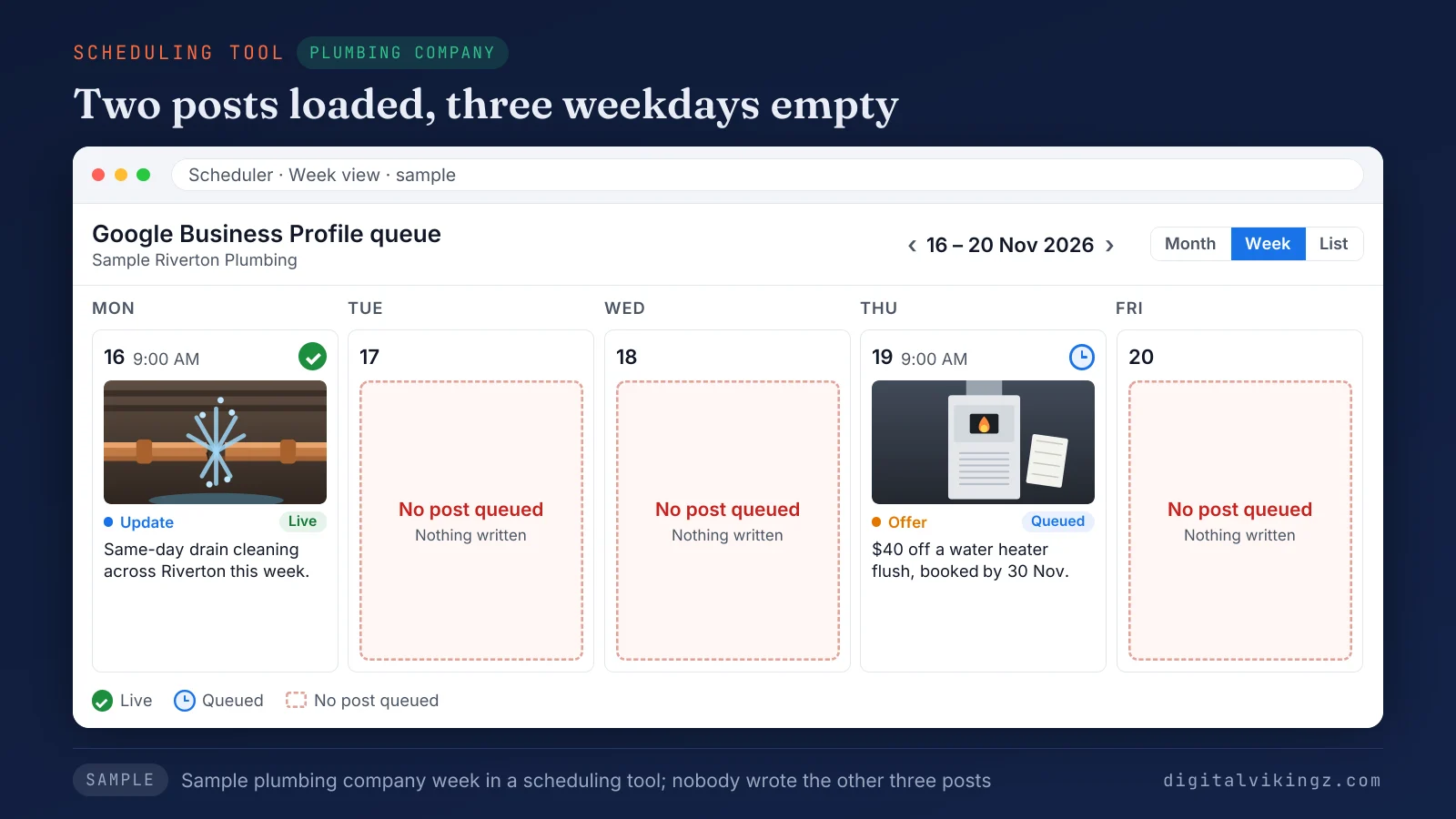
Figure 2 shows a plumber's week in a scheduling tool with three of five weekdays empty, because nobody wrote those posts.
Setting up a post scheduler is a one-time task in either version. Our separate guide covers how a Google Business Profile post scheduler works, step by step. The empty weekdays are where the two models start to differ in cost and owner time.
How do done-for-you posts and scheduling tools compare?
Done-for-you posts cost more per month than a scheduling tool and remove the weekly writing, photo and publishing work from the owner.
Both models publish on a schedule, so the difference lies in the work before publishing. The table below compares Google's own scheduler, a scheduling tool and a done-for-you service on seven decision points:
| Decision point | Google's own scheduler | Scheduling tool | Done-for-you service |
|---|---|---|---|
| Who writes each post | The owner | The owner or a team member | The service or its AI agent |
| Who picks the photo | The owner | The owner | The service |
| Owner's work each week | Write, add a photo, set the time | Write, add a photo, load the tool | Approve the posts, if approval is on |
| Monthly cost per listing | $0 | About $5 to $49 | $99 to $299 at Daily Google Posts |
| Rejected post | The owner rewrites the post | The owner rewrites the post | The service rewrites the post |
| A week nobody logs in | Nothing goes out | Only queued posts go out | Posts keep going out |
| Many locations | One post shared to several profiles | Bulk upload, priced per channel or location | Priced per listing |
The cost row and the writing rows pull in opposite directions, so the next sections take cost, rejected posts and approval in turn. The table compares models, not individual tools. Our comparison of Google Business Profile management tools by type covers the tools one by one.
How much does Google Business Profile posting cost?
Business Profile posting costs $0 with Google, $5 to $49 a month on 2026 vendor pricing pages, and $99 to $299 at Daily Google Posts.
Buffer lists $5 a month per channel, RecurPost $9, MapPush $9.99 per location and Localo $49 on each vendor's pricing page, as of November 2026. Buffer's $5 rate applies to yearly billing, and Localo drops to $39 a month when billed annually. MapPush's $9.99 is a founding-member rate, against a standard $19.99.
Daily Google Posts charges $99 per listing for 3 posts a week, $179 for a post every day and $299 with profile care. The Starter plan works out to about 12 posts a month, and the Daily plan to about 30.
Merchynt, Digital Traffic Firm, MapPush and Slashpost (cited by Pinnacle Technologies) publish full profile management ranges that overlap at about $300 to $800 a month per location. Full profile management covers reviews, photos and listings beyond posts. MapPush's pricing page estimates manual writing and posting at 2 to 4 hours a month, a cost the owner pays in time.
What each monthly budget buys beyond posts is covered in our guide to local SEO pricing. A lower monthly price still leaves one question open: who fixes a post Google rejects.
Who fixes a Google post that gets rejected?
A rejected Google post is fixed by whoever wrote the post: the owner with a scheduler or a tool, and the service with done-for-you posting.
Google marks the post "Not approved", and a question mark beside the status names the policy the post breaks. Google Help says a phone number in the post text might get rejected. A scheduling tool shows the status, and the rewrite falls to the person who wrote the post.
A done-for-you service rewrites and republishes the post itself. Post examples by trade show which lines to change. Our Google Business Profile post examples for plumbers and med spas pair each risky line with a safer rewrite.
Owners who want to catch a bad line earlier ask for approval before posting.
Can you approve done-for-you posts before publishing?
Yes, done-for-you posts can be approved before publishing when the service offers an approval step.
Daily Google Posts sends the week's posts ahead for approval on the Daily and Daily + Profile Care plans, when the owner asks. The Starter plan publishes without an approval step. Owners on the Starter plan still see every post in the monthly log.
Scheduling tools with team plans route each draft from the writer to a second person who signs off. Approval lets an owner correct a price, a date or a service name before the post goes live.
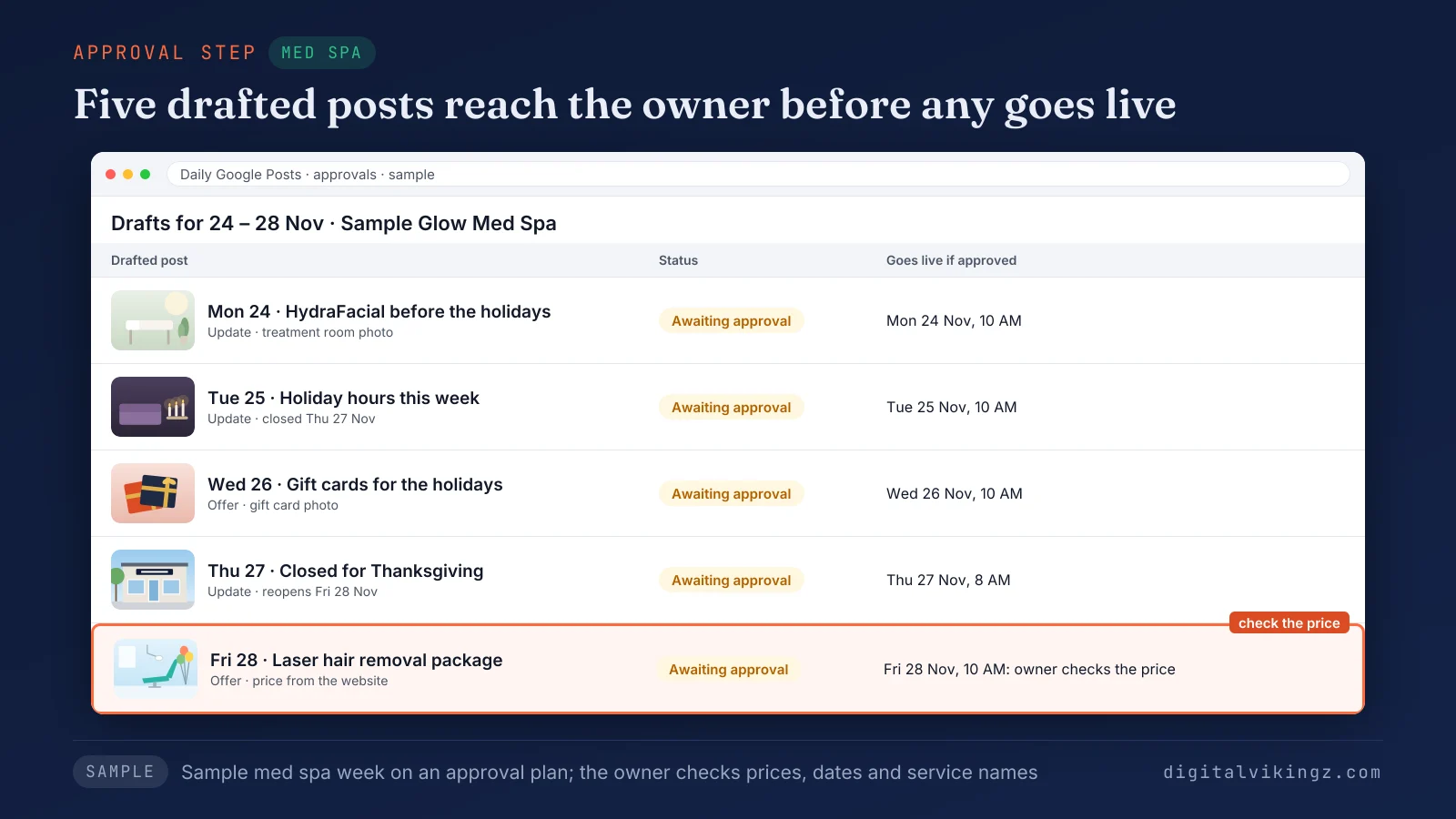
Figure 3 shows five drafted med spa posts for one week, each waiting for the owner's approval. Approval puts a weekly read back into owner time, so the right model depends on how much time the owner has.
When does done-for-you posting beat a scheduling tool?
Done-for-you posting beats a scheduling tool when nobody at the business has time to write a post each week, or when posting has already stopped.
The four common situations and the model that fits each are listed below:
- One location, an owner who writes weekly: Google's own scheduler fits, because the writing already happens.
- An owner with no writing time, or posts stopped for weeks: a done-for-you service keeps posts going out.
- An agency or team with in-house writers: a scheduling tool fits, because only the timing needs handling.
- A profile that also needs reviews, categories and pages fixed: a full local SEO service covers posts as one part.
A profile whose last post is more than a month old shows that the writing step has already failed. Seasonal posts, such as holiday hours between Thanksgiving and New Year, add writing work on fixed dates each year.
Profile basics come before posting, because a wrong category or missing service costs more than a missed post. Our Google Business Profile optimization guide orders those basics step by step. The last question owners ask is whether paying for posts is worth the money.
Is it worth paying someone to post on Google Business Profile?
Paying someone to post on Google Business Profile is worth the fee when the owner's writing time costs more and the profile has gone quiet.
Posts show a viewer current offers, hours and recent jobs before the viewer calls or books. An owner who already posts every week would pay the fee without saving many writing hours. Other owners can price their writing hours at their own hourly rate and compare that sum with the fee.
Posts are not a way to buy a higher Maps position, so a service that sells posts as a ranking fix oversells. The steps that move a Maps position are covered in how to rank higher on Google Maps.
Every model also has weak points an owner should weigh before paying.
What are the weak points of each Google posting option?
Every Google posting option has a weak point: schedulers leave the writing to the owner, and a done-for-you service costs more.
The weak points of each option, including our own service, are listed below:
- Google's own scheduler: nothing goes out in a week the owner does not write.
- Scheduling tools: fees grow with every channel or location, and AI drafts inside a tool still need a fact check.
- Done-for-you services: cheap services promise Maps positions nobody can promise, and generic posts appear when a service ignores the business's own pages.
- Daily Google Posts: our AI agent writes only from website facts, so a job finished today appears once the site or owner shows the job.
Daily Google Posts on the Starter and Daily plans covers posts only, not reviews or categories. Profiles with gaps beyond posting need Local SEO work on the whole listing.
Our Local SEO and Google Business Profile service with weekly posts also fixes categories, reviews and location pages. Pricing follows the number of locations, quoted in writing after a strategy call. Owners who tried each model describe the same weak points in their own words.
What do owners report after trying each option?
Owners and agencies on the Local Search Forum report wrong AI drafts, hard-to-judge package prices, ranking promises and posting taken back in-house.
The reports below come from Local Search Forum threads between 2018 and 2026:
- Wrong AI drafts: an owner's AI posting test produced wrong posts, in a September 2025 thread.
- Edits before publishing: a member said automated posts work after prompt tuning and an edit, in the same thread.
- Price shock: a med spa owner found a $1,800 a month package too technical to judge, in May 2025.
- Ranking promises: practitioners called cheap Maps-position promises close to a scam, in July 2026.
- Back in-house: an agency moved client posting back to its own team, in 2018.
Forum reports are single accounts, not measured rates. Our AI agent ran on our own Google listing before any client listing, with 9 posts between 7 and 16 November 2026. Agencies face the same choice once per client profile.
Should an agency write client Google posts in-house or buy done-for-you posts?
An agency should write client Google posts in-house when writers have spare hours, and buy done-for-you posts when writing costs more than the fee.
Google's form shares one post to several profiles, and a Google Product Expert guide describes up to 20 locations at once. RecurPost's pricing page adds $4 a month for each extra social account beyond the plan. Daily Google Posts prices each Google listing separately and quotes 10 or more listings on a call.
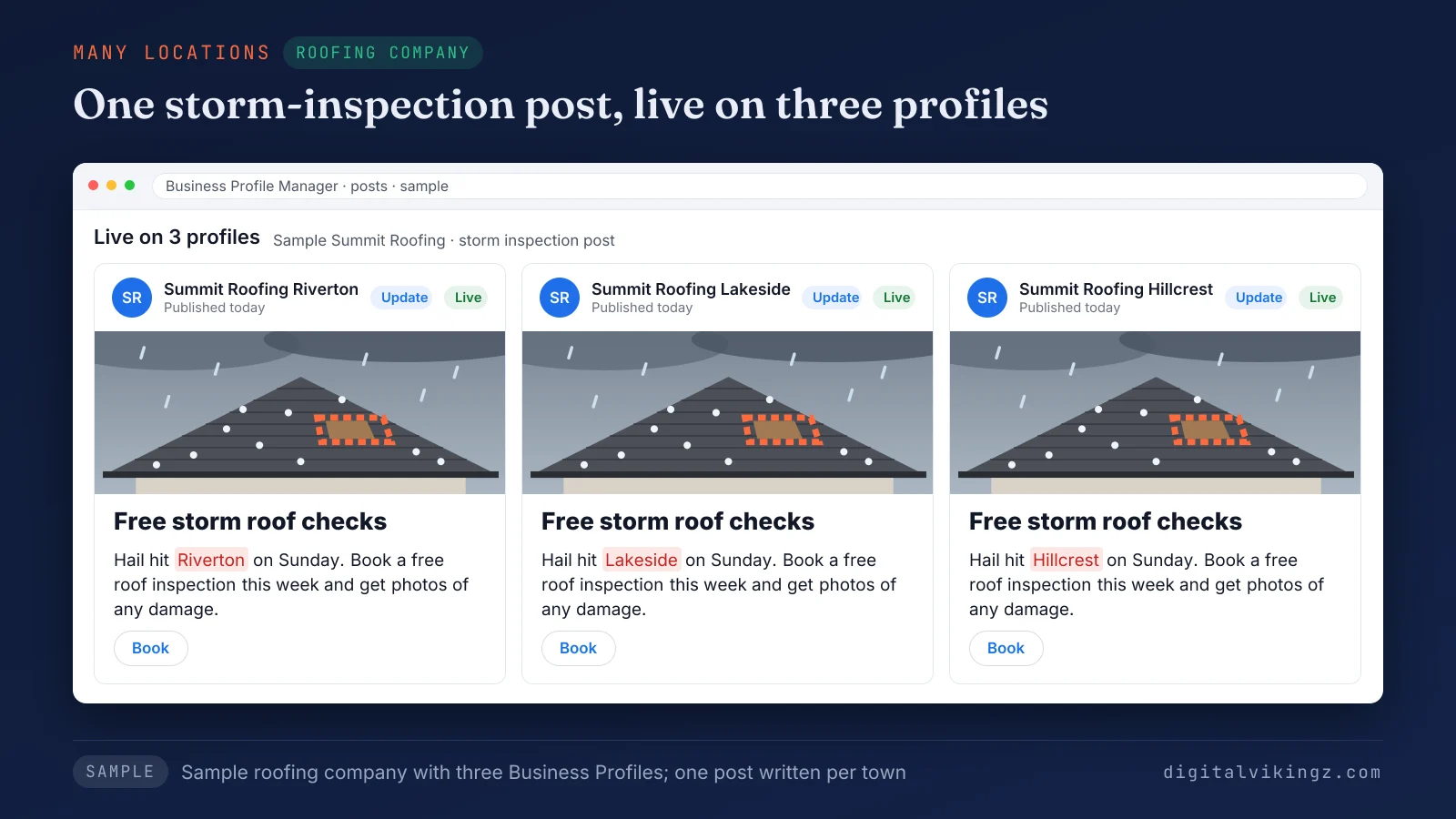
Figure 4 shows one storm-inspection post live on three roofing locations, each naming Riverton, Lakeside or Hillcrest. The client keeps ownership in both cases through manager access.
How do you hand posting to a service without giving up the profile?
Posting goes to a service through manager access on the Business Profile, so the owner keeps the profile and never shares the Google password.
The steps to hand posting to a done-for-you service are listed below:
- Add the service as a manager on the Business Profile, never as the owner.
- Choose approval before posting or automatic publishing for the first month.
- Read the monthly log of every post, with its date, text and link.
- Remove the manager from the profile to stop the service at any time.
Adding a manager for Daily Google Posts takes about two minutes. Owners ask a few shorter questions before the first post goes out.
Questions about done-for-you Google posts
Can a posting service guarantee a higher Google Maps position?
No, no posting service can guarantee a higher Google Maps position. Google states: "There's no way to request or pay for a better local ranking on Google." A service that promises a position is selling something Google does not sell.
Do done-for-you posts use photos of the business?
Done-for-you posts at Daily Google Posts carry a picture our AI agent makes for each post, sized for Google. Photo sources differ from service to service. A Local Search Forum owner traced a removed post to a stock image and a phone number in October 2023.
What happens to published posts when a posting service stops?
Published posts stay on the Business Profile after a posting service stops, and new posts stop with the service. Google archives posts older than 6 months unless the post has a date range.
How soon does a done-for-you service publish the first post?
Daily Google Posts publishes the first post within one working day of manager access, free and before payment. The free preview shows the post's picture and opening lines before any plan is chosen.
Can a business switch from a scheduling tool to a done-for-you service?
Yes, a business can switch from a scheduling tool to a done-for-you service at any point. Posts still queued in the tool should be cleared first, so the profile does not receive two posts on the same day.
Do done-for-you services write holiday hours posts?
Yes, done-for-you services can write holiday hours posts, and Daily Google Posts writes holiday and special-hours posts on every plan. The holiday hours themselves are set in the profile's special hours, and the post repeats the dates for viewers.
Where does a business start with done-for-you Google posts?
A business starts with done-for-you Google posts by checking when the profile last posted and who will write the next post. A profile with no post in the last month and no writer on the team fits a done-for-you service. Owners who also need review replies and categories handled can choose the Daily + Profile Care plan.
Digital Vikingz runs Daily Google Posts, where our AI agent writes each post from the business website. Start with done-for-you Daily Google Posts and see the post our AI agent writes for your business today.
