 Digital Vikingz
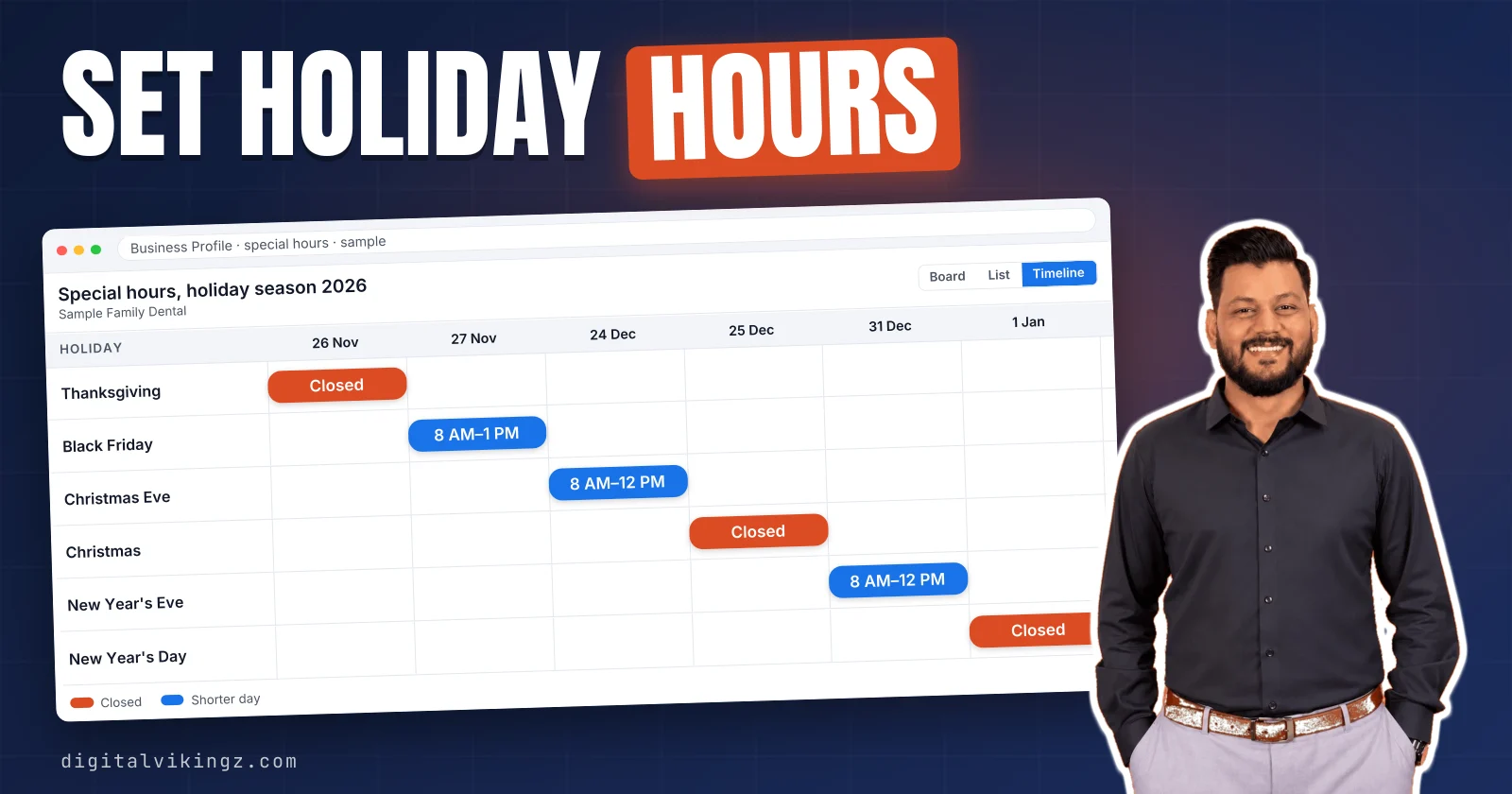
Holiday hours on a Google Business Profile are special hours: dated hours that replace the regular hours for up to 6 days in a row. Owners set Google Business Profile holiday hours under Edit profile, Hours and Special hours. Each date is reviewed or added, then saved.
Google recommends confirming official holidays even when the hours match the regular schedule. A closure of 8 days or more belongs under Temporarily closed on both of Google's help pages. The two pages disagree about a closure of exactly 7 days.
Holiday hours that do not show point to an edit under review, hours not set to "Open with main hours", or a Google update. The same holiday hours should appear on the website, the other listings and the holiday post customers read.
What are special hours on a Google Business Profile?
Holiday hours on a Google Business Profile are special hours: dated hours that replace the regular hours for up to 6 days in a row. Google's help page says special hours apply when a business "temporarily adjusts its hours of operation or remains closed for up to 6 days in a row."
Owners say holiday hours, while the Business Profile editor names the setting Special hours. The regular hours stay unchanged, and the special hours apply only on the dates entered. Google lists holidays, special events and other exceptional circumstances as reasons to schedule special hours.
The businesses in the examples and figures below are samples, not client data. Special hours change what customers see on the Business Profile for each date entered.
What do customers see when special hours are set?
Customers see the special hours in place of the regular hours on each date entered, on the Business Profile in Google Search and Google Maps. Google says "a warning may appear on your Business Profile that tells users your business hours might differ" on the official holidays Google lists.
A customer who sees the warning or the wrong hours can call the next business that shows clear holiday hours. Google shows special hours to customers only for the dates entered, so the regular hours return on every other date.
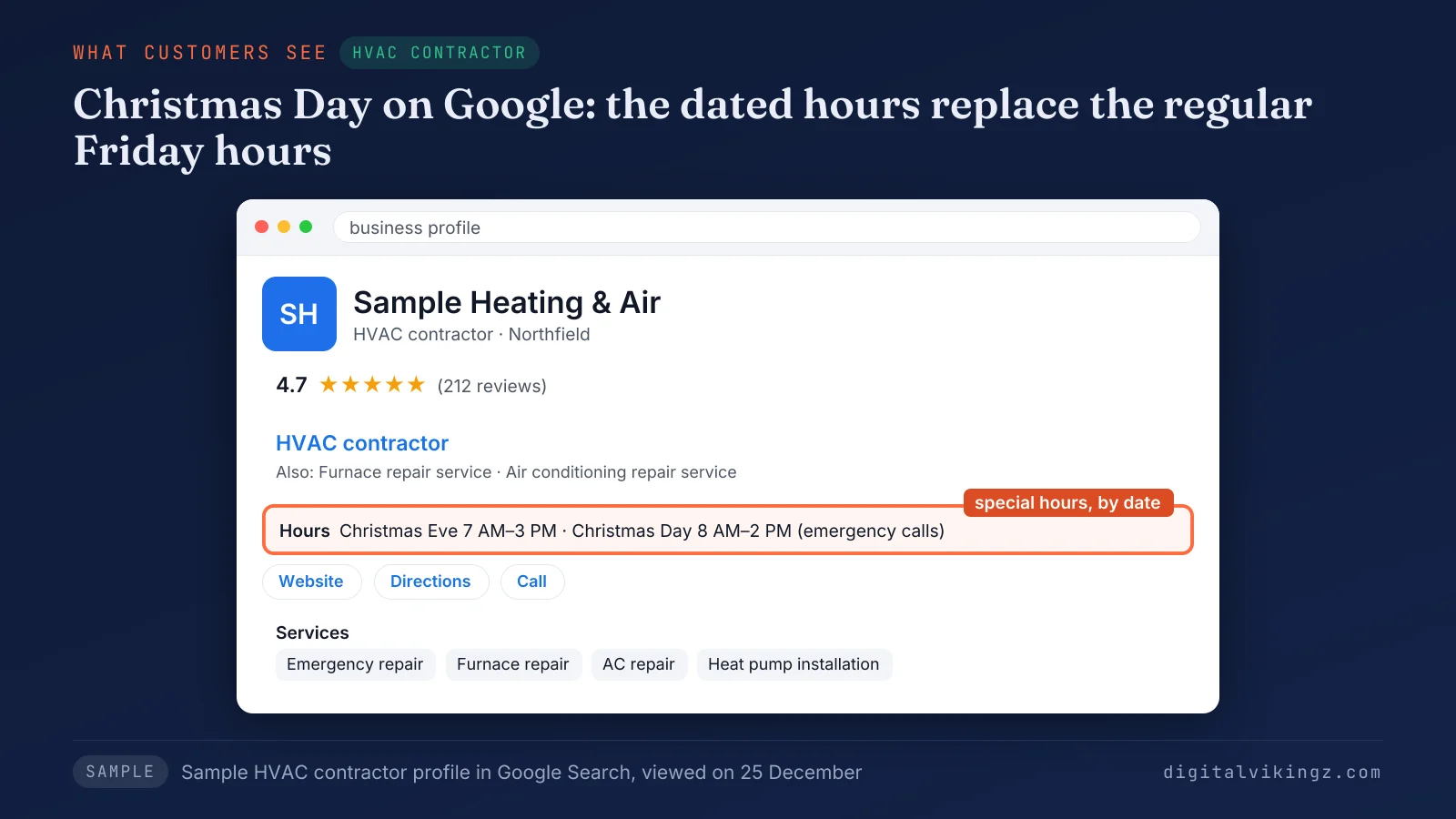
Figure 1 shows sample holiday hours for Sample Heating & Air in Northfield. The profile lists 7 AM to 3 PM on Christmas Eve and 8 AM to 2 PM on Christmas Day for emergency repair calls. The dated hours appear only after an owner enters them in the Business Profile editor.
How do you set holiday hours on a Google Business Profile?
Holiday hours are set in the Google Business Profile editor under Edit profile, Hours and Special hours, one date at a time, and then saved. Google's help page sets one condition first: "For special hours to show up on your Business Profile, set your business hours to 'Open with main hours.'"
The steps to set holiday hours on a Google Business Profile are listed below:
- Go to your Business Profile on Google Search or Google Maps, signed in to the account that manages the profile.
- Select "Edit profile", then "Hours".
- Select Edit next to "Special hours" in the "Business hours" section.
- Select "Review" to confirm a suggested holiday, or select "Add a date" and enter a custom date.
- Keep the "Closed" box checked for a closed day, or uncheck the box and enter the opening and closing times.
- Select "Save".
The saved dates appear under Special hours in Edit profile and in the Hours tab of Business information.
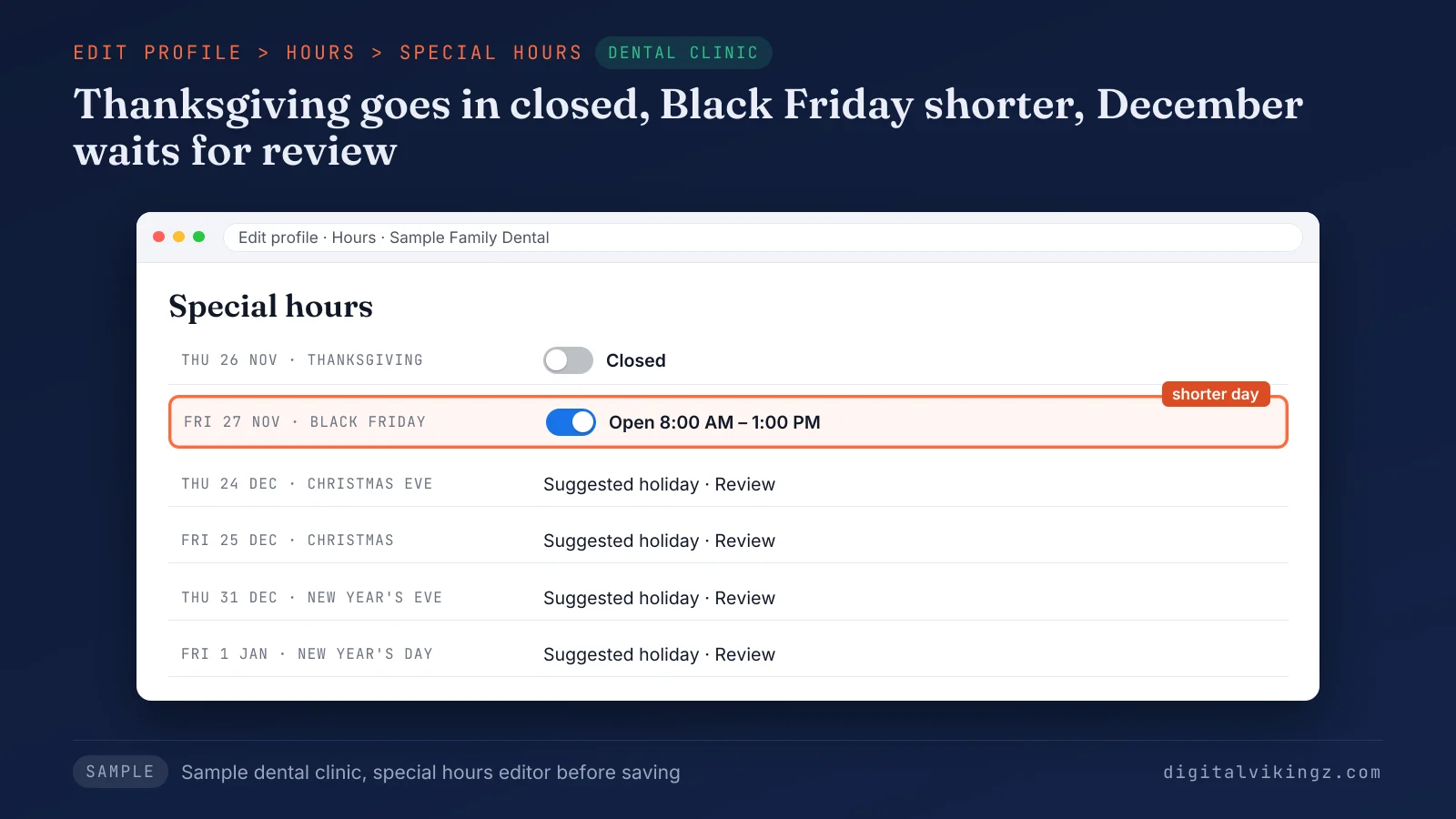
Figure 2 shows the special hours editor for Sample Family Dental in Lakeside. Thanksgiving on Thursday 26 November is closed, and Black Friday runs from 8 AM to 1 PM.
Holiday hours are one part of a complete Business Profile, next to the categories, services and photos an owner keeps current. Our Google Business Profile optimization guide covers each of those settings from setup to upkeep.
How do you add holiday hours from Google Maps?
Holiday hours added from Google Maps use the same Special hours editor, reached through Edit profile and the Hours tab of Business information. Open Google Maps signed in to the managing account and open the Business Profile. Select Edit profile, then Business information, then the Hours tab.
Google keeps one Business Profile for Maps and Search, so holiday hours saved on a phone also show in Search. Steps 4 to 6 above then apply in the Hours tab. Suggested holidays in the editor carry their own confirm step.
Should you confirm holiday hours that are not changing?
Yes, Google recommends confirming holiday hours for official holidays even when the hours match the regular schedule. Google's help page says: "It's a good idea to confirm your hours for official holidays, even if they're the same as your regular hours."
Confirming tells customers the holiday hours on the Business Profile are accurate. An unconfirmed listed holiday can show Google's warning that hours might differ. Select Review next to the suggested date, keep the regular times, and select Save.
Editing the regular hours for a holiday and changing them back later replaces nothing, because special hours exist so the regular hours stay unchanged. Some holiday schedules need more than one set of hours on one date.
How do you enter overnight or split holiday hours?
Overnight or split holiday hours are entered as two or more sets of special hours, because Google limits one set to 24 hours. Select More, then Add hours, to enter a second set for a date with a break in the day.
Hours that run past midnight become one set ending at midnight and one set starting at midnight on the next date. Google then ignores the regular hours of the second date, so any later hours that day go in as another set of special hours.
Sample Plumbing Co. in Riverton answers emergency calls from 6 PM on 31 December to 2 AM on 1 January. The owner enters 6 PM to midnight on 31 December and midnight to 2 AM on 1 January on the Business Profile. Holiday dates for the season are fixed in advance, so every set can go in weeks early.
Which holiday dates should a US business set for 2026?
US businesses should set holiday hours for six dates in the 2026 season, from Thanksgiving on 26 November 2026 to New Year's Day on 1 January 2027. Google lists the six dates below as US holidays on which a warning about hours may appear on a Business Profile.
The table gives each date, its weekday and the holiday name from Google's US list:
| Date | Weekday | Holiday |
|---|---|---|
| 26 November 2026 | Thursday | Thanksgiving |
| 27 November 2026 | Friday | Black Friday |
| 24 December 2026 | Thursday | Christmas Eve |
| 25 December 2026 | Friday | Christmas |
| 31 December 2026 | Thursday | New Year's Eve |
| 1 January 2027 | Friday | New Year's Day |
Google's list also carries state holidays, such as Boxing Day on 26 December 2026 in North Carolina, South Carolina and Texas. Google adds: "To let customers know your holiday hours, you can set special hours in advance for these dates."
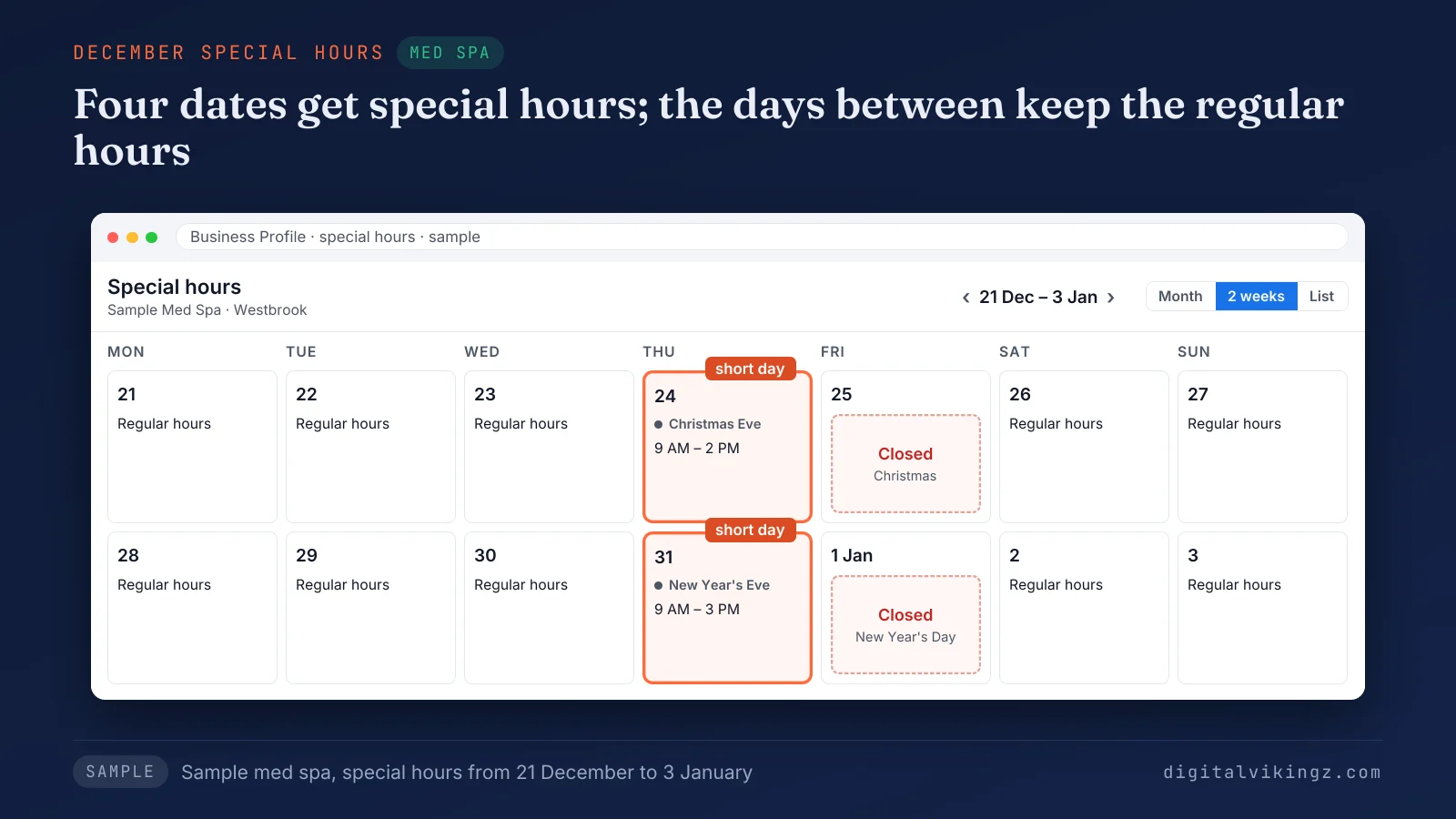
Figure 3 shows the December holiday hours for Sample Med Spa in Westbrook. The med spa opens 9 AM to 2 PM on 24 December and closes on 25 December. The med spa then opens 9 AM to 3 PM on 31 December and closes on 1 January.
Separate dates fit special hours, while one long run of closed days needs a different setting.
Should you use special hours, more hours or Temporarily closed?
Special hours fit a holiday or a closure of up to 6 days in a row, and Temporarily closed fits a closure of 8 days or more. More hours fit a service with its own weekly times, and Google sets more hours as a subset of the primary hours.
The table matches four holiday situations at Sample Plumbing Co., each a break from the regular hours, with the setting Google's help pages name:
| Situation | Closed days in a row | Setting | Google's rule |
|---|---|---|---|
| Closed on Thanksgiving, 26 November | 1 | Special hours | Closed up to 6 days in a row |
| Shorter day on Christmas Eve, 24 December | 0 | Special hours | Temporarily adjusted hours |
| Office closed 24 December to 1 January | 9 | Temporarily closed | 7 or more days, or more than 7 days |
| Fixture showroom open fewer hours every week | 0 | More hours | Specific services with differing times |
Google's special hours page sends closures of 7 or more days to Temporarily closed, while Google's closure page allows special hours for 7 days or less. Count the closed days in a row before choosing: a closure from 24 December to 1 January is 9 days and belongs under Temporarily closed.
Permanently closed marks a business that has shut for good, so the status never fits holiday hours. A Temporarily closed Business Profile shows as open again only after the owner reopens the profile in the Hours editor.
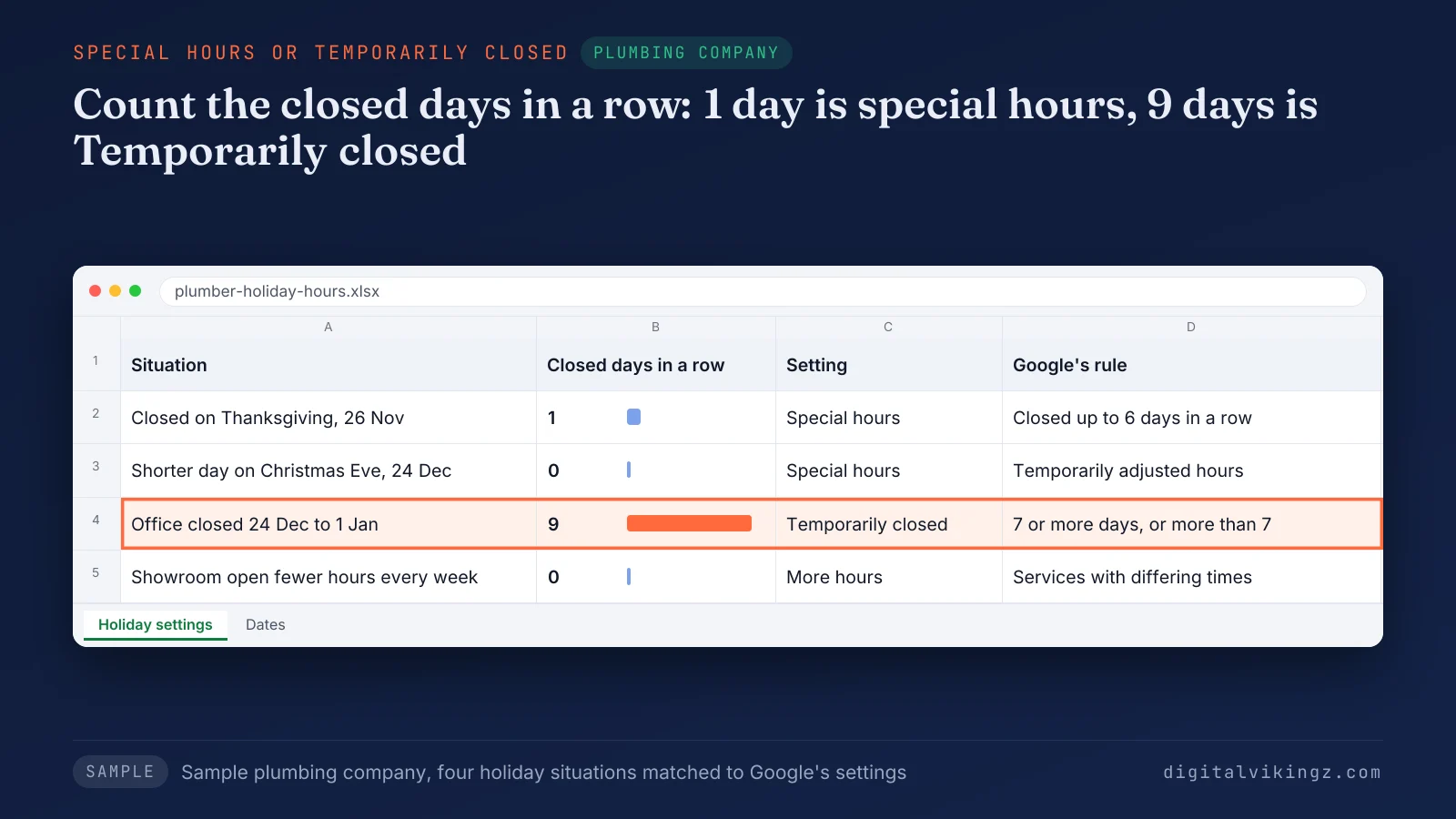
Figure 4 shows the same choice for Sample Plumbing Co. in Riverton. Thanksgiving goes under special hours, and the 9-day closure from 24 December to 1 January goes under Temporarily closed. Some businesses should list no hours at all, holidays included.
Should appointment-only businesses list holiday hours?
No, Google's guidelines say businesses that operate only by appointment should not provide hours, so they have no holiday hours to set. Google's guidelines say: "Certain types of businesses shouldn't provide hours, including those with varied hours ... and those that operate only by appointment."
A dental clinic or med spa with a front desk open to calls and walk-in questions lists those hours on the Business Profile. The same clinic sets holiday hours, as in Figures 2 and 3. Clinics and trades with several locations set the same holiday hours many times over.
How do you set holiday hours for several locations at once?
Holiday hours for several locations are set at once through a bulk upload spreadsheet with a store code column and a Special hours column. Each entry follows Google's format YYYY-MM-DD: HH:MM-HH:MM, an "x" marks an all-day closure, and commas separate the entries.
A location closed on Thanksgiving and open from 8 AM to 1 PM on Black Friday reads 2026-11-26: x, 2026-11-27: 08:00-13:00 in the Special hours column.
Google warns: "If you include empty columns or columns with headings but no information beneath them, existing information for those columns will be erased." Upload only the store code and Special hours columns when the locations already exist.
Several locations closing for 8 days or more are marked Temporarily closed together in Business Profile Manager, under Actions. A multi-location business keeps one holiday schedule per location, so each Business Profile matches its own location page.
Why are holiday hours not showing or not updating on Google?
Holiday hours that do not show or update trace to six causes, checked in order: review, main hours, date, Google updates, listing tools and the website.
The causes of holiday hours not showing on a Google Business Profile are listed below:
- Edit under review: Google reviews each edit before the new holiday hours publish. The editor marks the edit as under review until then.
- Main hours off: special hours show only when the business hours are set to "Open with main hours".
- Date not reached: Google shows special hours to customers only on the dates entered. A future date can look blank from the public side.
- Google update: Google can replace hours with information from other sources, and changed fields show in blue in the profile editor.
- Listing tool: a third-party Google Business Profile management or scheduling tool connected to the profile can overwrite the hours, as a Google community answer warns.
- Website mismatch: a website footer or contact page with other hours gives Google a public source that disagrees with the Business Profile.
Search the business name on a phone while signed out after each fix, a check Angarum Media recommended in October 2026. The editor shows only what was submitted. Resubmit the holiday hours once, and only after the earlier edit has finished review.
The review step decides how long any holiday hours edit takes to show.
How long does a holiday hours edit take to show?
A holiday hours edit usually takes up to 10 minutes to review, and Google says some edits take up to 30 days. Google's help page says: "Edits usually take up to 10 minutes to review, but sometimes it can take up to 30 days."
December holiday hours should go in during November, so a long review still finishes before the date. A published edit to the Business Profile can still change later when Google receives other information.
Can Google change your business hours without you?
Yes, Google can update the hours on a Business Profile when other sources report different hours, and some suggested edits publish without review. Google's help page gives owners 4 days to accept or reject a suggested edit. The page adds: "Google may automatically publish the update if it is supported by other publicly available information, such as your business website."
Fields that Google changed show in blue in the profile editor. The owner can review the update there and enter the holiday hours again. Make one hours change at a time and let each change finish review before the next edit.
One agency forum thread from March 2026 tied a suspended Google Business Profile to several edits accepted together, with the hours change only one of them. Our guide on how a suspended Google Business Profile gets reinstated lists the causes and the reinstatement steps.
What should match your Business Profile holiday hours?
Business Profile holiday hours should match the website, the other business listings, the phone line and the holiday post, because customers read all of them.
The places that should carry the same holiday hours as the Business Profile are listed below:
- Website: the footer, contact page and any holiday banner show the same dates and times. Google can treat the website as supporting information.
- Other listings: Apple Maps, Bing Places and the directories that list the business show the same holiday hours.
- Phone line: the greeting or voicemail on holiday dates states the same hours, including any emergency line.
- Holiday post: a post on the profile repeats the holiday hours in words customers read before they call.
Two sources with different holiday hours can send a customer to a closed door or to a competitor. Keeping name, address, phone, hours and services the same everywhere Google reads them is part of our local SEO work on every Google Business Profile we manage.
See our Local SEO and Google Business Profile Optimization with hours checks for profiles that need the same hours on every listing.
How should emergency trades show holiday hours?
An emergency plumber or HVAC company shows holiday hours as the hours a person answers the phone on each holiday. List a holiday as open 24 hours only when a person answers the phone at every hour of that day.
Sample Heating & Air enters 8 AM to 2 PM on Christmas Day on the Business Profile. A technician answers emergency repair calls during those hours. Emergency searches with words such as "open now" depend on those hours, and HVAC searches rise and fall with the seasons.
Our guide to HVAC SEO for seasonal and emergency searches covers the profile, page and phone setup.
Should you post about holiday hours on your Business Profile?
Yes, a holiday hours post repeats the special hours in words customers read on the Business Profile, after the hours themselves are saved.
Google's help page says the Updates tab on mobile can show "A post that confirms you made a change to your hours". Google adds the post after you update your hours, and the owner can edit or delete the post.
Set the special hours first and post second, so the post and the holiday hours never disagree. The post names the dates, the hours or the closure, and how customers reach the business while closed.
An hours notice is one of the Update post types for Google Business Profile posts. Our guide to Google Business Profile posts and how often to publish them lists the hours notice with the other post types.
Do holiday hours affect Google Maps ranking?
No, Google names no separate ranking effect for holiday hours, and Google lists hours, including special store hours, as part of complete business information. Google's local ranking help page lists "Your business hours, including special store hours" under complete information.
Google's closure page adds: "For broad queries, temporarily-closed businesses can rank after open businesses." Wrong hours can also keep a Business Profile out of searches for businesses that are open now. Our guide on why a business is not showing on Google Maps covers the other causes.
Owners who want to rank higher on Google Maps work on relevance, distance and prominence, with accurate hours as one profile detail. Our guide on ways to rank higher on Google Maps explains each factor and the steps that act on each one.
Holiday hours questions
Is Google My Business holiday hours the same setting?
Yes, Google My Business was the former name of Google Business Profile, and holiday hours sit in the same Special hours setting. The steps above apply to every profile created under the old name.
Can you set holiday hours before the profile is verified?
Yes, Google says an unverified profile can still edit some information, including hours, so holiday hours can go in before verification. Google's help page lists "business name, business category, address, hours, phone number, and website" among the fields an unverified profile can edit.
How do you delete special hours set by mistake?
Special hours are deleted in the Special hours editor: select Delete next to a closed date, or select More, then Remove day, next to an open date. Select Save to publish the corrected holiday hours.
What happens to special hours after the holiday?
Special hours show only on the dates entered, so the regular hours return on the next date without another edit. Past holiday dates need no deleting before the next season.
Can you add holiday hours for a date not on Google's list?
Yes, Add a date sets special hours for any custom date, such as a local festival, a staff training day or a weather closure. Custom dates follow the same 6-day limit as listed holidays.
Holiday hours checklist for Thanksgiving to New Year
Holiday hours for the 2026 season are ready when five checks are done before Thanksgiving on Thursday 26 November.
The holiday hours checklist for Thanksgiving to New Year is listed below:
- Check that the business hours are set to "Open with main hours".
- Review or add all six dates from Thanksgiving to New Year's Day, including dates with regular hours.
- Count any run of closed days, and use Temporarily closed for 8 days or more.
- Search the business name on a phone while signed out after each edit finishes review.
- Match the website and the other listings, then post the holiday hours on the Business Profile.
Every Daily Google Posts plan includes holiday and special-hours posts, so customers know the holiday hours before they drive over. Our AI agent writes the holiday and special-hours posts in Daily Google Posts from the hours on your Business Profile and your website.
The free preview of today's Google post shows one post written for your business before you choose a plan.
