 Digital Vikingz
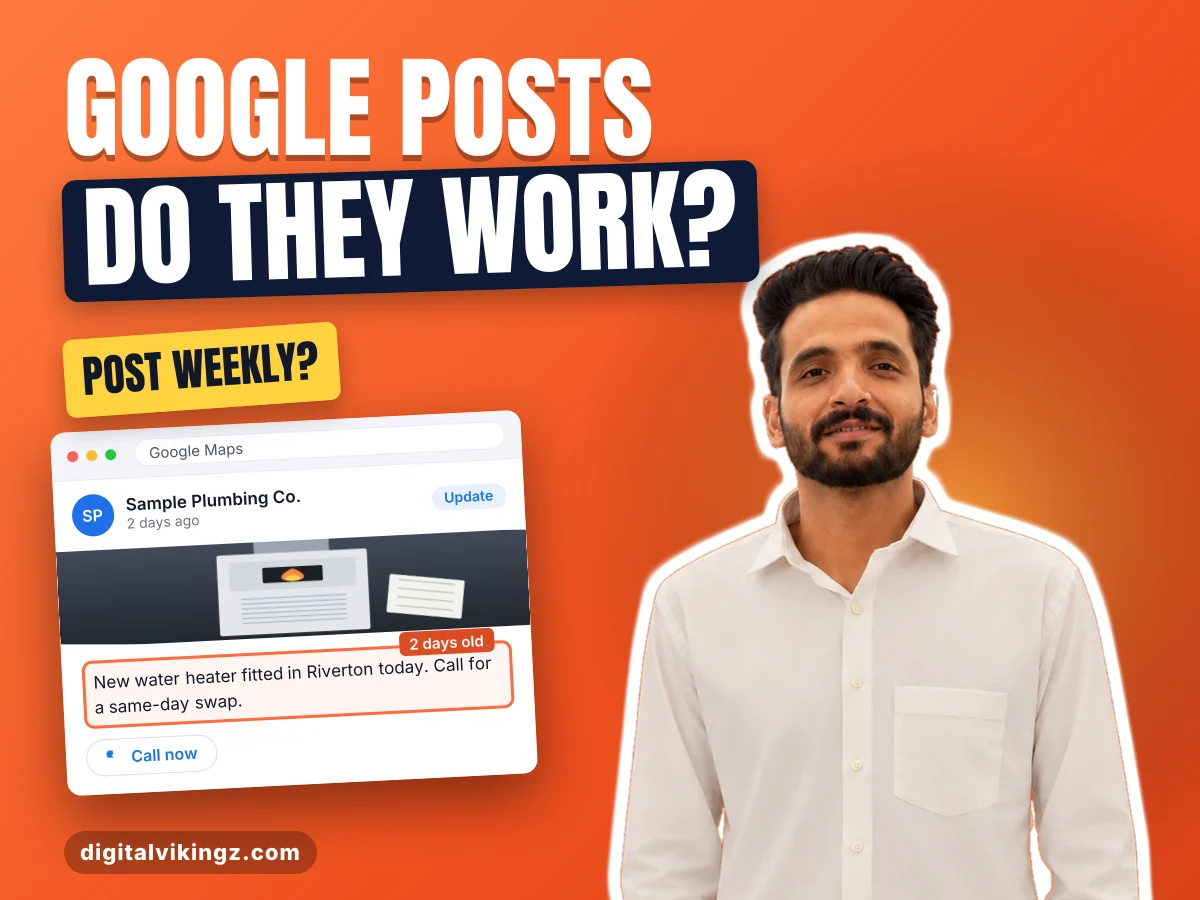
Google Business Profile posts are short updates a business publishes on its Business Profile to share news, offers and events on Search and Maps. Posts appear in the Updates or Overview tab on mobile and in the From the owner section on a computer.
Google offers three post types for a Business Profile: Update, Offer and Event. Each post type uses a different mix of eight parts, and hotels and regulated industries face limits on post content.
A post is created under Posts in the profile and can be scheduled, repeated or shared across several profiles. The most useful posts show a finished job, a dated offer, an event, an hours change or an answer to a common question. Most practitioner guides recommend at least one post a week, and Google publishes no posting frequency.
Posts give customers news, offers and events plus a button, and Google bases local ranking on relevance, distance and prominence. Owners who choose a Google Business Profile primary category set which searches a profile matches.
A post stays hidden while Pending or Not approved and is archived after six months unless a date range is set. Repeated rejections or an unverified profile need Google Business Profile optimization.
The profile's calls, direction requests, website clicks and tagged button links show what each post adds. Daily Google Posts uses an AI agent to draft each post.
What are Google Business Profile posts?
Google Business Profile posts are short updates a business publishes on its Business Profile to share news, offers and events on Search and Maps.
The Business Profile is the listing a business holds on Google Search and Google Maps. Posts are one feature of the listing, beside photos, reviews, products and services. A post can show text, a photo or a video, and an action button sends the customer to the next step.
Posts sit on the profile itself, so the readers are customers who already found the business in Search or Maps. A business publishes each post once, and the post then shows on the profile to every customer who opens the listing. Owners and agencies shorten the name to GBP posts.
Where a post shows depends on the device the customer uses.
Where do Google Business Profile posts appear?
Business Profile posts appear in the Updates or Overview tab on mobile and in the From the owner section on a computer.
Both places exist on Google Search and on Google Maps. A customer who opens the profile on either surface sees the same posts in the same section for the device.
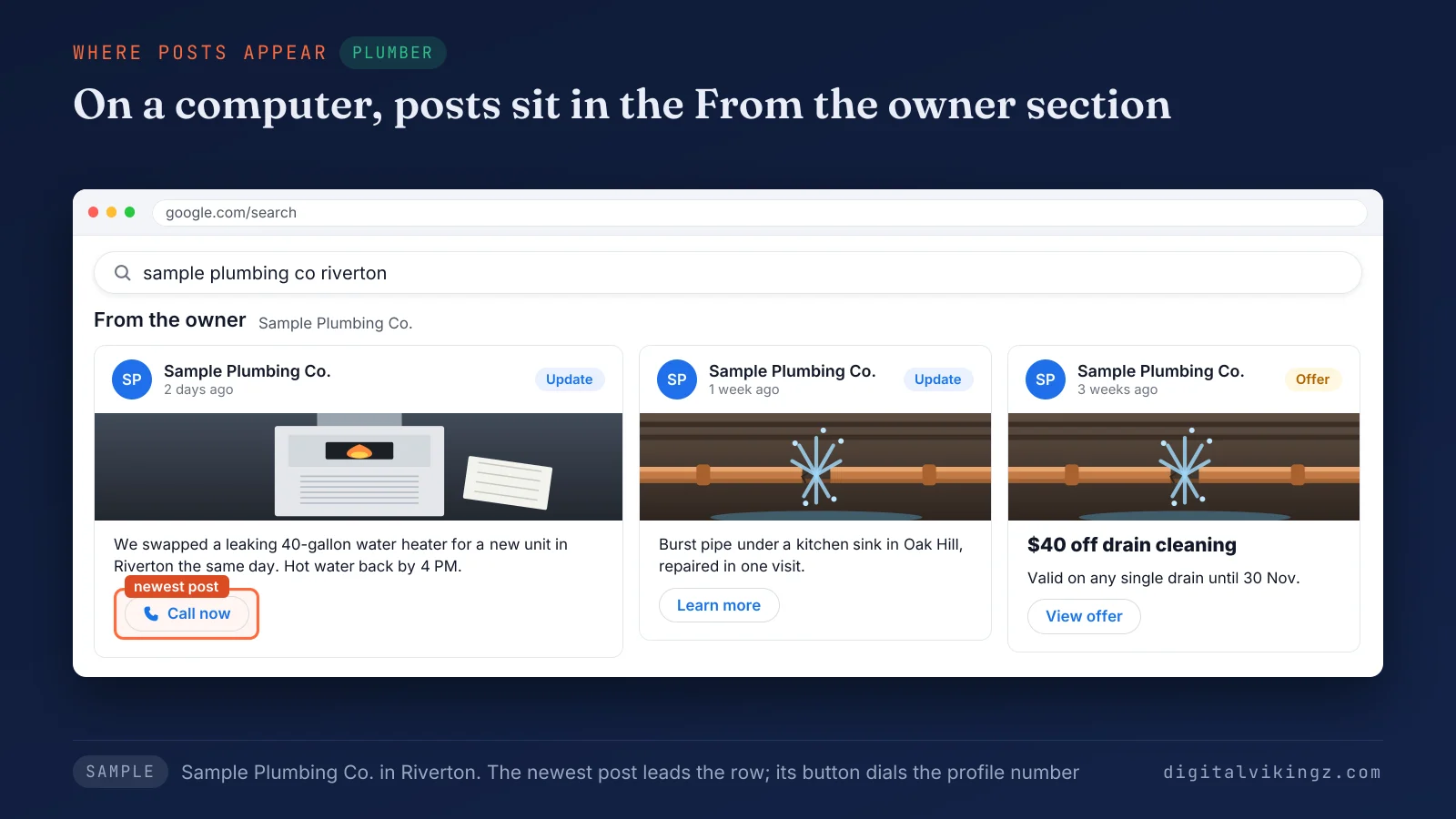
The sample profile for Sample Plumbing Co. shows an Update post from two days ago. The post describes a water heater swap in Riverton and carries a Call now button.
A post check should cover a phone and a computer, because each device shows posts in a different place. Each post on a profile belongs to one of three post types.
What are the types of Google Business Profile posts?
Google Business Profile offers three post types: Update, Offer and Event.
Product entries are added through the product editor, outside the three post types.
The table below compares the three post types by use, fields, button and the point where display ends.
| Post type | Used for | Fields Google lists | Button | Display ends |
|---|---|---|---|---|
| Update | News, finished jobs and answers to customer questions | Description, photo, video, action button with a link | One optional action button | Archived after 6 months |
| Offer | Sales, discounts and seasonal promotions | Title, dates and times (required); description, photo, video, coupon code, link, terms and conditions | "View Offer", added automatically | On the offer's end date |
| Event | Open days, workshops and other dated events | Title, start and end dates and times (required); description, photo, video, action button | One optional action button | On the event's end date |
An Event post without start or end times shows as lasting 24 hours on the event dates. Update posts carry most weekly news, and Offer and Event posts carry anything with a date. All three post types are built from the same set of parts.
What does a Google Business Profile post contain?
A Google Business Profile post is built from eight parts, and the post type decides which parts are required.
The eight parts of a Google Business Profile post are listed below:
- Title: the headline of an Offer or Event post, required for both types.
- Description: the body text of the post, with a 1,500-character limit cited by practitioner guides.
- Photo or video: post media, JPG or PNG of 10 KB to 5 MB, ideally 720 by 720 pixels, or video up to 30 seconds.
- Action button: one action per post, chosen from Book, Order online, Buy, Learn more, Sign up and Call now.
- Link: the page the post button opens, usually the matching service page.
- Coupon code: an optional code on an Offer post that the customer quotes when booking.
- Terms and conditions: the optional limits of an Offer post, such as one use per household.
- Dates and times: the start and end of an Offer or Event post, which Update posts do not need.
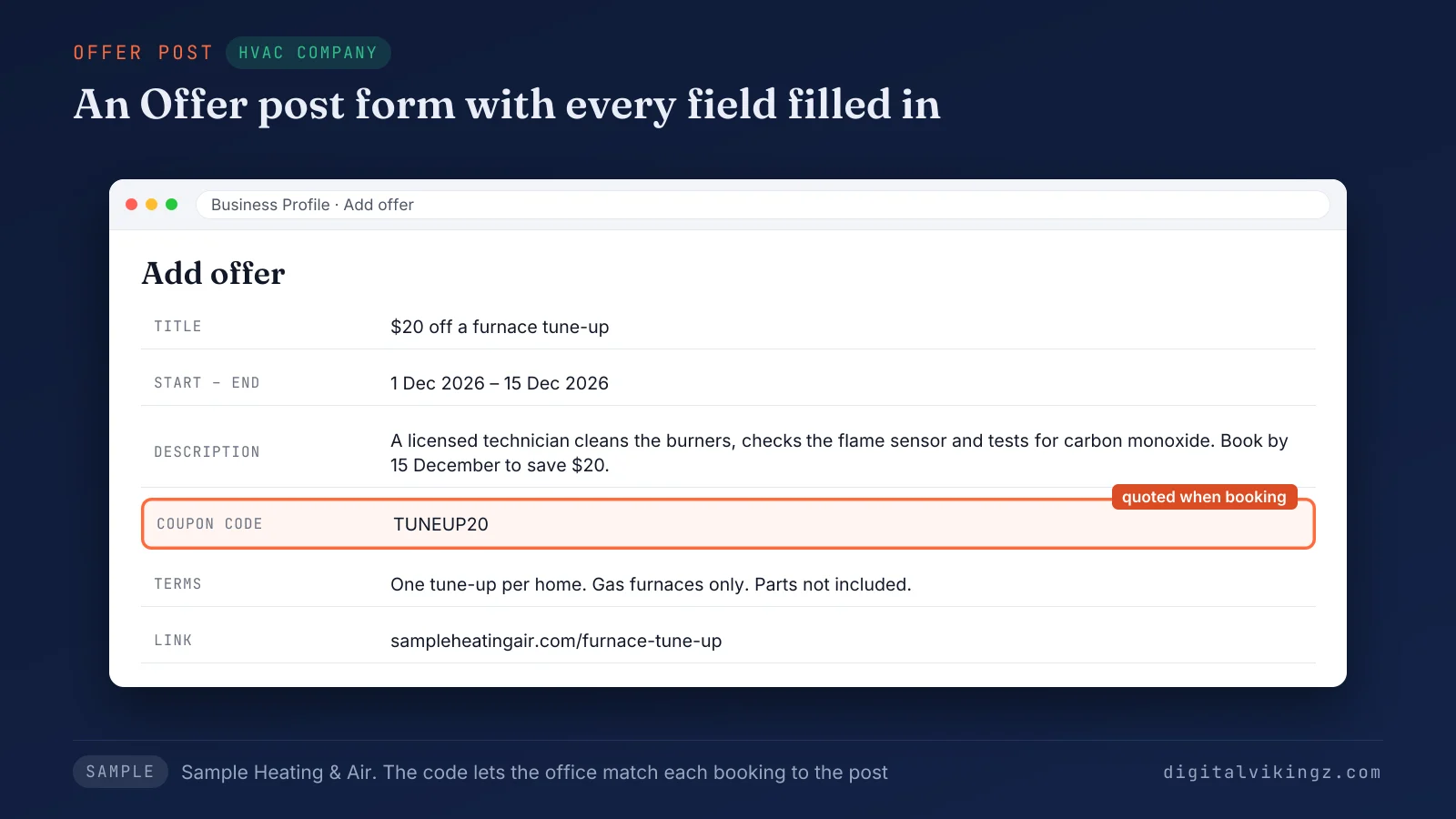
The sample Offer post for Sample Heating & Air offers $20 off a furnace tune-up with the code TUNEUP20 from 1 to 15 December. Some businesses face limits on the Offer post.
Can every business create Offer posts?
Not every business can create Offer posts, because Google bars hotels from Offer posts and from any post about deals or discounts.
Businesses in regulated industries can post on Google Business Profile, but Google asks those businesses to leave out content about the regulated products. Google names health and medical devices, pharmaceutical products, alcohol, tobacco and financial services among the regulated industries.
A med spa can post the opening hours or a new booking page, and a post promoting a prescription treatment can be rejected. Every other business picks any post type through the same few steps.
How do you post on Google Business Profile?
A business posts on Google Business Profile by opening the profile, choosing Add post, picking a post type and selecting Post.
The six steps to post on Google Business Profile are listed below:
- Open the Business Profile on Google Search or Google Maps while signed in as an owner or manager.
- Select Posts, then Add post.
- Choose the post type: Update, Offer or Event.
- Add the photo or video and write the description.
- Add the title, dates, button, link or coupon code the post type allows.
- Select Post to publish the post.
Google reviews each post against the posts content policy before the post goes live. Google's best practices for posts ask for a descriptive title, correct spelling and complete offer or event details. Publishing at once is one option, and Google now offers a second one.
Can you schedule Google Business Profile posts?
Yes, posts on a Business Profile can be scheduled with the Schedule this post option, which publishes a post at a chosen date and time.
The Repeats menu republishes a post weekly, monthly or on a custom schedule. Owners of several profiles can share one post across the selected profiles in one step. Search Engine Land reported the multi-location and scheduling features on 25 November 2025.
Ten of the 13 guides we read on 18 November 2026 still omit or deny native scheduling. Teams that automate Google Business Profile posts use an AI agent to draft each post, with a person reviewing. Scheduling settles timing, and the harder question is the post type.
What should you post on Google Business Profile?
A business should post what customers need before calling: finished jobs, dated offers, events, hours changes and answers to common questions.
The seven post ideas that suit a local service business are listed below:
- Finished job (Update): a post with a photo of the work, the service and the town, with a Learn more button to the service page.
- Seasonal reminder (Update or Offer): a post that prompts bookings before a busy season, such as a furnace tune-up before winter.
- Limited offer (Offer): a post with a discount, a coupon code, start and end dates and short terms.
- Event (Event): a post for an open day or extended hours, with exact start and end times.
- Hours notice (Update): a post about a holiday or weather closure, published after the profile hours are updated.
- Customer question (Update): a two-sentence post that answers a common caller question and links to the full answer.
- New service or area (Update): a post that announces a new service or town, linked to the matching service page.
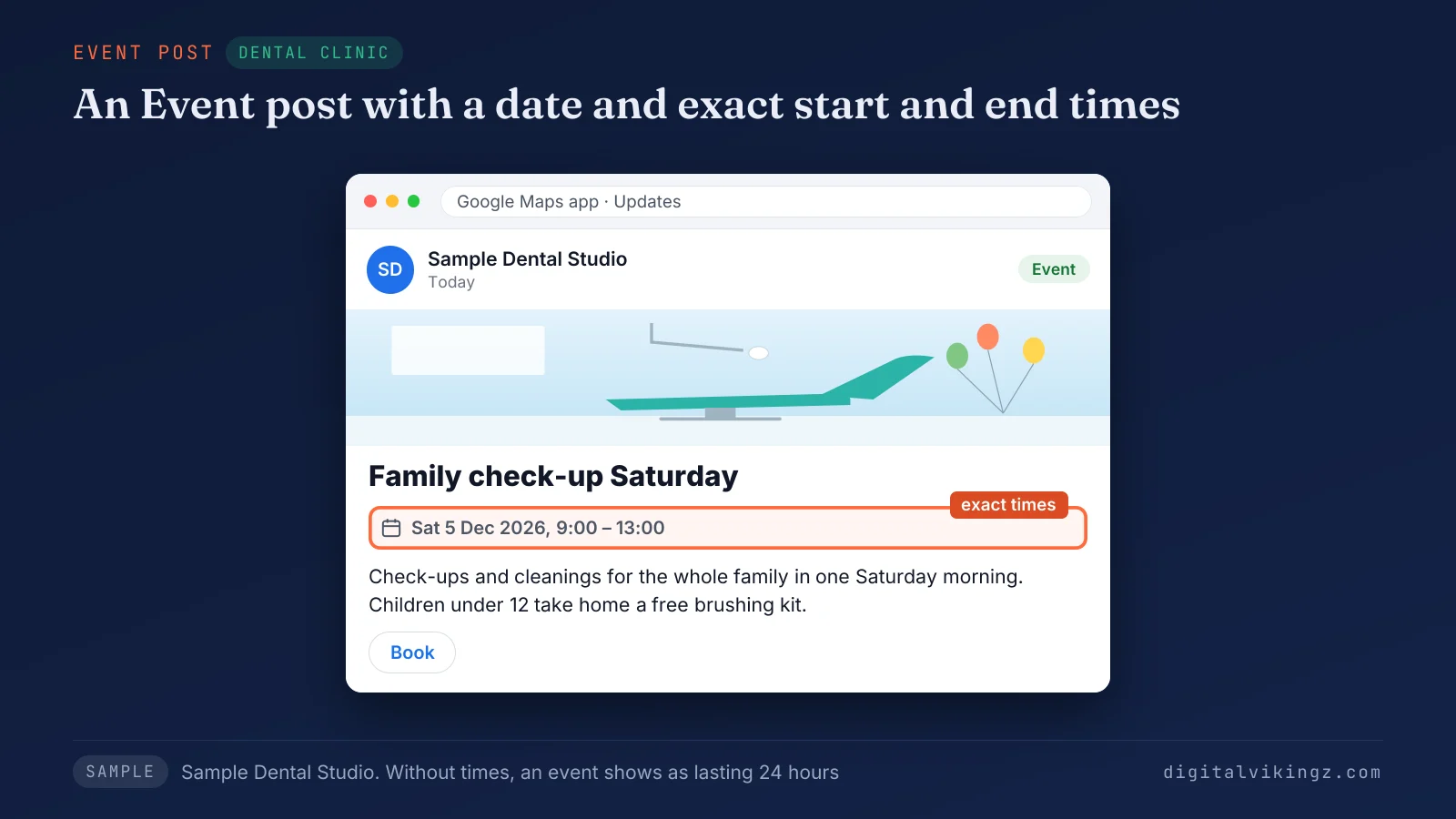
The sample Event post for Sample Dental Studio announces a Saturday family check-up day on 5 December, from 9:00 to 13:00. Ready-to-copy wording for each trade belongs to Google Business Profile post examples for plumbers, HVAC companies, dentists and med spas. The number of useful ideas each week sets how often a business posts.
How often should you post on Google Business Profile?
A business should post on Google Business Profile at least once a week, the rate most practitioner guides recommend, because Google publishes no posting frequency.
The guides we read put the useful range at one to three posts a week. Offers and events end on their end dates, so a weekly post keeps a current post on the profile. Daily posting suits a business with a new job, offer or answer every day.
The count of posts follows the news a business has, not the calendar. A seasonal business should post toward the top of the range before the busy months and keep the weekly post in quiet months.
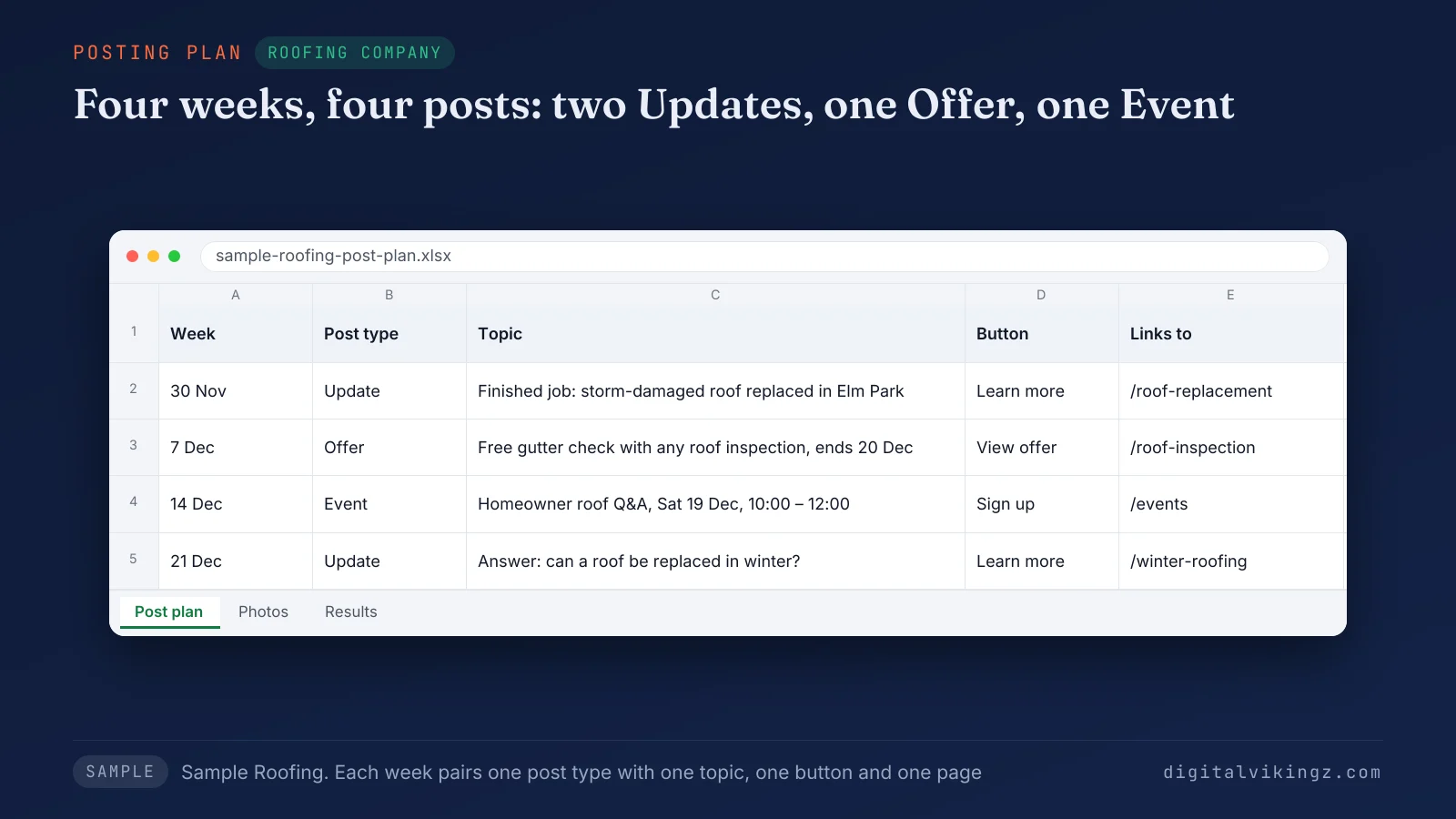
The sample four-week plan for Sample Roofing gives one post a week: two Updates, one Offer and one Event. Each week of the plan pairs one post type with one topic and one button. Frequent posting raises a fair worry about spam.
Can you post too often on Google Business Profile?
Posting often breaks no Google rule, and Google Help names no limit on the number of posts a profile publishes.
Google's tips ask owners to avoid "text that adds no value" and "auto-generated or distracting content". Answers on Quora warn that near-identical posts on a Google Business Profile look automated to customers reading the posts.
A ranking jump after heavy posting can come from another change. A Local Search Forum moderator traced one such jump, in a January 2025 thread, to a burst of new reviews. Volume matters less than what each post does for the customer.
What do Google Business Profile posts do for a business?
Business Profile posts give customers who view the profile current news, offers and events, plus a button to call, book or visit the website.
Google states that current updates on a profile "help them decide to visit your business". A customer comparing two plumbers sees a post from the past week on one profile and nothing since last year on the other.
None of the 13 guides we read on 18 November 2026 names a study that measures the calls a post adds. The profile's own calls and website clicks show the effect of posts for one business.
Map pack ranking is a separate job with separate factors, and the steps to rank higher on Google Maps sit apart from posting. For roofers, the guide to roofing SEO for the map pack and organic results covers that job. Owners still ask a direct ranking question about posts.
Do Google Business Profile posts help ranking?
Business Profile posts do not appear among Google's local ranking factors, which are relevance, distance and prominence.
Google's tips to improve local ranking name verification, complete business information, review replies and photos, and do not mention posts. Prominence on Search and Maps draws on links to the business and on the number and rating of the business's reviews.
Four of the top five pages we read on 18 November 2026 claim a ranking boost from posts, and none cites a source.
Relevance starts with the category, so owners who choose a Google Business Profile primary category set which searches the profile can match. The guide to choose a Google Business Profile primary category shows how Google's list is read. A post also has to show on the profile before any customer reads the post.
Why are Google Business Profile posts not showing?
A Google Business Profile post is hidden when the post is Pending, Not approved or expired, or when Google has a fault.
Google shows each post's status under Posts for every post type, and only a Live post shows on Search and Maps.
The five causes of a missing Google Business Profile post are listed below:
- Pending status: the post is still uploading or processing, or the profile is not verified.
- Not approved status: the post breaks the posts content policy, and a question mark beside the status names the rule.
- Expired post: an Offer or Event post has passed the end date, or an older post has been archived.
- Google-side fault: owners on the Local Search Forum reported published posts missing across many profiles in April 2025.
- Missing profile: the whole Business Profile is absent from Google Maps, a different problem from a missing post.
A missing profile needs a profile fix, such as verification, before any post can show to customers. Repeated rejections and an unverified profile are profile problems that Google Business Profile optimization fixes before the next post.
Our Google Business Profile optimization service includes one post a week, linked to one service page. Older posts raise one more question about how long a post lasts.
Do Google Business Profile posts expire?
Posts on a Business Profile do not expire after seven days: Google archives posts older than six months unless a date range is set.
Offer and Event posts, the two dated post types, stop showing on their end dates, so a dated post ends on schedule. The seven-day rule repeated in Quora answers between 2019 and 2022 describes an older behaviour of the feature, as the gbpranktracker.com guide notes.
A post with lasting value, such as an answer to a service question, should be renewed with a new post before the six-month mark. Dates on a post also mark the window for measuring the post.
How do you measure Google Business Profile posts?
Business Profile posts are measured through the profile's calls, direction requests and website clicks, plus tagged visits from each post button.
The Performance section of the Business Profile reports calls, direction requests and website clicks. Guides and owner reports disagree on per-post view counts, so the profile totals and tagged visits carry the measurement. A sudden fall in those totals has its own checklist: what to check when Google Business Profile calls drop.
A UTM tag on the button link, such as utm_source=gbp and utm_medium=post, shows the visits from each post in Google Analytics. A third tag, utm_campaign, named after the post topic, separates one post from the next, as the gbpranktracker.com guide shows.
We compare four weeks with posts against the four weeks before, service by service, in the monthly report. Calls and website clicks from customers for each service then show which post types earn a response. Measurement points back to the first decision: what the next post says and how often the next post goes out.
Questions about Business Profile posts
Owners ask five more questions about posts, on price, edits, phone numbers, social media and the old product name.
Are Business Profile posts free?
Posting on a Business Profile is free, because Google charges nothing for the profile or for the posts on the profile.
Can you edit or delete a Google Business Profile post?
Yes, an owner or manager can edit or delete a post after publishing, from the More menu beside the post under Posts.
Google advises editing a post when details change, so the information stays current.
Can you add a phone number to a Google Business Profile post?
A phone number in a post description can get the post rejected when Google fails to verify the number as the business's number.
The Call now button uses the verified profile number instead, and the same rule covers email addresses and social media handles.
Are Business Profile posts the same as social media posts?
Business Profile posts differ from social media posts, because posts show on the profile to people searching for the business, not in a feed.
Google can feature Facebook and Instagram posts on mobile profiles, but only for single-location food and drink businesses in five English-speaking countries.
Are Google My Business posts the same as Google Business Profile posts?
Google My Business posts are the same feature under the product's former name, Google My Business.
Google's posting API still carries the old name as the Google My Business API.
Where should a business start with Google Business Profile posts?
A business starts by checking the status of the latest post, then publishing one Update about a finished job, with a photo and a button.
One useful post a week, matched to a service page, keeps the profile current. Posts that match the website's services, towns and hours keep one description of the business, the base semantic SEO builds on.
Owners short on time can use Daily Google Posts, where our AI agent drafts each post from the business's website. A free preview on Daily Google Posts shows today's post for a home-service business in about 20 seconds. Digital Vikingz sets the agent up once, and a person checks any unclear fact.
