 Digital Vikingz
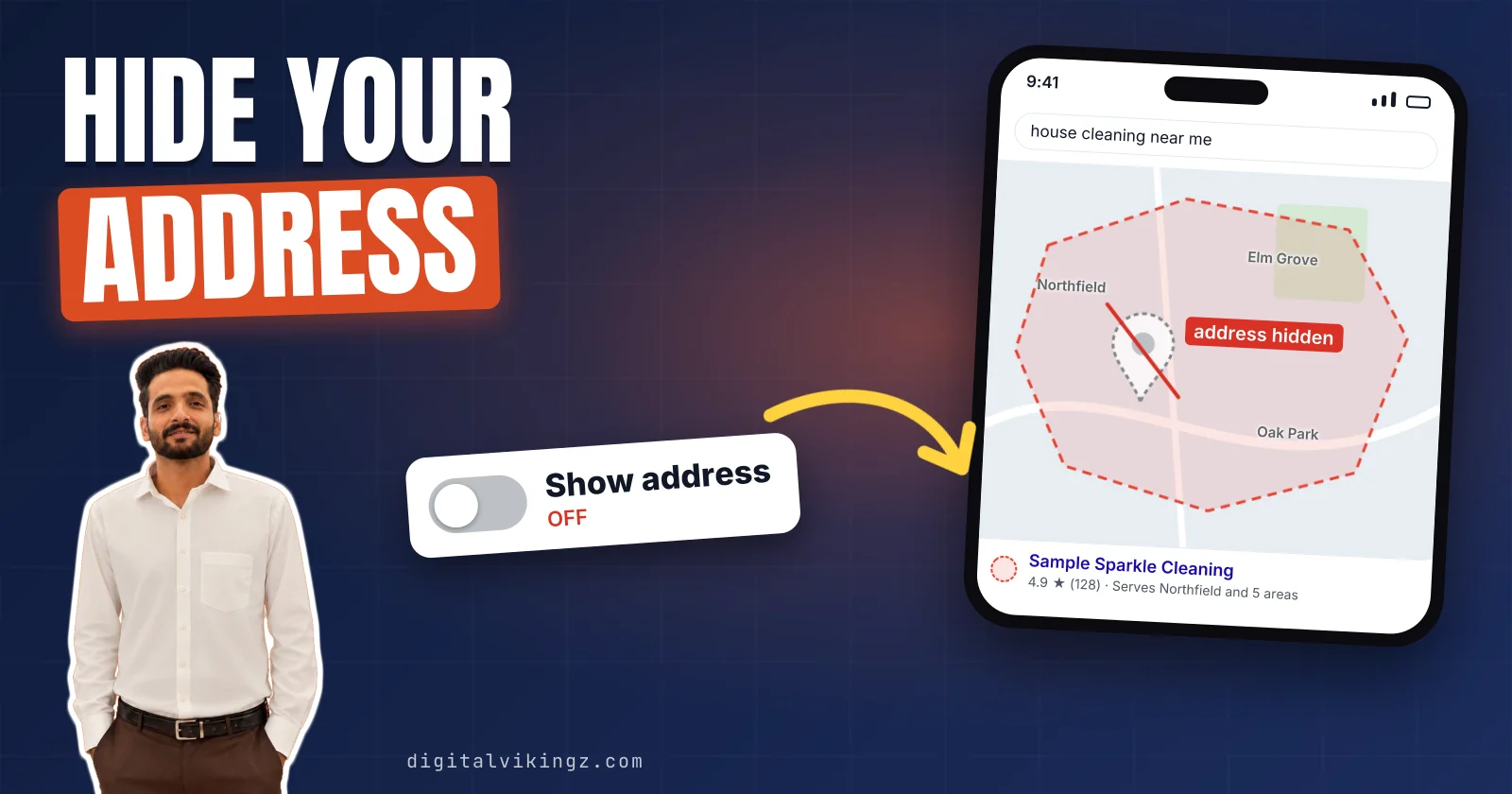
A service-area business on Google goes to its customers, hides its address on the Google Business Profile, and lists the areas served. A hybrid business also receives customers at a staffed address, so it shows the address too.
Owners hide the address by turning off "Show business address to customers" under Location. Google allows up to 20 service areas, kept within about 2 hours of driving time.
Practitioners report that ranking distance is still measured from the hidden address, not the areas. Service area pages repeat the towns, and a shown home address risks a suspended Google Business Profile.
What is a service-area business on Google?
A service-area business on Google is a business that travels to customers, or delivers to them, and does not serve customers at its own address. Google's help page defines a service-area business as one that "visits or delivers to customers directly but doesn’t serve customers at their business address."
Plumbers, HVAC contractors, roofers, electricians, house cleaners and mobile detailers are typical service-area businesses. The work happens at the customer's home, not at a shop. The Google Business Profile of a service-area business shows the areas served instead of a street address.
Google My Business was the former name of the Google Business Profile, and owners still call these listings SABs. Some businesses travel to customers and also receive them at an address.
What is a hybrid business on Google?
A hybrid business on Google serves customers at its address and also travels to customers, so the profile shows an address and service areas. Google describes a hybrid as a business that "serves customers at its business address but also directly visits or delivers to them."
Google names a dine-in restaurant that also delivers and an auto shop with roadside assistance. A staffed flooring showroom that also installs in homes fits the same type.
Google states that hybrids "can show their storefront address, set their hours for when their staff is available, and also have a service area." A service-area business, by contrast, shows only service areas on its Google Business Profile. Three conditions decide which of the three types a business is.
How do you know if your business is a storefront, service-area or hybrid business?
Storefront, service-area and hybrid businesses differ on Google by three facts: customer visits to the address, permanent signage, and staff at that address. A fourth question, travel to customers, separates a hybrid from a storefront.
Three questions from Google's guidelines sort every business into one Google Business Profile type:
| Question | Storefront business | Service-area business | Hybrid business |
|---|---|---|---|
| Do customers come to the address during stated hours? | Yes | No | Yes |
| Is there "permanent fixed signage" with the business name? | Yes | Not required | Yes |
| Is the address staffed by the business during stated hours? | Yes | Not required | Yes |
| Does the business travel to customers? | No | Yes | Yes |
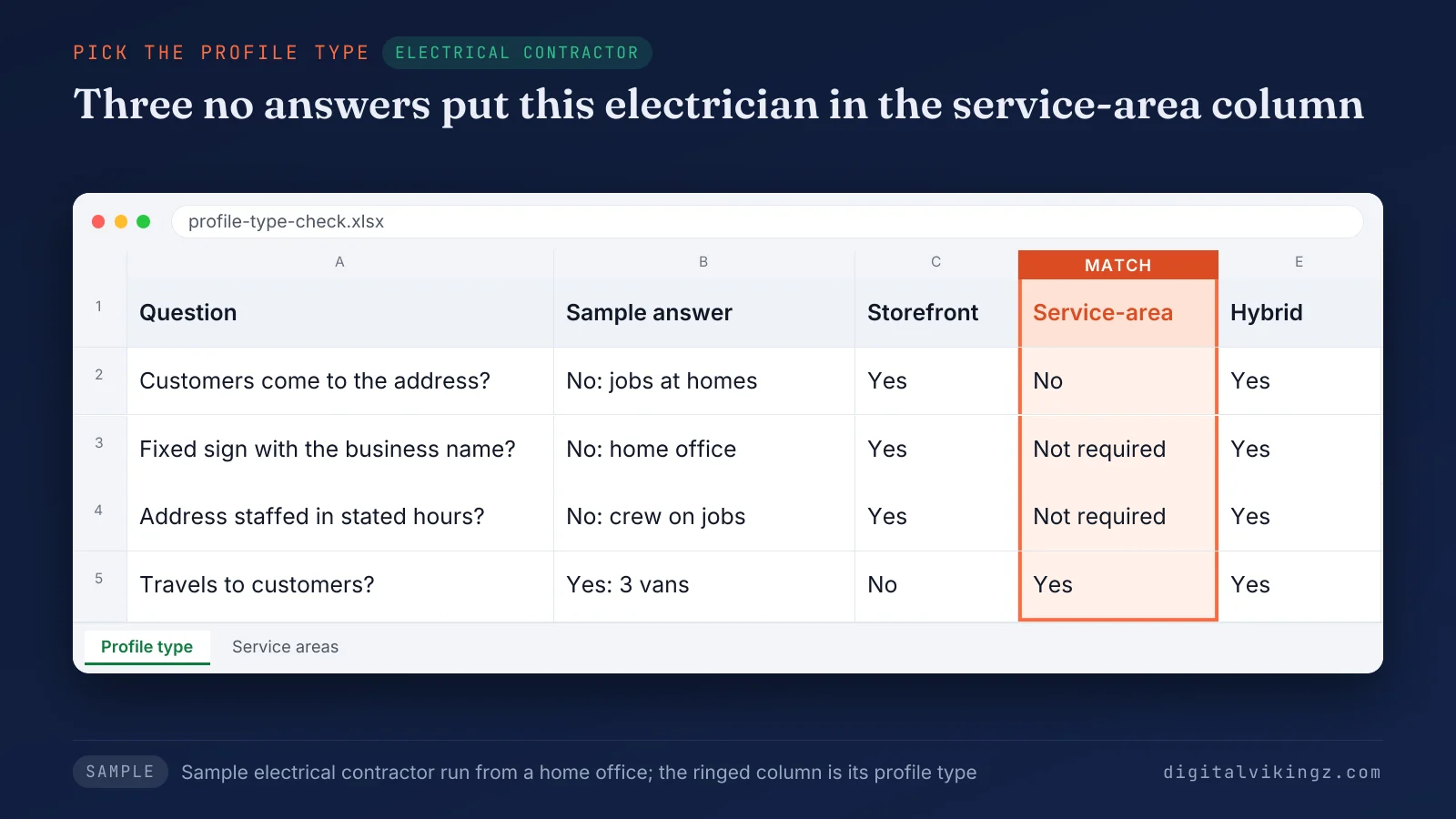
The sample electrical contractor answers no to the first question, so its Google Business Profile is set as a service-area business.
Google's guidelines state that businesses showing an address "should maintain permanent fixed signage of their business name at the address." A home office with no sign and no customer visits is not a hybrid business. The owner's wish for a map pin does not change the type.
Google expects a hybrid's address to be staffed and able to receive customers during its stated hours. Most home-based trades answer no to the first question, which raises the home-address question.
Can a home-based business use its home address on Google?
A home-based service-area business can use its home address on the Google Business Profile, but the address stays hidden from customers. Google's address help page states: "To verify your business, enter a business address that Google can find."
Google's guidelines give the plumber example: "if you’re a plumber and run your business from your residential address, clear the address from your Business Profile." Google keeps the home address for verification and location, while customers see the service area.
The verification video or code for a home address follows the steps to verify a Google Business Profile. Addresses with no one working there are a different case.
Can a virtual office or P.O. box be a service-area business address?
A virtual office or a P.O. box is not accepted as a service-area business address on Google, because Google rules out both as business locations.
The address types Google's guidelines rule out or restrict are listed below:
- P.O. box or remote mailbox: Google states that "P.O. boxes or mailboxes located at remote locations aren't acceptable."
- Virtual office: A rented mailing address the business does not operate from "isn't eligible for a Business Profile."
- Co-working desk: A shared desk qualifies only with clear signage, customers received and staff present during business hours.
A service-area business with no staffed office uses the address it runs from. The owner's home is the usual case, and the profile keeps it hidden. Hiding the address takes five steps in the profile editor.
How do you hide your address on a Google Business Profile?
A Google Business Profile hides its address when the owner turns off "Show business address to customers" in the Business location editor and saves.
The steps to hide the address on a Google Business Profile are listed below:
- Open the profile: Go to the Google Business Profile while signed in to the managing account.
- Open Location: Select Edit profile, then select Location.
- Edit the address: Next to "Business location," select Edit.
- Turn off the switch: Turn off "Show business address to customers" and leave the address itself in place.
- Save the change: Select Save, then add service areas if none are listed yet.
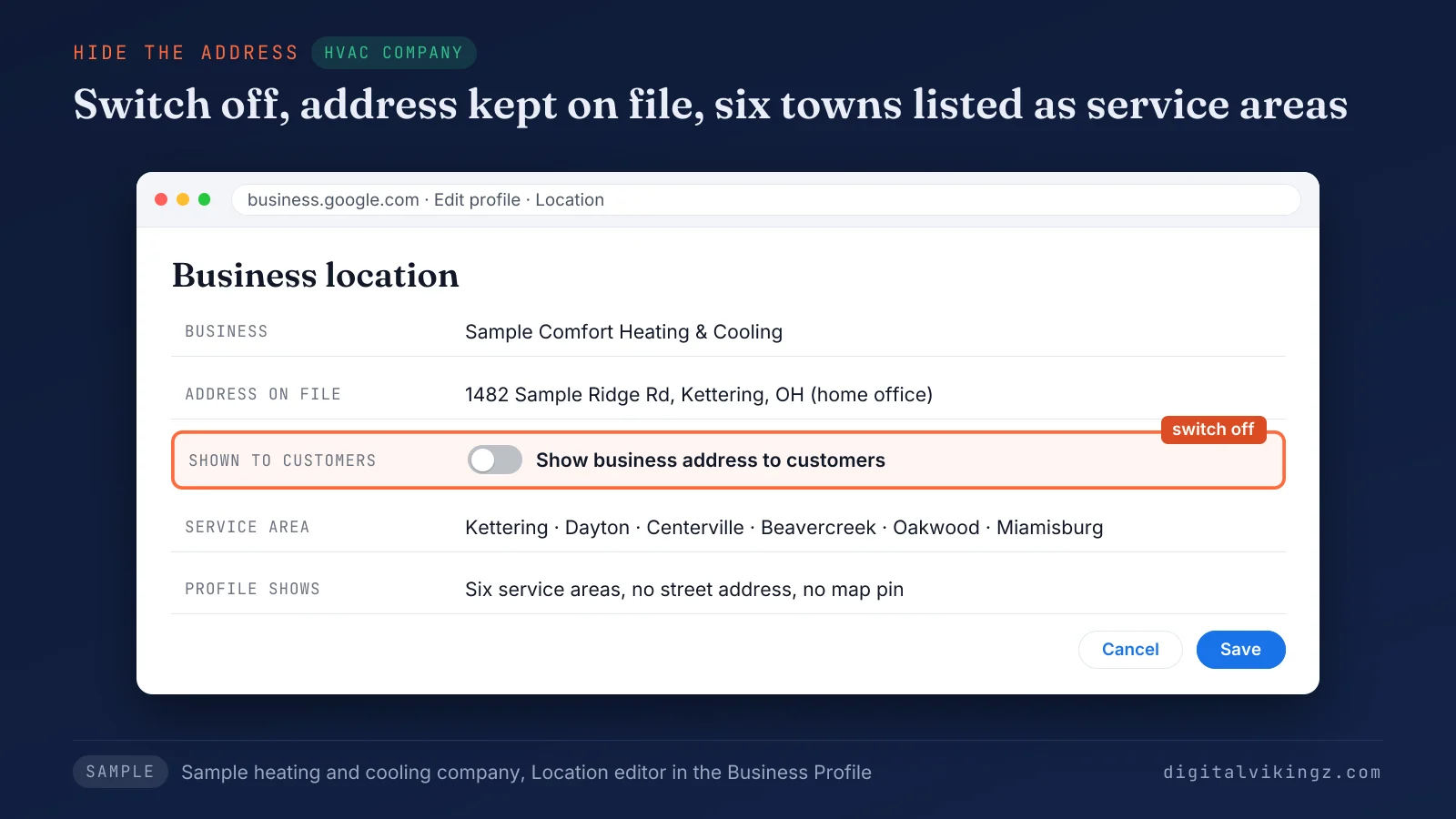
The sample heating and cooling company keeps its home address on file, with the switch off and six service areas listed.
Google states: "You should only choose to not show your address if your business is a service-area business." Google also notes that "the address on your Business Profile is public" until the switch is off. The change replaces the street address and map pin with a service area.
What do customers see when a service-area business hides its address?
Customers see a shaded service area and no street address or map pin once a service-area business hides its address on the Google Business Profile. Google's address help page states: "If you hide your business address, your Business Profile will only show your service area."
Google adds: "If you don't enter a service area, a local area is chosen for you."
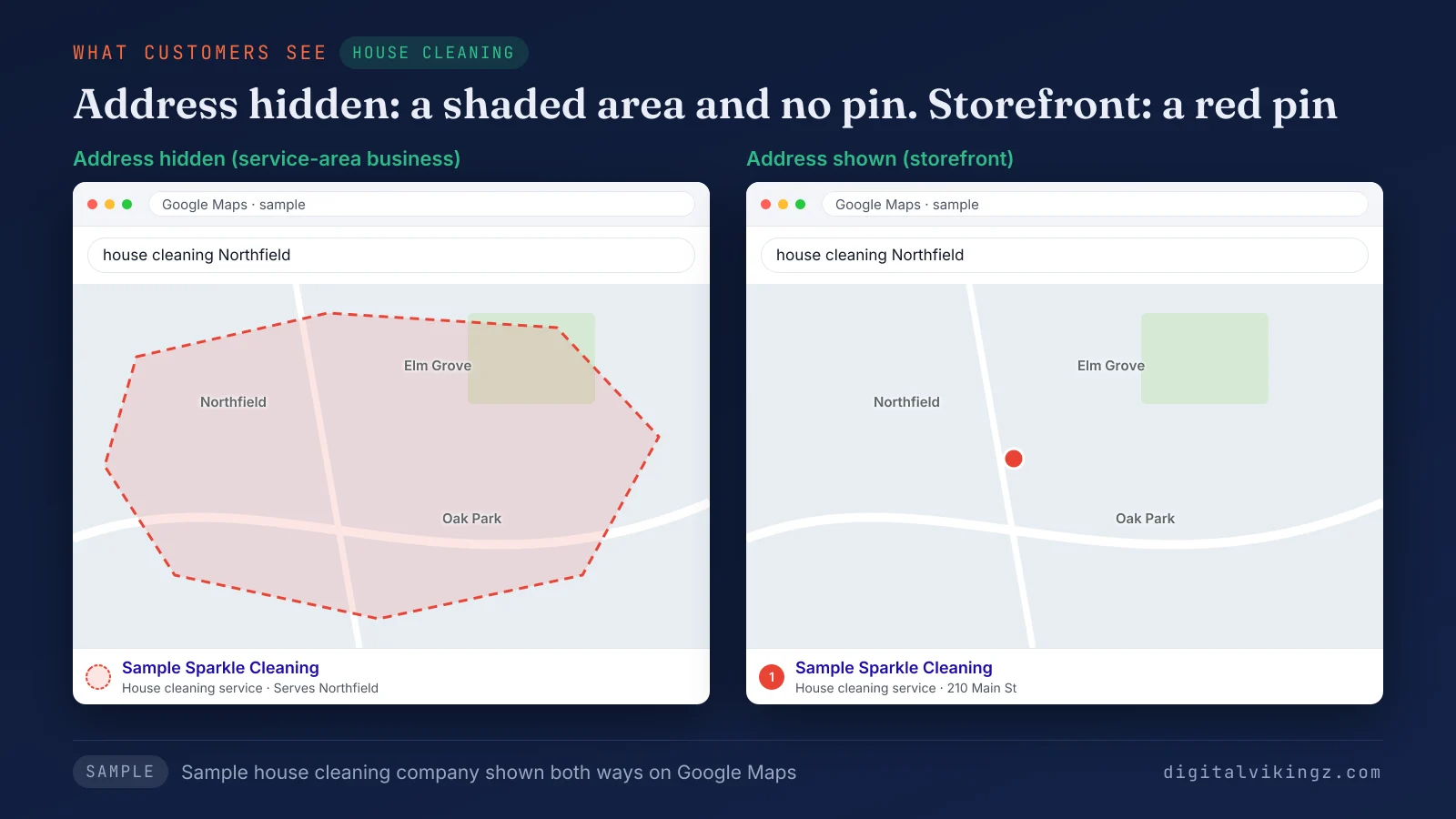
The sample house cleaning company shows a shaded area with its address hidden, and a red pin only in the storefront version.
The name, phone number, hours, reviews and services stay on the profile. Customers can still call and leave reviews.
A missing pin after the change is expected, and the other causes sit in the reasons a business is not showing on Google Maps. The area customers see comes from the list the owner sets.
How do you add service areas to a Google Business Profile?
Service areas are added to a Google Business Profile under Edit profile, Location and Service area, by entering cities, postal codes or other areas.
The steps to add service areas to a Google Business Profile are listed below:
- Open the profile: Go to the Google Business Profile from the managing Google Account.
- Open Location: Select Edit profile, then select Location.
- Edit the service area: Next to "Service area," select Edit.
- Enter each area: Select a suggested service area or type a city, postal code or region.
- Save the list: Select Save and check the list again after Google's review.
Google's service area help page states: "You can set up to 20 service areas based on the cities, postal codes, or other areas you serve." A service-area business keeps its service areas list separate from its services list of jobs.
Google limits both the number of areas and their driving distance.
How many service areas can a Google Business Profile have?
A Google Business Profile can have up to 20 service areas, and Google keeps the area within about 2 hours of driving time. Google's guidance reads: "The boundaries of your overall area shouldn’t be more than about 2 hours of driving time from where your business is based."
Google's guidelines add: "For some businesses, larger service areas may be appropriate." Google also asks owners to "be as specific and accurate as possible."
Both limits are Google's wording as read on 19 November 2026, and Google can change them. Twenty slots and a two-hour boundary still leave each service-area business a choice of areas.
Which service areas should a service-area business list?
A service-area business should list the towns and postal codes that send its jobs, inside Google's 2-hour driving boundary, not every reachable place.
The four rules for choosing service areas are listed below:
- Job history first: Towns and postal codes, or ZIP codes in the US, that sent jobs in the last year lead the list.
- Driving time second: Every area sits within about 2 hours of driving time from the base, as Google asks.
- Specific over broad: Postal codes or towns beat a whole county or state, because Google asks for specific and accurate areas.
- Room to grow: Unused slots stay empty until the business takes regular jobs in a new town.
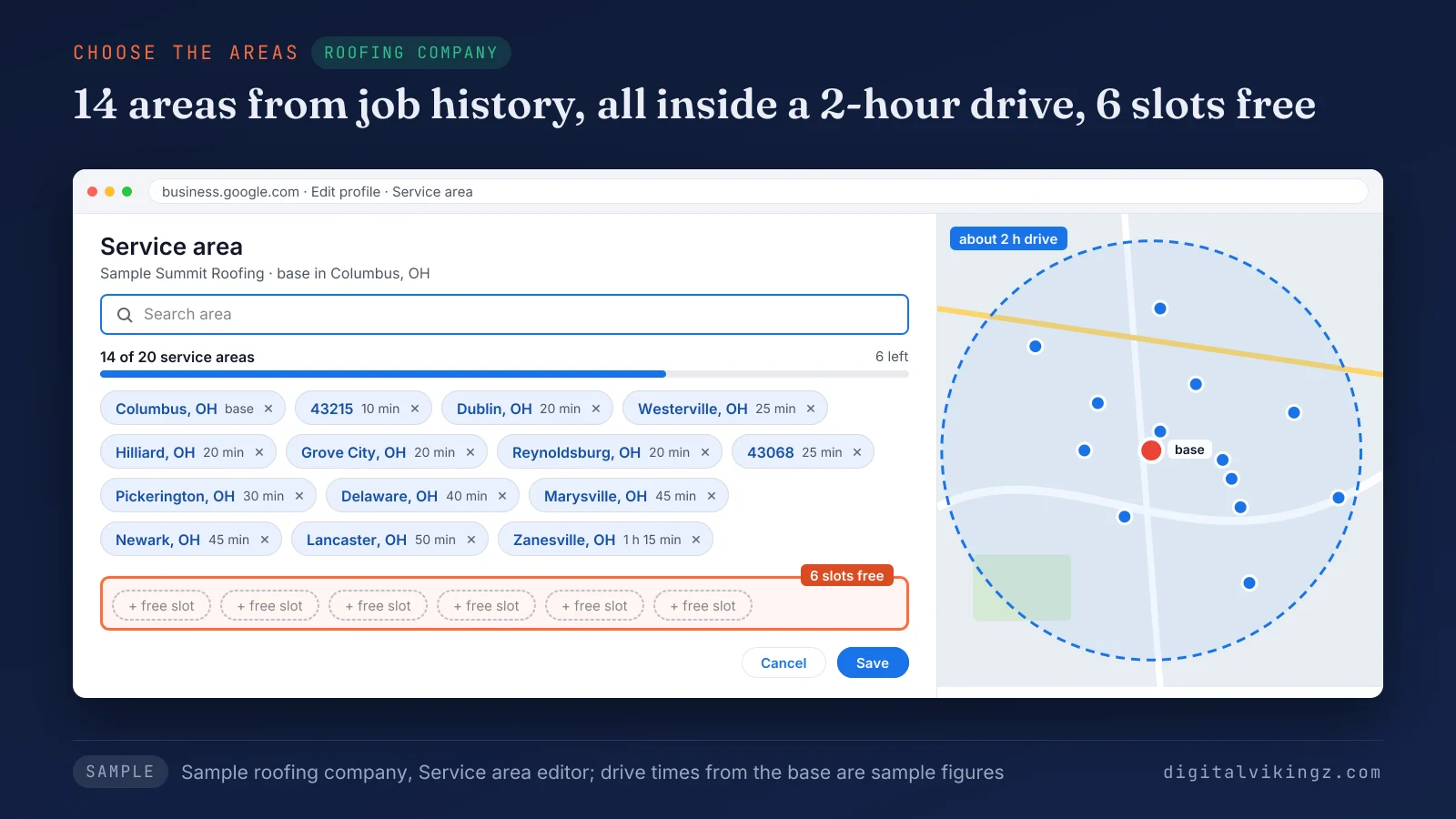
The sample roofing company lists 14 towns and postal codes, all inside a 2-hour drive, and keeps 6 slots free.
Owners on Google's community forum report profiles flagged after adding areas far from the business address. Older Google Business Profile listings meet one more limit, the retired radius.
Can a service-area business set its service area as a radius?
A service-area business does not set its Google Business Profile service area as a radius, because Google accepts only cities, postal codes or named areas. Google states: "You can’t set your service area as a radius distance around your business."
Google allows no edits to a radius set years ago. The owner replaces it with named cities or postal codes. A storefront that moves to service-area work changes the whole location setting.
How do you switch a Google Business Profile to a service-area business?
A Google Business Profile switches to a service-area business when the owner hides the address with the switch and enters at least one service area. Google's rule for a business that no longer receives customers: "Remove your address and only enter your service area."
Google's rule for a business that does both: "Enter both your address and service area." Google adds: "To remove all of your service areas, you must be a storefront business with your business address in your Business Profile."
Google states that address edits usually show in about 10 minutes. Service area edits may take up to 48 hours if approved.
One practitioner guide notes that a switch can trigger a new verification request. The owner keeps business documents ready for that request. A switch never adds a second profile for the same business.
Can a service-area business have more than one Google Business Profile?
A service-area business has one Google Business Profile for its whole service area, and more only with separate locations, staff and service areas. Google states: "Service-area businesses can only have one profile for the whole area that they serve."
Google allows one profile per location. Each location needs its own service area and staff to qualify. A second profile for each city served breaks that rule and splits reviews across listings.
An extra listing created by mistake is handled as a duplicate Google Business Profile. One profile with Google's limit of 20 areas raises the next question: where the profile will rank.
Do service areas help a Google Business Profile rank in every town listed?
Service areas do not make a Google Business Profile rank in every town listed, because Google uses them to show customers where the business works. Google's service area help page states that the area "shows customers where you can provide your products and services."
Google's local ranking help page states: "Local results are mainly based on relevance, distance, and popularity." Google defines distance as "how far each business is from the customer who’s searching."
Practitioners who test service-area profiles report that distance is still measured from the business location. Far towns can rank lower as a result. Our Local SEO and Google Business Profile optimization for service-area businesses sets the address, areas and categories within Google's rules before ranking work starts.
A hidden address raises a related worry about ranking.
Does hiding the address hurt a service-area business on Google Maps?
Hiding the address does not break Google's rules for a service-area business, though some practitioners report fewer Google Maps appearances afterwards. Local SEO forum tests from 2023 to 2025 describe drops for some searches. One agency guide adds that "results vary a lot."
Practitioners report that the hidden address still sets the point that distance is measured from. Google's guidelines still say a service-area business should hide the address on its Google Business Profile. Showing a home address to gain distance is not an option.
Google Maps ranking rests on relevance, distance and prominence. Relevance and prominence are the levers left, and the steps to rank higher on Google Maps start with categories and reviews. The website carries the same towns as the profile.
How do service areas on the profile match service area pages on the website?
Service areas on the Google Business Profile match the website when every service area page covers a town the profile also lists. Both lists stay inside Google's 20 areas and about 2 hours of driving time.
The profile sets the outer edge of the page set. A town the profile does not list gets no page. A listed town earns a page only with facts of its own.
The method for service area pages that match the profile without becoming doorway pages covers what each page needs. A home address left on show creates a different risk.
Can a shown home address get a service-area business suspended?
A home address shown by a service-area business can lead to a Google Business Profile suspension, because Google's guidelines say to hide the address. Google's guidelines state: "If you’re a service-area business, you should hide your business address from customers."
Owners report competitors who show home addresses without action from Google. The guideline still applies to every profile. The appeal steps for a suspended Google Business Profile start once the address is hidden.
Each of these risks traces back to one location setting.
Which Google Business Profile location setting fits a service-area business?
The right Google Business Profile location setting for a service-area business depends on one fact: whether customers ever visit the business address.
The setting for each kind of service business is listed below:
- Run from home: Turn off "Show business address to customers" and list up to 20 service areas, as Google allows.
- Yard or office, no visitors: Keep the address hidden and set the areas around that base.
- Staffed shop that also travels: Show the signed address, set hours for staff, and add service areas as a hybrid.
- Storefront only: Show the address and leave service areas out once the business stops travelling.
The location setting is one field of the complete guide to Google Business Profile optimization, next to categories, services and photos. A business moving from a shop to home-based work can book a strategy call with our team to check the setting first.
A correct location setting keeps the Google Business Profile ready for regular updates.
Service-area business questions
Are service areas the same as services on a Google Business Profile?
Service areas and services are separate Google Business Profile fields, one for places and one for work. The services field has its own rules, covered under Google Business Profile services and products.
Why does the address still show after it was hidden?
A hidden address can still show, because Google says profile changes usually take about 10 minutes, sometimes up to 30 days. Google says service area edits may take up to 48 hours, if approved.
Can a business that sells alcohol, cannabis or weapons be a service-area business?
A business selling alcohol, cannabis or weapons cannot be a service-area business on Google without a storefront. Google ties that limit to products with an age requirement.
Can a service-area business get reviews on Google?
A service-area business gets reviews on its Google Business Profile just like a storefront does. Google lists reviews, hours, phone number and services among the details a profile can show.
Is hiding the address the same as clearing it?
Hiding and clearing the address are the same step: turning off "Show business address to customers." Google's guidelines say "clear the address," while the current help page uses the switch.
Can a hybrid business hide its address?
A hybrid business should keep its address shown, because Google says only a service-area business should hide it.
A service-area business hides its address and sets up to 20 service areas. The areas stay within Google's driving boundary, under one Google Business Profile. The profile then stays active with Daily Google posts for service-area businesses from Digital Vikingz.
