 Digital Vikingz
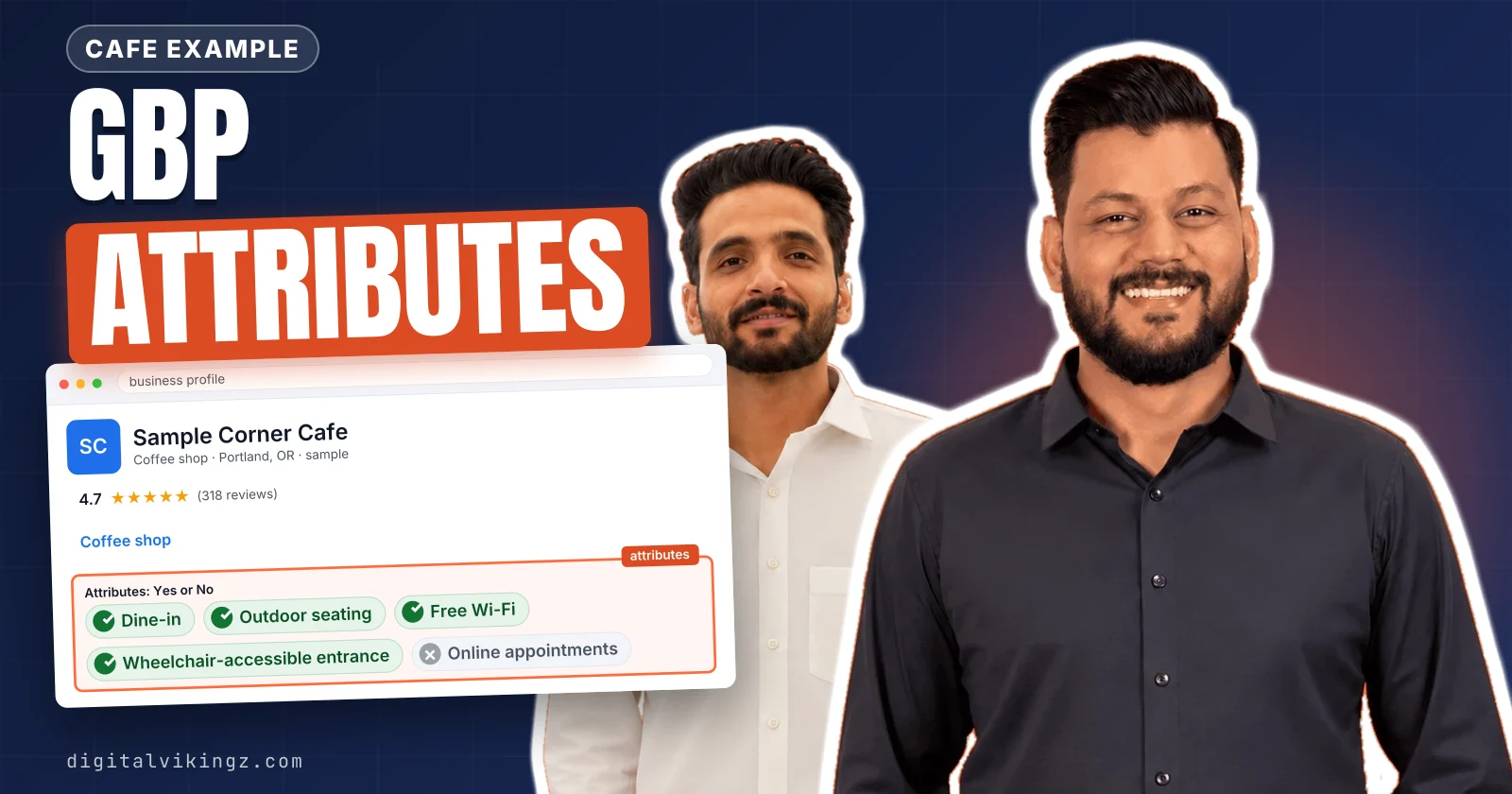
Google Business Profile attributes are structured facts, such as a wheelchair-accessible entrance or Women-owned, that the profile shows in Google Search and Google Maps. Each attribute value comes from one of three sources: the owner, customers who visited, or information Google collects.
The business category, starting with the primary category, decides which attribute groups appear. Owners add attributes from the editor: Edit profile, then More, then Edit next to a group, Yes or No, then Save.
The attributes that matter most are the ones customers search or filter by, and those differ between home service trades and clinics. Attributes can help a Business Profile show for searches that name the attribute, but Google lists no general ranking effect.
What are Google Business Profile attributes?
Google Business Profile attributes are structured facts, such as a wheelchair-accessible entrance or Women-owned, that the profile shows in Google Search and Google Maps. Attributes tell customers what a business has or offers before they call, visit or book.
Older guides call them Google My Business attributes, after the former name of the product. Owners and customers often call attributes tags, labels or the small icons on a listing. Most attributes are Yes or No answers about a single fact.
Google titles the help page on the topic "Manage your business attributes", so business attributes is Google's own synonym. Each attribute describes the business, where the fact shows, and who supplied the value.
A complete profile also carries categories, services, hours and photos next to attributes. Attributes are one field of a complete profile, covered with every other field in the guide on how to optimize a Google Business Profile. Categories and services sit closest to attributes, and each of the three fields has a different job.
How do attributes differ from categories and services?
Categories state what the business is, services list what the business does, and attributes describe facts about the place or the offer. Each Google Business Profile field answers a different customer question.
The three profile fields divide the work as given below:
- Categories: the primary category names what the business is, such as Dentist or Plumber.
- Services: the Services field lists jobs the business performs, such as drain cleaning or teeth whitening.
- Attributes: attributes record facts such as access, payment, booking options or ownership.
A clinic with online appointments still keeps Dentist as the category, following the method for choosing the primary category. Online appointments go in as an attribute instead.
The Services list has a separate editor and separate rules, explained in the guide to Google Business Profile services and products. Attributes, by contrast, show as short facts on the profile itself.
Where do attributes show on Google Search and Google Maps?
Google shows attributes on the Business Profile in Search, Maps and other Google platforms, as profile details, short highlight lines and some icons. Google states: "Attributes show up on your Business Profile on Search, Maps, and other Google platforms."
Recycling attributes are Google's named example of an icon. Google says a business with a recycling attribute shows up in search results with a recycling icon.
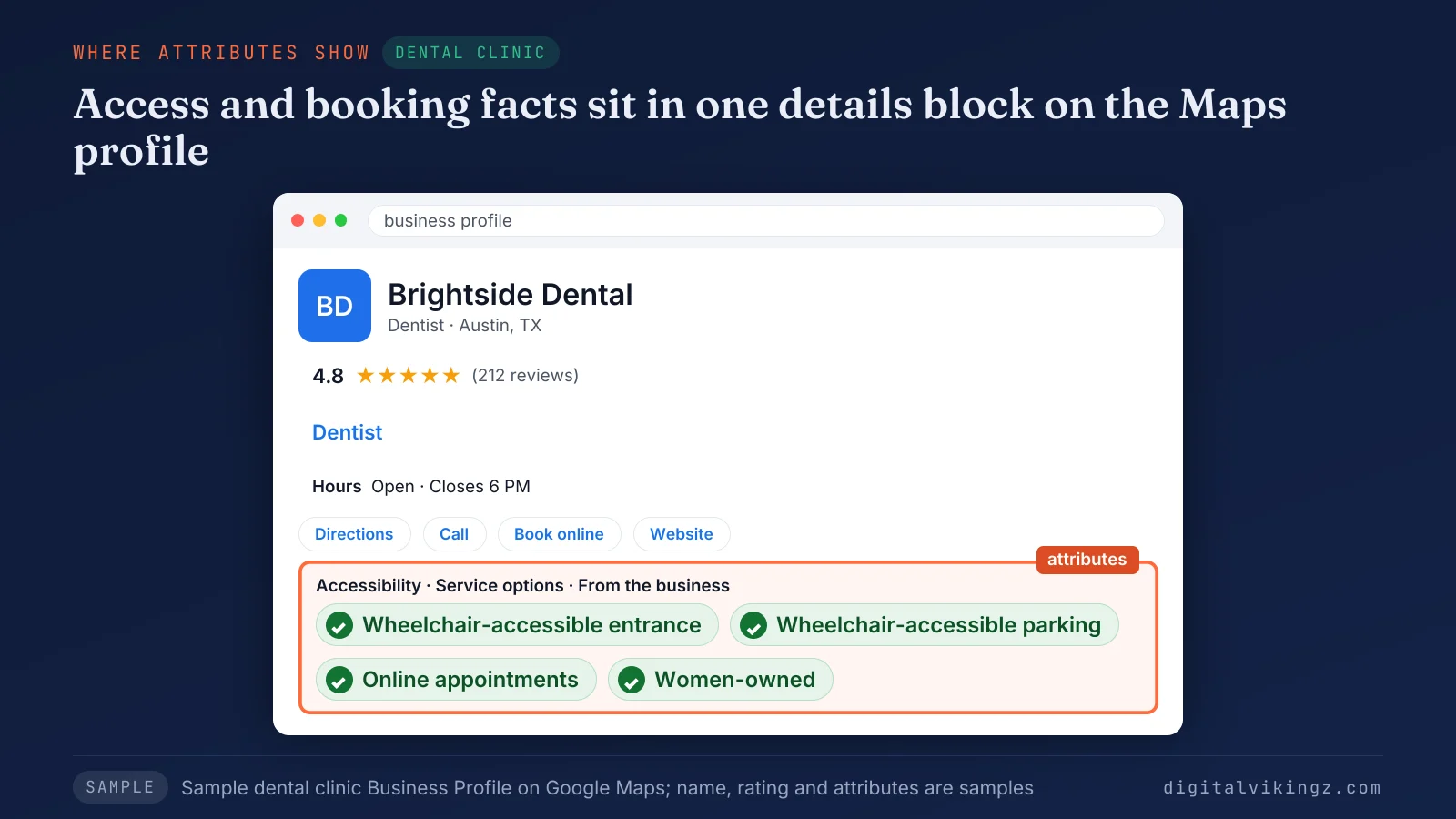
The sample Brightside Dental profile groups a wheelchair-accessible entrance, wheelchair-accessible parking, online appointments and the Women-owned label in one details block. A patient sees each fact on the Google Business Profile without opening the website.
An attribute can also appear as the short line under a listing in search results. One owner in a Google Business Profile Help Community thread reported that display for on-site services. Who fills each value decides what that line says.
Who sets each Google Business Profile attribute?
Each attribute value comes from one of three sources: the owner, customers who visited, or information Google collects. Google says owners can edit some attributes directly, while others may be filled from the inputs of customers who visit the business.
The table lists the three sources of an attribute value and what the owner can do about each.
| Source | Example | What the owner can do |
|---|---|---|
| Owner | Factual attributes such as Wi-Fi or Women-owned | Edit the value in Edit profile, then More |
| Customers | Subjective attributes such as popular with locals | No direct edit; accurate details and reviews shape the value |
| Answers from automated calls or texts, where Google offers them | Review the item under Edit profile, then Collected info |
Google says: "Subjective attributes, like whether your business is popular with locals, rely on the opinions of Google users who have visited your business."
Google may reach out by automated call, text or WhatsApp to the verified phone number on a Google Business Profile. Google adds that the answers may be used to update the profile.
The Collected info page shows the source and the date of each collected item. Google offers that page only in select regions, languages and business categories. Owner-set values sit inside attribute groups, and the category decides which groups an owner sees.
Which attribute groups can a Google Business Profile show?
Google sorts attributes into groups such as Accessibility, Amenities, Payments, Service options and Business identity, and the category decides which groups appear. Google publishes no complete list of attributes, because the list changes by category and country.
Identity labels, accessibility tests, service options and payment options carry the most rules for owners. The table shows the main attribute groups on a Google Business Profile, what each records and who usually sets the values.
| Group | What it records | Example attributes | Set by |
|---|---|---|---|
| Accessibility | Access for wheelchair users and people with hearing needs | Wheelchair-accessible entrance, assistive hearing loop | Owner |
| Amenities | Facilities at the premises | Wi-Fi, restroom | Owner |
| Payments | How customers can pay | Credit cards, Cash-only | Owner |
| Service options | How the customer gets the service | Onsite services, online estimates, online appointments | Owner |
| Planning (group name used by practitioner guides) | What a visit needs in advance | Such as Appointment required | Owner |
| Recycling | Drop-off items the business accepts | Batteries, electronics, light bulbs | Owner, offered by category |
| Business identity | Self-declared ownership and small business status | Women-owned, Veteran-owned, Small business | Owner; Google may mark Small business |
Hotels and restaurants see extra groups such as dining options, which service businesses do not see.
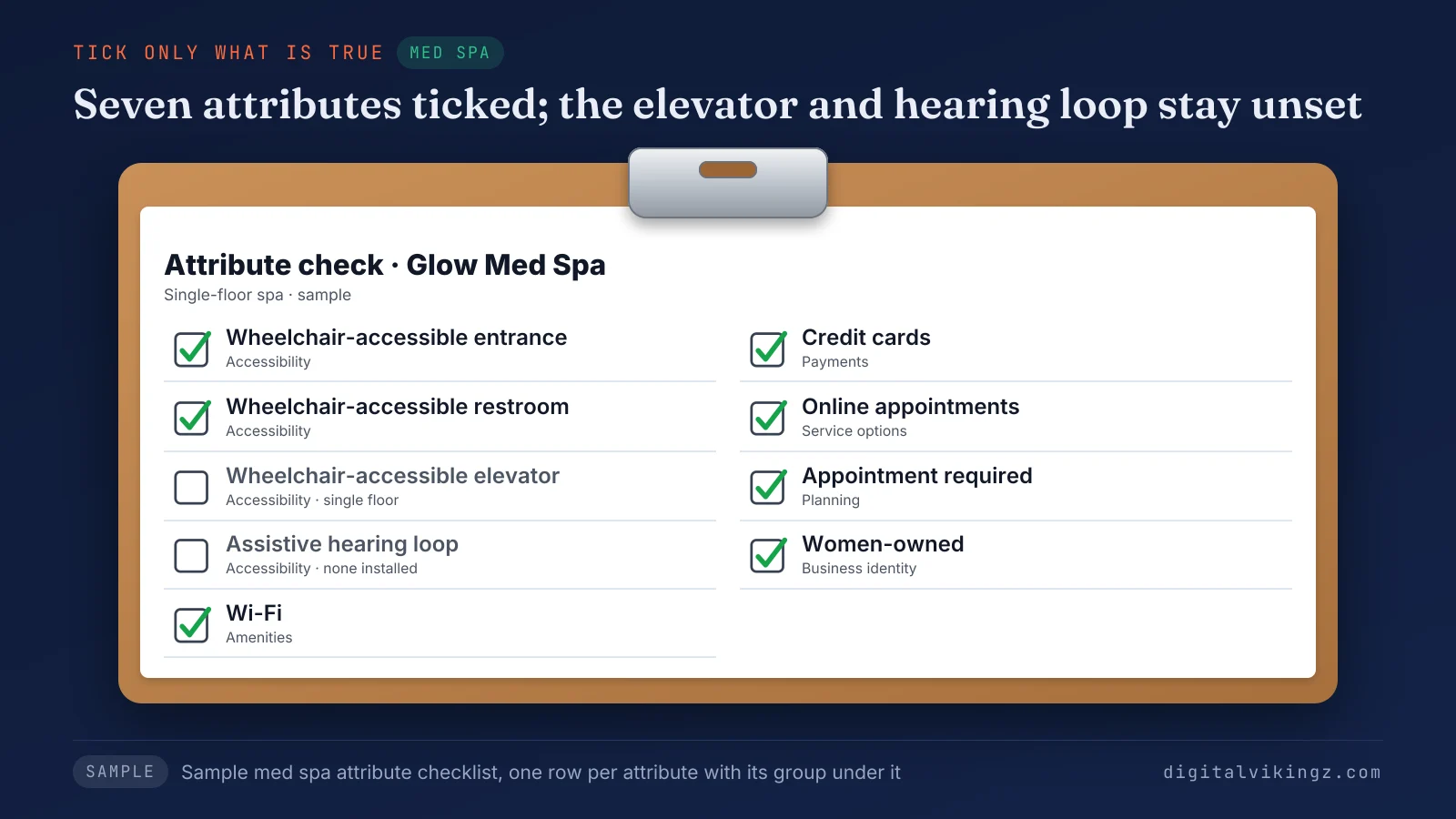
The sample Glow Med Spa ticks a wheelchair-accessible entrance and restroom, Wi-Fi, credit cards, online appointments, Appointment required and Women-owned. The elevator and hearing loop rows stay unticked, because a single-floor spa has no elevator and no installed loop. Business identity labels come with eligibility rules of their own.
What are business identity attributes?
Business identity attributes are self-declared labels that tell customers the business is owned by someone of a named identity, or is a small business. The labels describe the owner, not the service.
Google offers nine business identity attributes:
- Asian-owned
- Black-owned
- Latino-owned
- LGBTQ+ owned
- Disabled-owned
- Indigenous-owned
- Veteran-owned
- Women-owned
- Small business
Google defines the Small business label by revenue: "A small business makes less than $10 million a year." Google also states: "Franchises can't be considered a small business." Google may mark a business as small automatically, based on the information Google holds.
Google confirms: "You can choose more than one identity attribute for your Business Profile." Older guides and posts still say Women-led or Veteran-led, but the current labels use the word owned.
Identity labels often appear on the Google Business Profile under a From the business heading. Accessibility labels follow stricter tests than identity labels.
What makes a business wheelchair accessible on Google?
Google counts an entrance as wheelchair accessible when it is three feet or one meter wide and has no steps or stairs. Each accessibility attribute on a Google Business Profile has a measured test.
Google sets a test for each wheelchair attribute:
- Entrance: three feet or one meter wide, with no steps, or with a ramp where steps exist.
- Restroom: an entrance at least 1 meter wide with no steps, and a 1 meter stall entrance.
- Seating: a step-free main area with room to reach and sit at a table.
- Parking: a spot reserved for people with accessibility needs.
- Elevator: an elevator large enough for a wheelchair, on a business with several floors.
An entrance made only of revolving doors counts as No, according to Google. Google also lists hearing attributes: assisted listening devices, an assistive hearing loop and Auracast broadcast audio.
Patients with access needs often check these details before a first visit. Service options describe a different side of the visit: how the customer gets the service.
What are service options and planning attributes?
Service options and planning attributes describe how a customer gets the service, such as onsite services, online estimates or online appointments. Labels in this group vary by category.
Trades often see onsite services and online estimates, while clinics often see online appointments and Appointment required. Planning labels such as Appointment required tell a customer on the Google Business Profile to book before the visit.
Service options are attributes, while the Services list is a separate field for the jobs the business performs. Payment and amenity labels complete the main groups.
Which payment, amenity and recycling attributes exist?
Payment attributes list how customers can pay, amenity attributes list facilities such as Wi-Fi or restrooms, and recycling attributes list drop-off items. Google uses Wi-Fi as the Amenities example and Cash-only as the Payments example in the edit steps.
Payment options vary by category. Owners check which payment labels the Google Business Profile editor offers for their own category.
Recycling attributes cover 11 drop-off items, offered by business category, such as batteries, electronics and light bulbs, according to Google. The category also explains why one profile sees an attribute that another profile lacks.
Why does the attribute list differ by category and country?
Google offers different attributes by location, country and business category, and renames attributes over time to match how people search. Google states: "Some attributes can only be changed in certain locations, countries, or business categories."
A category change made only to unlock an attribute breaks Google's guidelines. Google's guidelines say: "Do not use categories solely as keywords or to describe attributes of your business."
Each secondary category must also describe the business, as the guide to Google Business Profile secondary categories explains. Attributes the category does offer are set in the profile editor.
How do you add attributes to a Google Business Profile?
Owners add Google Business Profile attributes from the editor: Edit profile, then More, then Edit next to a group, Yes or No, then Save. The owner first signs in to the Google Account linked to the Business Profile.
Google lists five steps to add or edit an attribute:
- Open the Business Profile on Google Search.
- Select Edit profile, then More.
- Select Edit next to the attribute group, such as Amenities or Payments.
- Select Yes or No next to each attribute, such as Wi-Fi or Cash-only.
- Select Save.
Google says: "A review of your edits usually takes about 10 minutes, but sometimes it can take up to 30 days."
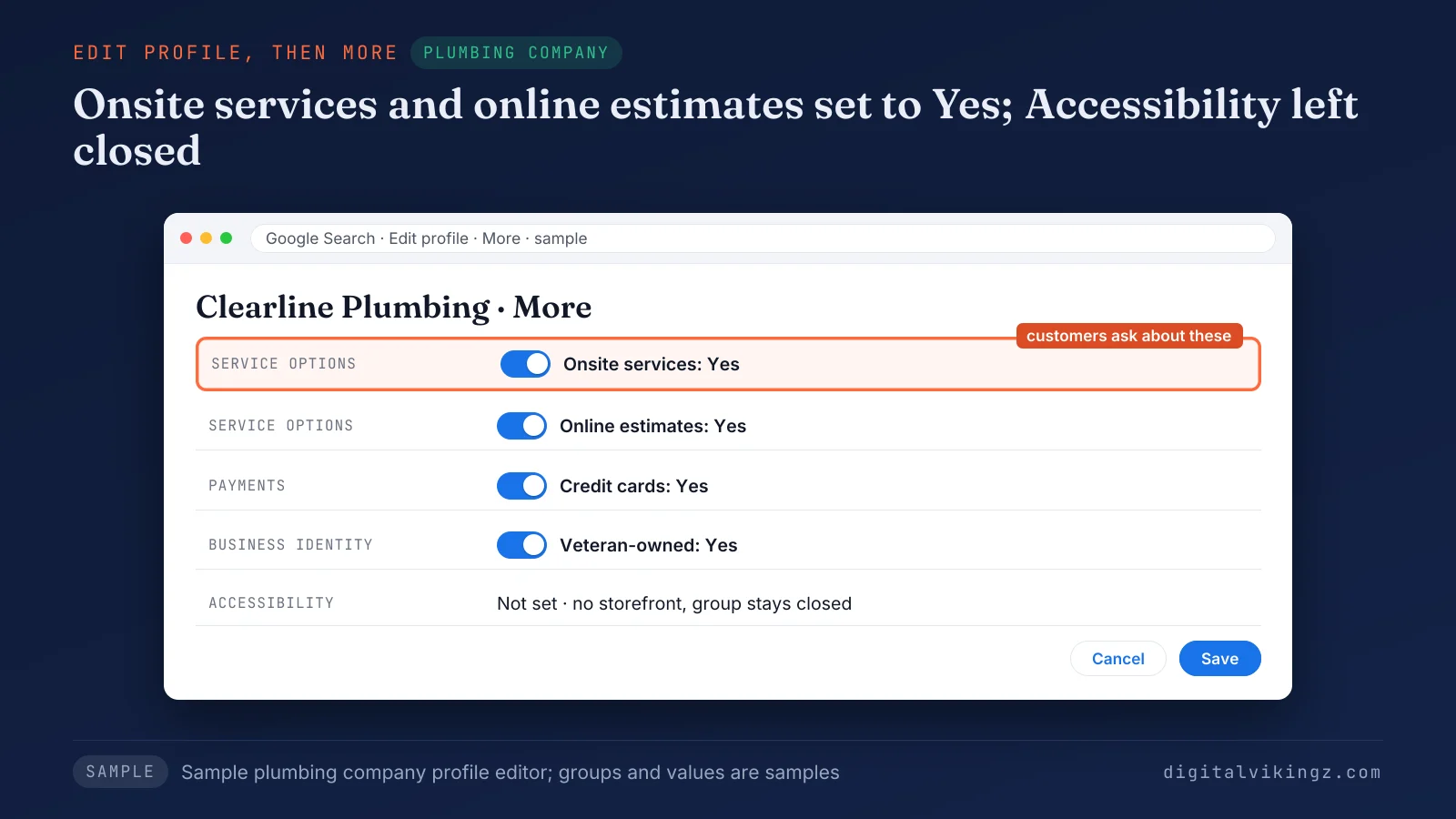
The sample Clearline Plumbing editor sets onsite services and online estimates to Yes and leaves groups that do not apply unset. Credit cards and Veteran-owned are also set to Yes, while the Accessibility group stays closed. Owners on a phone reach the same editor through the Google Maps app.
How do you edit attributes in the Google Maps app?
The Google Maps app opens the same editor: tap Business at the bottom right, tap Edit profile, change the attribute, then tap Save. Google notes that "Certain features to manage your profile may differ between Search and Maps and your device's operating system."
An attribute missing in the app is checked on a computer before the owner assumes the Google Business Profile category lacks the attribute.
Should you answer No to an attribute that does not apply?
Not always: answer No only when the No guides a customer decision, because a No can show on the profile as a not available line. Google documents that a No on Auracast broadcast audio hides that attribute from the profile.
One owner in the Help Community thread reported that a No on on-site services showed "on-site services not available". A volunteer Product Expert pointed the owner to Google Support, and the thread holds no fix from Google.
A No on a wheelchair-accessible entrance is useful, because it saves a wheelchair user a wasted trip. An attribute that does not apply can stay unset. The owner checks the public Google Business Profile while signed out after any change.
Which attributes matter for home services, clinics and med spas?
The attributes that matter most are the ones customers search or filter by, and those differ between home service trades and clinics. Google links attributes to searches for places with those attributes, so the words customers search decide the priority.
Plumbers, HVAC companies and roofers need a different set from dental clinics and med spas. A business without a storefront skips some groups entirely. Every attribute set must be true on the day it is saved.
Attribute choice is one decision inside Local SEO and Google Business Profile work. Digital Vikingz checks each attribute group against the business as part of the Local SEO and Google Business Profile service.
Which attributes fit a plumber, HVAC company or roofer?
Plumbers, HVAC companies and roofers gain most from service options, payment attributes and any identity label that is true for the owner. We start each trade profile with the labels customers ask about before booking.
The table shows the attributes a trade checks first and why customers use them.
| Trade | Attributes to check first | Why customers use them |
|---|---|---|
| Plumber | Labels such as onsite services and online estimates; payments; Veteran-owned or another true identity label | Customers want the job done at their address and a price before booking |
| HVAC company | Labels such as onsite services and online estimates; payments | Households compare who comes out and how payment works |
| Roofer | Labels such as online estimates and onsite services; payments; Small business where true | Roof jobs start with an estimate visit |
Trade owners who serve customers at their address skip attributes about a storefront, such as seating. Google Business Profile settings are one part of local SEO for plumbing companies and of roofing SEO for the map pack.
Which attributes fit a dental clinic or med spa?
Dental clinics and med spas gain most from accessibility attributes, online appointments and payment options, because patients check access and booking before a first visit. Clinic profiles lean on the accessibility tests Google defines.
The table shows the attributes a clinic checks first and why patients use them.
| Clinic | Attributes to check first | Why patients use them |
|---|---|---|
| Dental clinic | Wheelchair-accessible entrance, restroom and parking; online appointments; payments; true identity labels | Patients with access needs and new patients check before booking |
| Med spa | Online appointments; Appointment required; wheelchair-accessible entrance; amenities such as Wi-Fi | Clients book ahead and compare comfort |
Some dental categories have gained attributes such as emergency or pediatric services in some markets, according to a 2025 Local Search Forum thread. Owners confirm those labels in their own editor.
The sample Brightside Dental profile shows how accessibility and online appointments read on Google Maps. The full set of practice steps beyond the Google Business Profile sits in the guide to dental SEO.
Which attributes apply to a service-area business?
A service-area business without a storefront can still set service options, payments and identity labels, while accessibility attributes describe a place customers visit. Google's accessibility tests measure an entrance, restroom, seating, parking and an elevator, so the tests fit only premises customers enter.
Setting up the Google Business Profile itself, with the address hidden and areas listed, is covered in the guide to a service-area business on Google. Website pages for each served place follow the rules for service area pages that are not doorway pages.
Why are Google Business Profile attributes not showing?
A saved Google Business Profile attribute may not show because Google reviews edits, offers attributes by category and country, and chooses what displays. Values that customers or Google changed need a correction routine of their own.
Six checks explain most missing attributes:
- Pending review: Google can take up to 30 days; check the edit status.
- Category or country: the attribute is not offered; compare the editor with the category.
- Display choice: Google picks which details appear for a search; search the attribute by name.
- Customer or Google data: another source replaced the value; open Collected info where offered.
- Connected tools: a listing tool with profile access overwrote the value; check tool permissions.
- Signed-in view: managers see a different view; check the profile signed out.
A volunteer Product Expert in the Help Community wrote that Google "decides what to show based on the search term". A saved attribute can therefore appear for one search and not another.
A whole profile missing from Google Maps is a different problem from a missing attribute. A profile that is missing altogether points to the reasons a business is not showing on Google Maps.
How do you correct an attribute that customers or Google changed?
Owners correct a changed attribute by setting the value again, then checking the edit status, Collected info and any tool with profile access. The correction keeps the owner's value on the record.
The steps to correct a changed attribute are given below:
- Set the attribute again in Edit profile, then More, and select Save.
- Open the edit status to see whether Google accepted or changed the edit.
- Review Collected info, where offered, and delete any wrong item.
- Contact Business Profile support when the value keeps reverting.
Deleting collected information removes the item from Google's records but does not change details already on the Google Business Profile, according to Google. Customer opinions behind subjective attributes change through accurate details and new reviews, not through the editor.
Do Google Business Profile attributes help ranking?
Attributes can help a Business Profile show for searches that name the attribute, but Google lists no general ranking effect. Google states: "If you add certain attributes, your business might show up in searches for places with those attributes."
Whitespark, a local SEO software firm, says attributes do not affect rankings in general. Whitespark adds that attributes can help in specific instances, such as a search for women-owned restaurants.
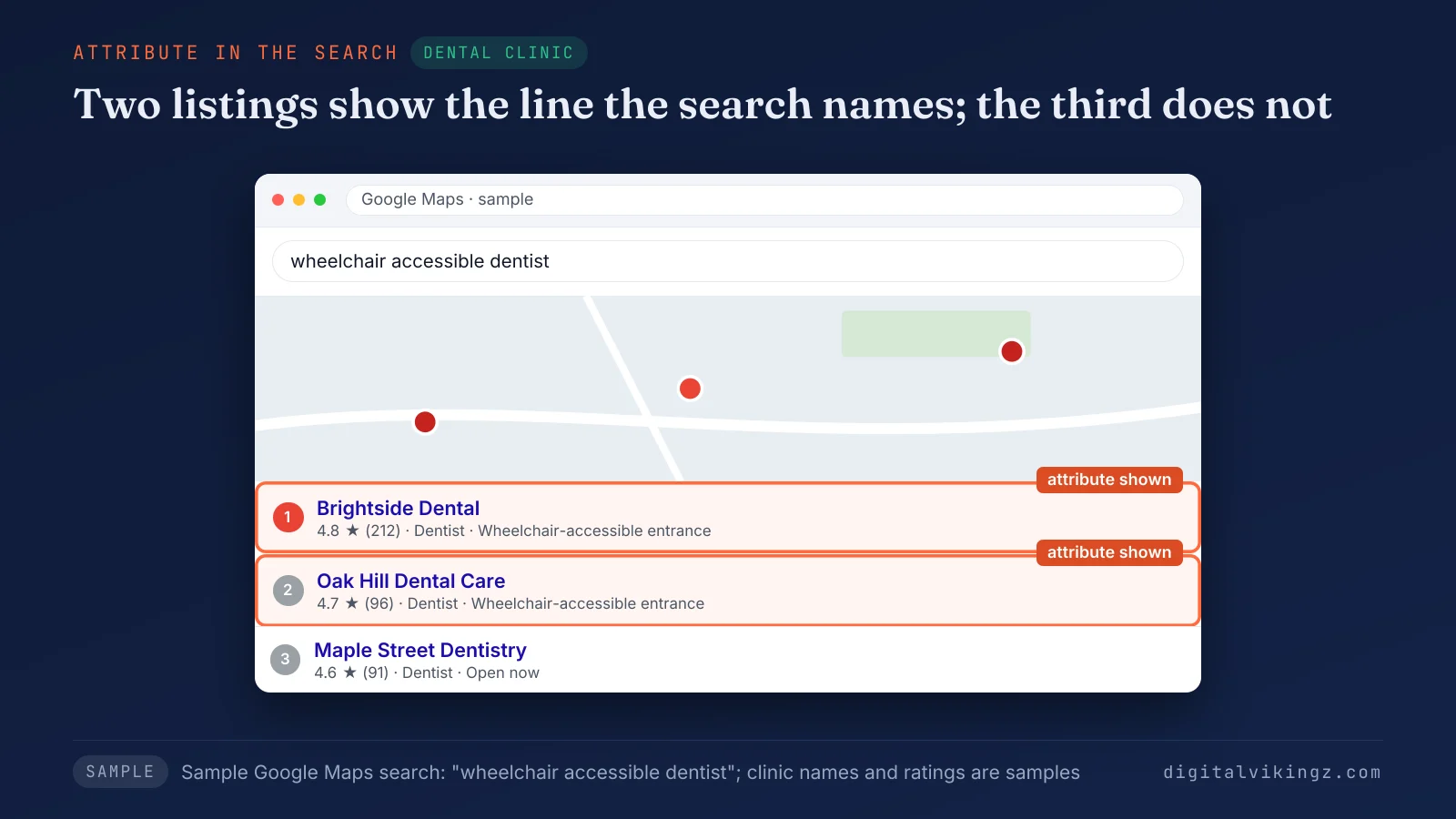
The two sample listings with the wheelchair-accessible entrance line answer the words in the search. The third sample listing carries no such line.
Sterling Sky, a local SEO agency, published a test in April 2021 on one profile and one keyword. The profile ranked for a matching keyword within six weeks of one identity attribute going live, with no other SEO work, according to Sterling Sky. One profile is a test, not a rule.
A complete Google Business Profile lists the services, hours, attributes and description, so Google can match the profile to more searches. Digital Vikingz promises no ranking change from any attribute.
Attributes are one small input for a profile that aims to rank higher on Google Maps. Category, distance, reviews and the other levers are ranked in order in the guide to rank higher on Google Maps.
Do AI answers use Google Business Profile attributes?
Attributes are structured facts that AI answers can read, but Google has not said how much weight AI features give them. A question such as "wheelchair accessible dentist open Saturday" names attributes.
A Google Business Profile with true, complete attributes gives an answer engine facts to repeat. Uberall, a listings vendor, wrote in November 2026 that categories and attributes are the facts AI search reads. The claim remains one vendor's view, not a measured result.
Attributes are one input among several for AI assistants. The other sources an assistant weighs are covered in how AI assistants pick a local business.
What do Google's rules say about attributes that are not true?
Every attribute is a public claim about the business, so an attribute that is not true misleads customers and puts the profile at risk. Google says: "When you add this attribute, you inform everyone that your business is owned by someone of that identity."
An identity label is a statement about the owner, so only an owner who holds that identity sets it. Accessibility answers follow Google's measured tests, not a hope that the entrance is close enough.
False details are one of the breaches behind a Google Business Profile suspension. Accurate attributes stay accurate only when someone checks them.
How do you keep attributes accurate over time?
A quarterly check of the public profile, signed out, keeps attributes accurate after changes to the premises, payments, booking or ownership. Digital Vikingz recommends the quarterly check as agency advice, not a Google rule.
Google adds and renames attributes, so each check also opens the editor for new options in the category. Businesses with 10 or more locations can bulk upload attributes, and agencies can update them through the Google Business Profile APIs, according to Google.
Google posts on the profile reach customers who are already viewing the listing. A new attribute is news for customers, and daily Google posts written by our AI agent can announce it the week it goes live. The Daily Google Posts page offers a free sample post for the business before any package is chosen.
Frequently asked questions
Can customers change my Google Business Profile attributes?
Yes, customers shape some attributes, because Google fills subjective attributes from the opinions of people who visited. Owners still edit factual attributes directly in the profile editor, according to Google.
Can I remove an attribute from my Business Profile?
Yes, owners can change any editable attribute to No or opt out of an identity label at any time. A No on some service options shows as not available, and owners ask Business Profile support to remove a value the editor does not clear.
Is Women-led still a Google Business Profile attribute?
No, the current Google label is Women-owned, one of nine business identity attributes. Older guides still use the label Women-led.
Are LGBTQ+ owned and LGBTQ+ friendly the same attribute?
No, LGBTQ+ owned is a business identity attribute about the owner, while LGBTQ+ friendly describes how welcome visitors feel. Practitioner guides list LGBTQ+ friendly as a separate attribute that the category decides.
How long does an attribute edit take to show?
Google says a review of attribute edits usually takes about 10 minutes, but sometimes up to 30 days. The edit status on the profile shows whether Google has finished the review.
Can a business with many locations add attributes in bulk?
Yes, Google allows bulk upload of attributes for businesses with 10 or more locations. A single-location business sets attributes in the profile editor instead.
Do hotels use the same attribute editor?
No, hotels edit Hotel attributes in Business Profile Manager, and Google offers that section only on a computer.
Who counts as a small business on Google?
Google counts a business as small when it makes less than $10 million a year and is not a franchise. Google may also apply the Small business label automatically from the information Google holds.
Which Google Business Profile attributes should you set first?
The first attributes to set are the true ones customers filter by: accessibility for clinics, service options and payments for trades, then identity labels. The order then runs through the remaining attribute groups, checked against the category's editor.
We check each value against Google's test, the three value sources and the public profile signed out. Accurate attributes give local service businesses a Google Business Profile that answers customer questions before the first call. Profile work is one piece of semantic SEO for local service businesses.
