 Digital Vikingz
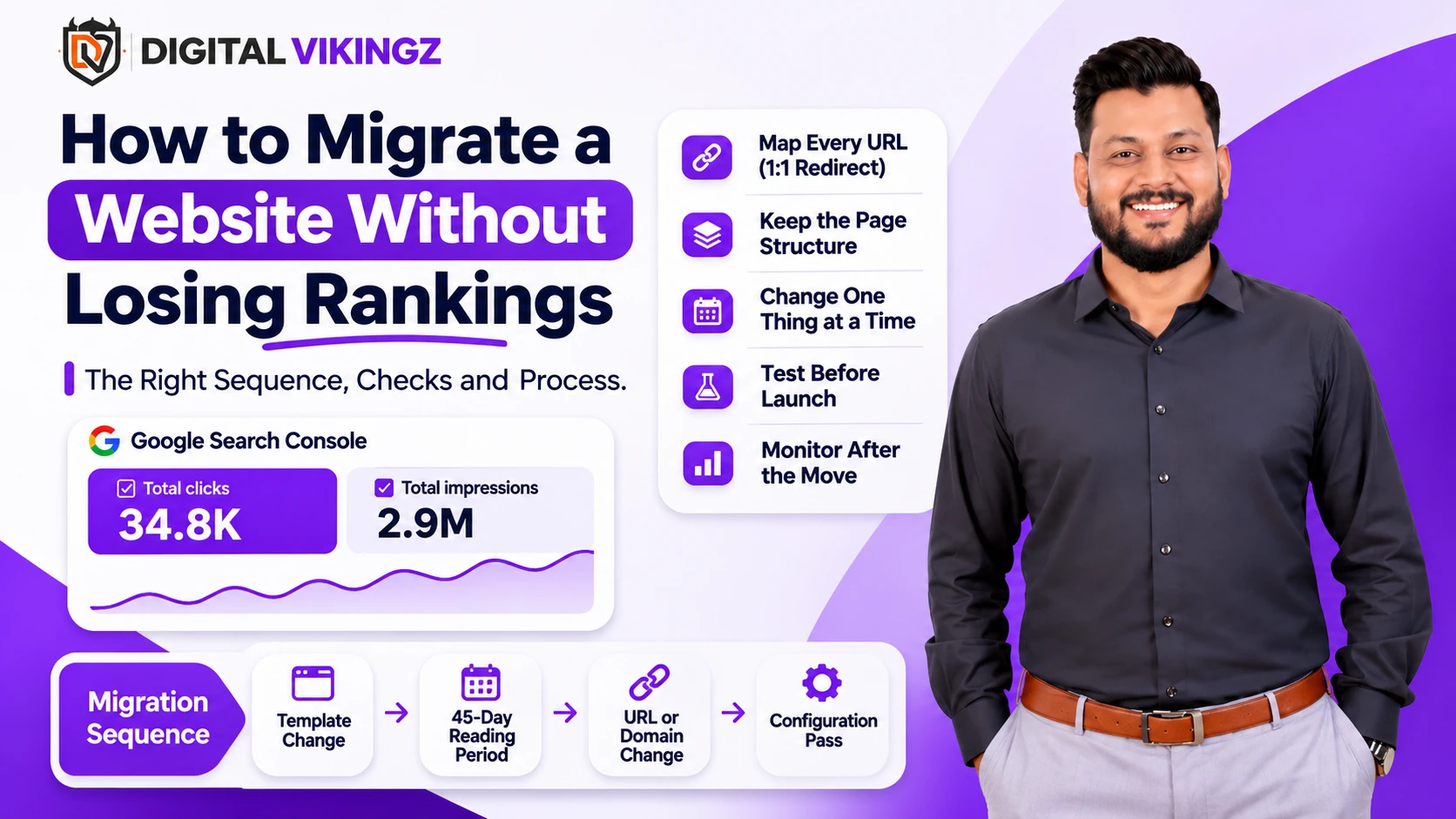
A migration is any change to the address, the platform, the template or the host of a site, and each type carries a different risk. The inventory before the move records which URLs hold the rankings, the links and the images, so nothing that earned history is dropped. The redirect map is one to one, never many to the homepage. After launch, index coverage, crawl stats and the redirect log are read daily for the first weeks, and a configuration pass reads the ranking state per cluster once the move settles.
Entity card
Field | Value |
Term | Website migration |
Also called | Site migration, SEO migration, domain move, platform migration, redesign |
Part of | Website Development and technical configuration |
Depends on | A URL inventory from Search Console and a crawl, a one-to-one redirect map, and a launch window outside core updates |
Produces | A new site that keeps the ranking URLs, their structure and their images, with a dated migration log |
Measured by | Query count and clicks per cluster against the pre-migration window |
Not the same as | A content refresh or a new section launch |
What counts as a website migration?
A website migration is any change to a site's address, URL structure, platform, template or host, and each type changes a different thing Google has already recorded.
The five migration types and what each one changes are listed below:
Migration type | What changes | What Google must re-learn |
Domain move | The host name | Which site owns the history |
URL structure change | The paths of existing pages | Which new URL owns each old URL's record |
Platform or framework change | The HTML, rendering and templates | How to read each page |
Redesign or template change | The layout, components and reading order | Where the main content is on each page |
Hosting or CDN change | Servers, response times, caching | Nothing, when done cleanly; everything, when access breaks |
A redesign is a migration even when no URL changes, because the template decides what Google reads first on each page. A move that changes two of the five at once doubles what Google must re-learn and halves the ability to find a fault afterwards.
What is lost in a website migration?
A website migration loses rankings through dropped URLs, redirect chains, changed page structure, lost images, blocked crawlers and a launch during a core update.
The common causes of ranking loss in a migration are listed below:
Dropped URLs. Pages that ranked are not carried over and not redirected, so their history ends.
Many-to-one redirects. Dozens of old URLs pointed at the homepage or a category, which Google treats as soft 404s.
Redirect chains and loops. Old redirects stacked on new ones, so a request passes through three hops or never resolves.
Changed page structure. The H1, the first paragraph and the heading order rewritten in the move, so Google reads a different document at the same address.
Lost image URLs. Images moved to new paths without redirects, so image rankings and the page's image signals reset.
Blocked crawlers. A staging robots.txt or noindex tag shipped to production.
Launch during a core update. The move lands while rankings are being recalculated, and the two effects become impossible to separate.
Each cause is prevented by one item on the pre-migration list below, and most are caught by one check on launch day.
How do you prepare a website migration?
A website migration is prepared by taking an inventory of every URL that holds rankings, links or images, fixing the sequence of changes, writing the one-to-one redirect map, and freezing the page structure.
The steps to prepare a website migration are listed below:
Export every URL with impressions from Search Console for the last 16 months, with clicks, impressions and query count. Those URLs hold the history.
Crawl the live site and record, per URL: status code, canonical, title, H1, heading list, word count, internal links in and out, and every image URL.
Export the backlink profile and list the URLs that receive external links.
Merge the three lists into one inventory. Mark every URL that ranks, is linked or carries indexed images as "must map".
Decide the sequence. One migration type per release. We leave at least 45 days between a platform or template change and a URL or domain change, so the ranking state after the first is read before the second begins.
Write the redirect map: one old URL to one new URL, same topic, same intent. A page with no equivalent redirects to the closest parent, and that case is recorded as an exception.
Freeze the page structure. The title, H1, first paragraph and heading order of every "must map" page are carried over unchanged. Content changes wait for the configuration pass after the move.
Build the new site on staging with noindex and a blocked robots.txt, and test the redirect map against staging with the full old URL list.
Book the launch window: a day with no core update in progress and no seasonal peak for the business.
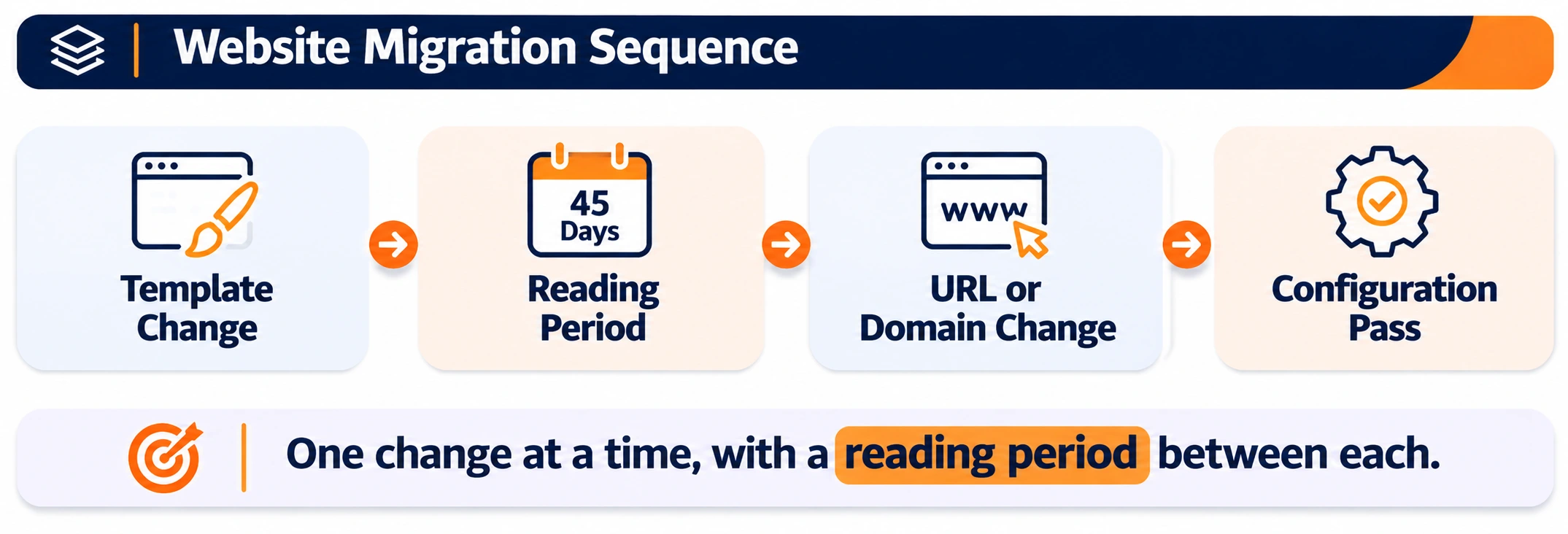
The image above shows the sequence rule. One change, a reading period, the next change, and the configuration pass after the last one.
How is the redirect map built?
The redirect map is built as a two-column table of old URL to new URL, one row per old URL, with the match made on topic and intent and checked by a person before launch.
Automated matching on slug similarity produces wrong pairs on every site we have audited after a failed move. A person reads each pair in the "must map" set. Old URLs that already redirect are updated to point at the final destination, so no chain forms. The map is tested against staging with a crawler fed the old URL list, and every row returns one 301 to a 200.
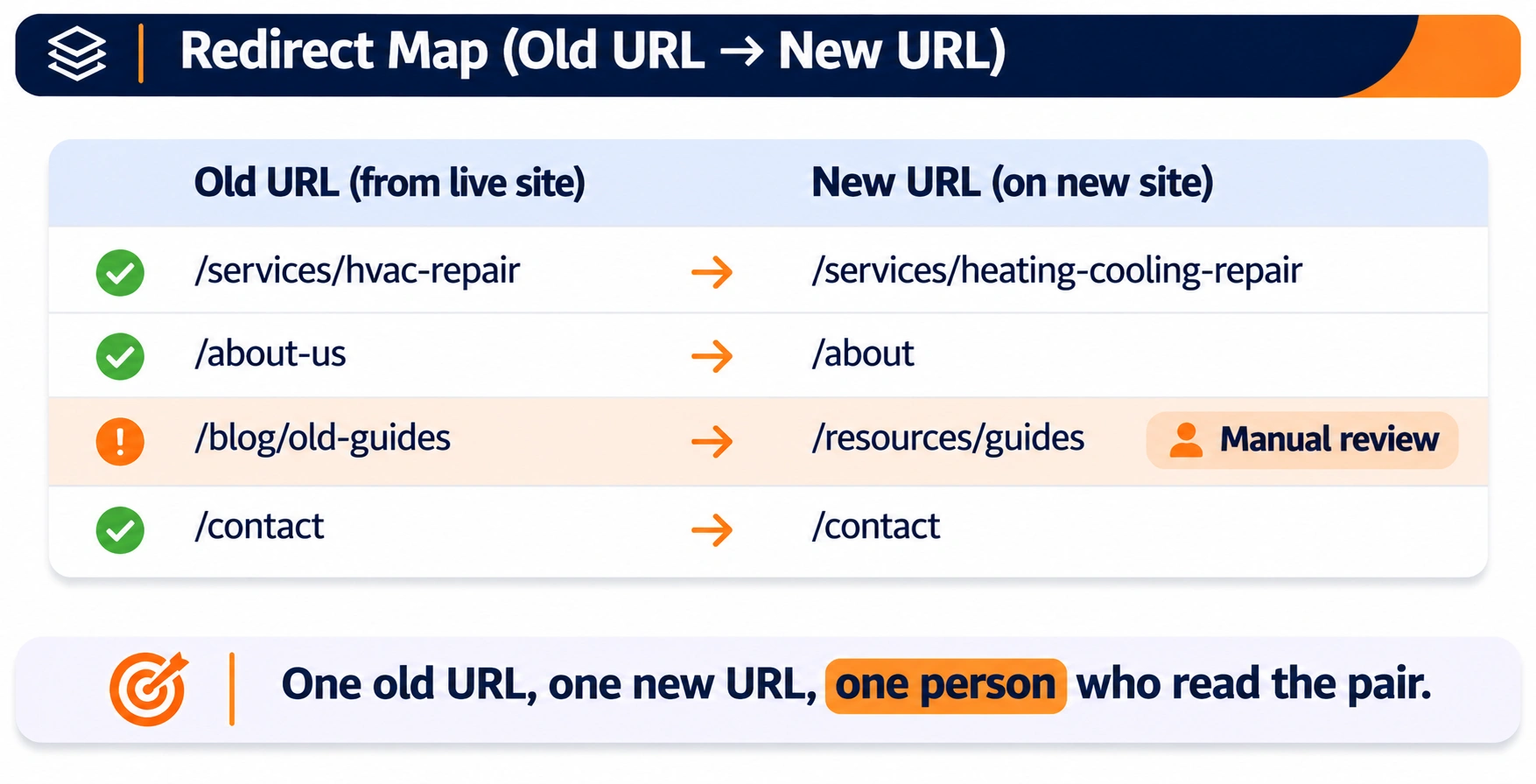
The image above shows the map in its final form. One old URL, one new URL per row, and the exception rows marked for the person who reads them.
What stays the same on every page?
The title, the H1, the first paragraph, the heading order, the body text, the image URLs and the internal links stay the same on every page through the move.
The temptation in a redesign is to rewrite while rebuilding. A rewrite during a migration means Google receives a new document at a new address with a new template on the same day, and a drop afterwards has three possible causes. The content is frozen, the move is made, the ranking state is read, and the rewrites follow as a configuration pass.
Should image URLs change in a migration?
Image URLs should not change in a migration, because image rankings and the image signals of each page reset when the file path changes.
Images keep their paths on the new host, or every old image URL redirects to its new path one to one. A platform that forces new image paths gets a redirect rule for the image folder before launch.
How do you launch a website migration?
A website migration is launched by lifting the staging blocks, deploying the redirect map, submitting the new sitemap, telling Google about a domain move with the Change of Address tool, and checking the first hour by hand.
The launch day checks for a website migration are listed below:
Remove the noindex tags and the staging robots.txt block. Confirm the production robots.txt allows the crawlers the business wants.
Deploy the redirect map and test the full old URL list against production. Every "must map" URL returns one 301 to a 200.
Submit the new XML sitemap in Search Console and keep the old sitemap live for a period so Google finds the redirects through the old URLs.
On a domain move, verify the new property and use the Change of Address tool in Search Console, as Google's site move documentation describes.
Request indexing for the top pages by clicks from the inventory.
Fetch ten "must map" pages with the URL Inspection tool and compare the rendered HTML with the staging version: the H1, the first paragraph and the main content block are present in the initial HTML.
Check the canonical tags on the new pages point at the new URLs and not at staging or the old domain.
Check the analytics property and the CRM landing page field still record the new URLs, so attribution continues through the move.
A launch with one failed check is held until the check passes. A move is never partly live.
How do you monitor a website migration after launch?
A website migration is monitored after launch by reading index coverage, crawl stats, the redirect log and the top URLs' queries daily for the first weeks, then per cluster at the configuration pass.
The post-launch readings and what each one shows are listed below:
Index coverage. The count of indexed URLs on the new structure rising and the count on the old structure falling. A flat new count after two weeks means Google is not finding the new URLs.
Crawl stats. Crawl requests per day on the new host, response codes and response time. A spike in 404s or 5xx on day one is a redirect or server fault.
Redirect log. Server logs filtered to old URLs, read for anything returning 404, 302 or a chain.
Top URL queries. The twenty highest-click pages from the inventory, read in Search Console on their new URLs. Query count returning to the old level is the first sign the move held.
Backlinked URLs. The URLs that receive external links, confirmed as redirecting cleanly, because those are the ones a chain hurts most.
Google's documentation on site moves with URL changes states that a medium-sized site takes a few weeks for most pages to be processed and larger sites take longer. The daily read continues until the new URLs carry the old query counts.
How does a configuration pass follow a migration?
A configuration pass follows a migration once the ranking state settles, reading each cluster against its pre-migration window and only then making the content changes the move postponed.
The pass compares the post-move fortnight with the same fortnight before the move, per cluster, with the same four decisions per page: keep, reconfigure, consolidate, remove. The rewrites frozen during the move are applied here, cluster by cluster, so each change is read against a stable base. The content configuration pass sets out the procedure.
The migration log and the configuration log are one document. A ranking change six months later is traced back through both.
How does Website Development run a migration?
Website Development runs a migration as a fixed sequence: inventory, redirect map, structure freeze, staging test, launch checks and daily monitoring, with a content audit before the move and a configuration pass after.
The audit before the move finds the pages that should be consolidated as part of the migration, so the redirect map carries the merges and the new site launches without the splits the old one had. How to find keyword cannibalization in Search Console is the method the audit applies to the inventory.
Website Development builds the new templates so the main content sits first in the HTML, the heading order is preserved, and the components the architecture decided are in place at launch.
When should a migration not happen?
A migration should not happen during a core update, during the business's peak season, within 45 days of a previous migration, or before the redirect map is tested against the full old URL list.
A move with a business reason and the wrong timing is delayed, not cancelled. The cost of a month's delay is small. The cost of a move during a core update is a drop with no diagnosis, because the two causes landed together.
Check your redirect map before the move
On a 30-minute call we read your migration plan against the sequence above, test a sample of your redirect map, and name the check most likely to fail. You leave with the launch-day list, with or without an engagement.
Book a strategy call · Request the audit
Questions about migrating a website without losing rankings
Does a site always lose some traffic in a migration?
No. A move that changes one thing, maps every URL one to one and keeps the page structure holds its rankings through the processing period. Drops come from the faults listed above, not from the move itself.
How long should the old redirects stay in place?
Permanently. Google recommends keeping redirects in place for at least a year, and external links to old URLs keep arriving for longer than that.
Should a migration be combined with a content rewrite to save time?
No. The rewrite and the move are two variables. The move lands first, the ranking state is read, and the rewrite follows as a configuration pass.
Is a redesign with no URL changes safe?
Safer, and not risk-free. The template decides what Google reads first on each page. A redesign that moves the main content below sliders and sidebars changes the document Google reads at the same address.
What about moving from HTTP to HTTPS, or adding or dropping www?
Both are URL changes and use the same redirect map, one to one. Google treats them as site moves with URL changes.
Can two migrations be combined when the site is small?
A small site can tolerate more, and the 45-day rule still applies, because the ability to find a fault afterwards depends on one change at a time, not on site size.
Do internal links need updating after the redirects are in place?
Yes. Internal links pointing at old URLs pass through a redirect on every click and every crawl. The new site links to new URLs directly, and the crawl after launch confirms no internal link returns a 301.
What happens to Search Console data after a domain move?
The old property keeps its history and the new property starts from the move date. Both are kept, and the Change of Address tool links the two for Google.
How are hreflang and multilingual sites migrated?
Each language version is mapped one to one and the hreflang annotations are rewritten to the new URLs before launch. A missing hreflang after a move shows the wrong language in a market within days.
Who signs off a migration?
The person who owns the inventory and the redirect map. A developer deploys; the owner of the ranking URLs confirms every launch check before the staging blocks are lifted.
How is a migration that already went wrong recovered?
The inventory is rebuilt from the old property's Search Console export, the redirect map is written after the fact, chains are collapsed, and the frozen structure is restored where the move changed that structure. The recovery follows the same list as the preparation, in the same order.