 Digital Vikingz
An AI assistant describes a company with your name, and the company is not yours.
Organization schema is structured data that states the facts of one organization, and its sameAs property lists pages about that organization on other sites.
Below, we show which profiles to put in organization schema sameAs and how to write the JSON-LD.
What do Organization schema and sameAs declare?
Organization schema declares the facts of one organization, and sameAs declares which other URLs describe that same organization. Google calls the same markup Organization structured data. The Organization node names your central entity, and our page on what a central entity is gives the full definition.
An entity is a thing a search system can tell apart from other things, such as one specific company. One thing, not a keyword.
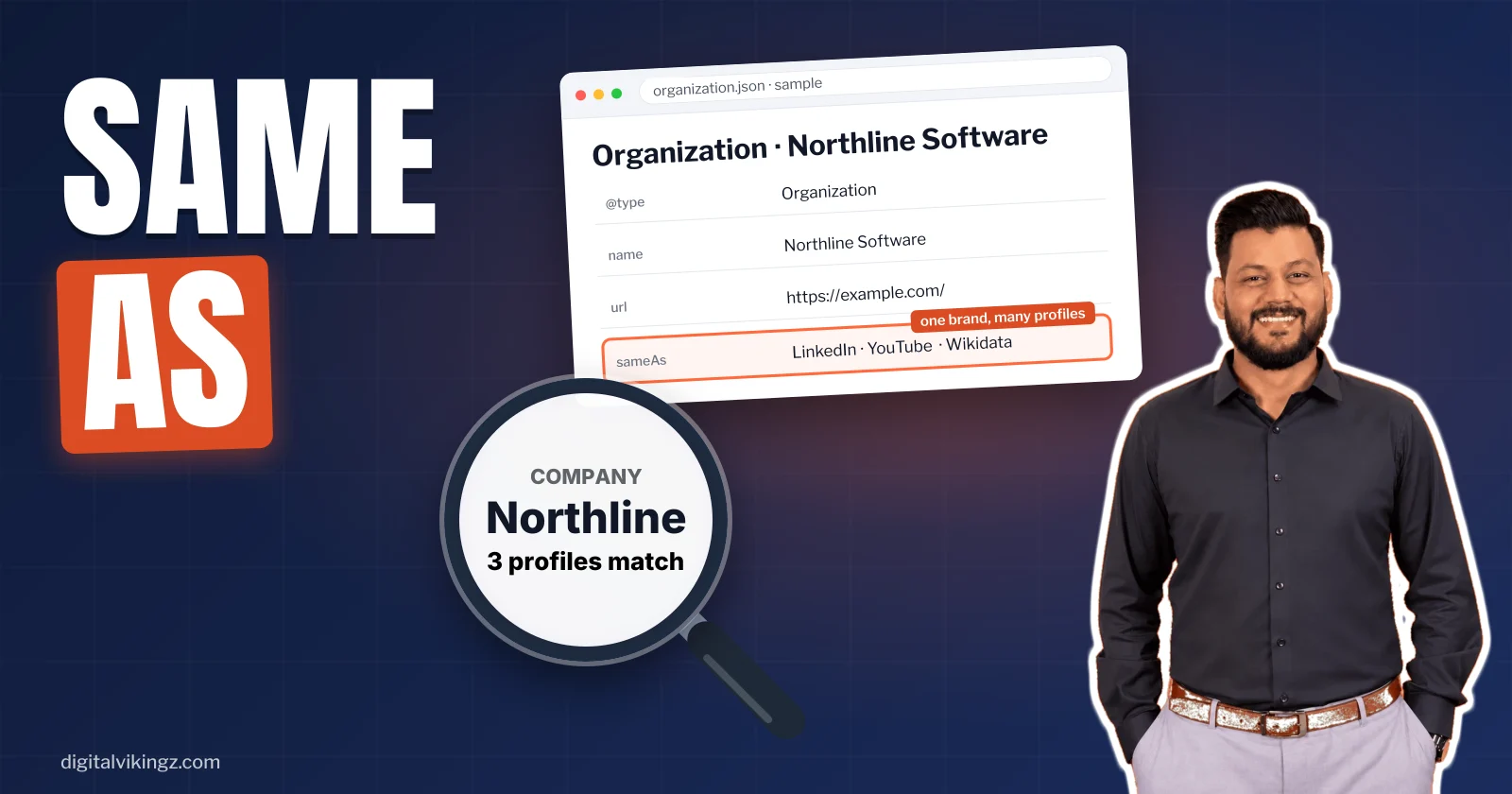
Sample: a B2B software company called Northline shares its name with a roofing contractor. A buyer asks an assistant what Northline does, and the answer describes the roofer.
Northline says which one it is in its markup. A node with a name, a URL, a logo and a list of profiles is enough to start, because Google lists no required properties.
What does the sameAs property list?
The sameAs property holds a list of URLs, and each URL is a page about your organization on another website. Google's Organization page describes sameAs as the URL of a page on another website with more information about your organization. That is the whole definition.
Google says Organization markup can help the engine tell your organization apart from others in search results.
Nobody outside Google knows how much weight each URL carries, so treat sameAs as a statement of fact and not a lever. A short list that is true beats a long list that is not. An assistant reading a long list full of dead pages has nothing solid to compare.
What makes a profile count as the same organization?
A profile counts as the same organization when your team owns the account and the name matches the name on your site. Be strict. Check two more things: the profile is live, and its description agrees with your About page.
That gives three tests: ownership with a matching name, a live page, and a description that agrees. Picture a founder with five old accounts. Only the ones that pass all three tests go on the list.
Sample: a profile run by a former agency fails the first test. A profile that still carries the old tagline fails the third, because its description disagrees with the About page. Fix the profile first.
Next, we apply the tests to named platforms.
Which profiles belong in sameAs?
The profiles worth listing, where they exist, are your LinkedIn company page, your Google Business Profile, your YouTube channel and your other owned accounts. The table below sorts seven profile types by one rule.
| Profile | List it when | Leave it out when |
|---|---|---|
| LinkedIn company page | Your team runs it and the name matches your site | The page shows an old name or an old team |
| Google Business Profile | You verified it and the name matches your site | You no longer manage that listing |
| YouTube channel | You publish there and the channel carries your brand name | The channel sits idle under a former name |
| X, Instagram, Facebook and TikTok accounts | You post there and the handle matches your brand | The account is parked, unclaimed or owned by someone else |
| Crunchbase profile | A profile already exists and its facts match your site | The profile is wrong or out of date |
| Wikidata item | An item already exists for your organization and its facts match your site | You would create an item only to fill the property |
| Review site listing such as G2 or Trustpilot | You claimed it and it shows your current name | You have not claimed it, or it lists another company |
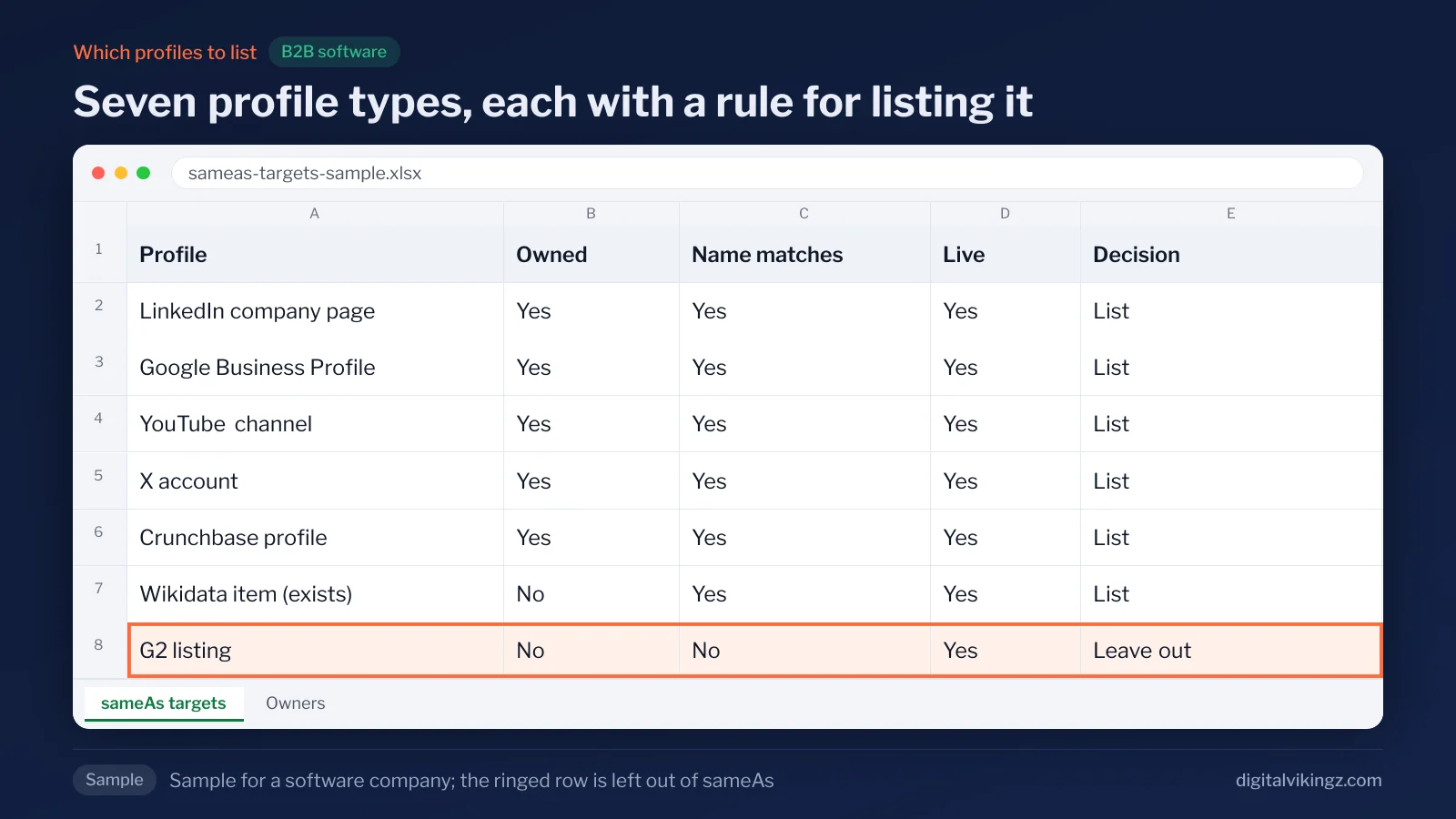
Seven profile types, each with a rule for when to list it and when to leave it out.
One rule covers every row. List a profile when your team owns it, it is live and the name matches. Leave it out otherwise, and remember that no profile is required.
Start with the three profiles you already keep current, then add others one at a time.
A software company with no local listing skips the Google Business Profile row, and a plumber with no Crunchbase page skips that one. Every row applies only where the profile exists, and an empty row costs you nothing, so do not fill a gap with a weaker page.
Profiles to leave out
Leave out profiles that are dead, parked, unclaimed or owned by another business. A sameAs URL that points at another company tells the engine that the two are one organization.
Sample: a software company rebrands and leaves its old LinkedIn page in sameAs. That page now shows a different team, a different product and a different logo, so anyone who follows the link meets a stranger.
Your site looks right, and the mistake hides in markup that only crawlers and validators open, so nobody on your team sees it.
Remove the URL the day the rebrand ships. Same day. Now the list is settled and every URL has passed the three tests, so the next section covers what else the block holds.
Which properties go beside sameAs?
Google's Organization page lists no required properties and recommends the properties that apply to your organization. Name, alternateName, url and logo come first, because they are the ones most sites can fill with a true value.
Add a property only when you can fill it with a true value you could defend to a colleague. A guessed value is worse than a missing one, because the markup then states something your site does not.
Three short sections give the value for each property. Keep the list short.
Name, legalName and alternateName
Use name for the brand as written on your site, alternateName for a short or former name, and legalName for the registered name. Google defines legalName as the registered name of your organization, used when the legal name differs from name.
Sample: the brand Northline is registered as Northline Software LLC, so legalName holds the full name.
Three names, three jobs. Keep all three values identical to what your About page shows. A mismatch between the markup and the page is the first thing a reviewer finds.
URL, logo and description
Set url to the home page, logo to a crawlable image of your logo, and description to one sentence that matches your About page. Google says the logo image must be at least 112 by 112 pixels and the image URL must be crawlable and indexable.
Google adds that a logo can help the engine choose which logo to show in Search results and knowledge panels. Size matters here.
Write the description once, in one sentence that a stranger could read aloud, and keep it free of slogans and superlatives. Then reuse it word for word on the About page and in your profiles, so a reader or a crawler meets the same sentence everywhere.
How does sameAs differ from alternateName?
The sameAs property points to other pages about your organization, and alternateName gives another name for your organization. Sample: a company known as Northline Software and as Northline lists Northline in alternateName and its LinkedIn page in sameAs.
One holds a name, and the other holds a page. All the parts are named, so the next section puts them together in one block that you can paste.
How do you write Organization schema JSON-LD?
Write one Organization node in a script tag of type application/ld+json, with a stable @id and your name, url, logo and sameAs. JSON-LD is a script format, so the markup sits apart from your visible text. Build the block from the table and the property rules above, and add description last.
Think of the @id as the name tag of the node, because other markup on your site can point at that @id. An article or a page can then name the same organization without copying the block. Use a stable URL with a fragment, such as the home page address followed by #organization.
A copy-ready Organization block
The block below is a sample with placeholder URLs, so replace every URL with a profile you own before publishing.
<script type="application/ld+json">
{
  "@context": "https://schema.org",
  "@type": "Organization",
  "@id": "https://example.com/#organization",
  "name": "Northline Software",
  "legalName": "Northline Software LLC",
  "alternateName": "Northline",
  "url": "https://example.com/",
  "logo": "https://example.com/images/logo.png",
  "description": "Northline Software makes project software for field teams.",
  "sameAs": [
    "https://www.linkedin.com/company/REPLACE-WITH-YOUR-PAGE",
    "https://www.youtube.com/@REPLACE-WITH-YOUR-CHANNEL",
    "https://x.com/REPLACE-WITH-YOUR-HANDLE",
    "https://www.crunchbase.com/organization/REPLACE-WITH-YOUR-PROFILE",
    "https://www.wikidata.org/wiki/REPLACE-WITH-YOUR-ITEM"
  ]
}
</script>
SameAs takes an array, so each profile gets its own line. Drop any line you cannot fill with a profile that passes the three tests, and keep the commas between lines exact. Keep the same @id and the same name wherever the node appears.
How do you validate the markup?
Test the markup in Google's Rich Results Test and in the Schema Markup Validator, then fix every error before you publish. A passing test proves the syntax is valid, and says nothing about which brand an assistant names. Syntax is not identity.
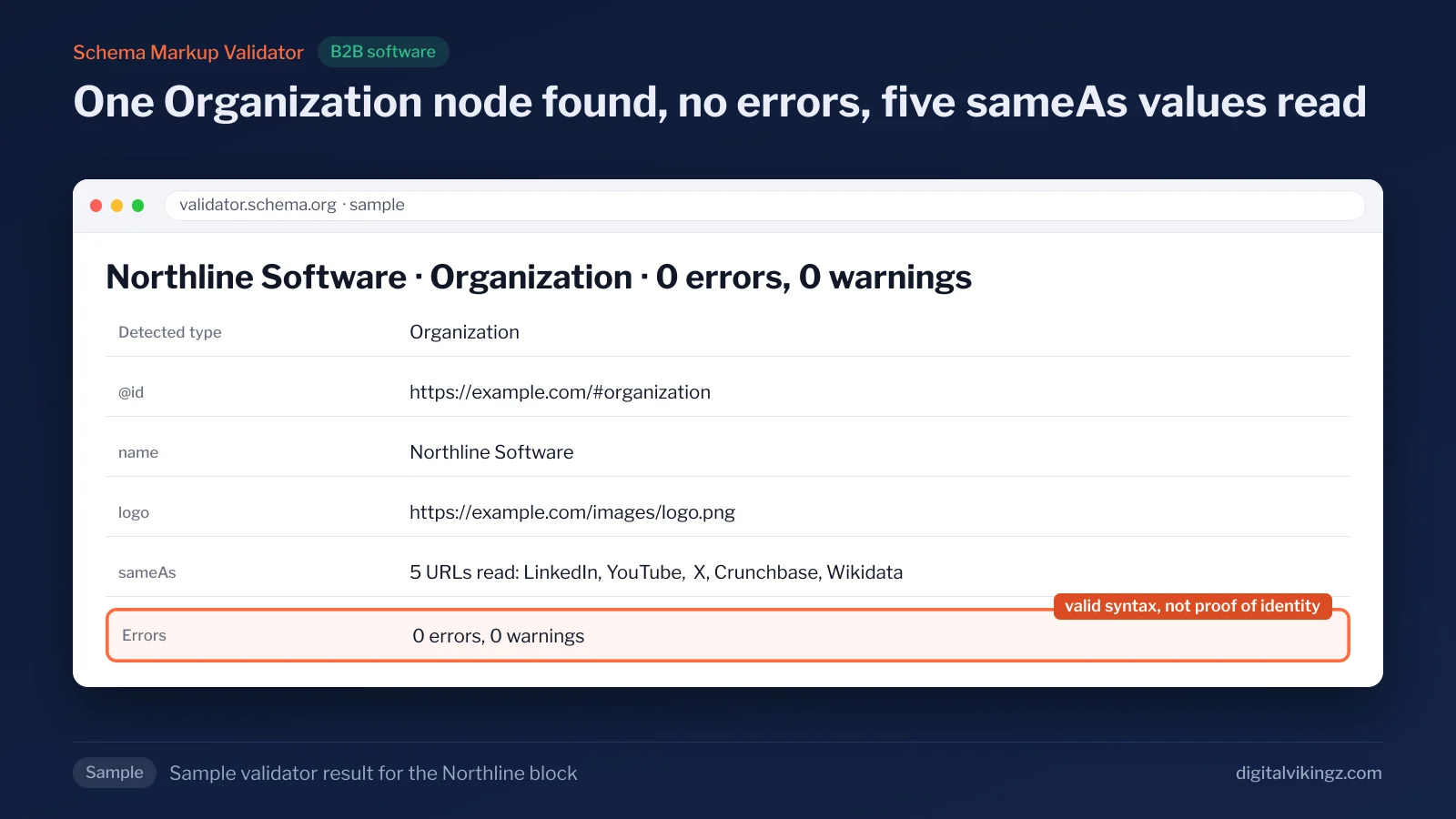
The sample block checked in the Schema Markup Validator.
Take a missing comma after the logo line: validators flag it, and the node cannot be read until you fix it. Run both tools again after every edit.
Read the page source once after publishing, so you see the node your visitors' browsers receive. Check that name, url, logo and every sameAs line appear exactly as you wrote them, with no plugin rewriting a value on the way out.
Where does the Organization markup go?
Place Organization markup on your entity home, the page that states who you are, which is usually the home page. Google recommends placing the markup on the home page or a single page that describes your organization, such as the About page. Pick one.
Sample: a developer adds the block to the home page template, and the blog templates stay unchanged. One page, one node. Every other page can point at it by @id when it needs to name the organization.
What the About page must repeat
The About page repeats the name, the description and the profile list that the markup states. Compare the name, the description, the address if the page shows one, and the profiles linked in the footer. A visitor and a crawler should meet the same list that the markup states.
Our page explains how author and organization entities relate when a site names people as well.
Does every page need the block?
No, Google says you do not need Organization markup on every page of your site. Where a site repeats the node on other pages, every copy keeps the same @id and the same name.
Now the work is complete: list, write and place. Next comes what the work achieves. The answer has two halves.
What does sameAs settle, and what does it leave open?
The sameAs property settles which profiles belong to one organization, and does not decide if an assistant cites that organization. Identity is what the markup is built for, and the work above covers it.
Sample: after the change, an assistant names Northline correctly when asked who Northline is, and still lists other tools for a best-software question. Citation depends on passages, mentions and sources that no JSON-LD block can supply.
Does sameAs get a brand cited by AI?
No, sameAs settles which profiles belong to your organization, and the citation effect of schema markup has its own page. A citation points to a passage that answers the prompt, and markup holds no such passage.
The evidence on schema markup and AI citations sits on its own page, with the test we describe there.
Do you need Wikidata to use sameAs?
No, Google lists no required properties, and sameAs accepts any page on another website that describes your organization. List a Wikidata item when one already exists for your organization and its facts match what your own site states about you. Do not create an item only to fill the property. Skip it instead.
A knowledge panel draws on more than markup, and how a business gets a knowledge panel is covered on its own page.
Why matching facts across sites may help
Our reading: search systems may check a fact about an organization against other pages, so matching facts across your profiles are easier to confirm.
Document fact: Google filed a patent titled Automatic discovery of new entities using graph reconciliation, US10331706B1, with a 2013 priority date. The abstract describes clustering facts about a potential entity from many documents and verifying the entity when enough determinative facts agree.
A patent shows what a company sought to protect, and not that the method is in use. Our reading is that agreeing facts across documents cost nothing to supply, so supply them either way.
Open guess: we do not know if Google applies that method to sameAs lists.
Mistakes that make one brand look like two
Most Organization schema mistakes make one brand look like two organizations. Three mistakes follow, in the order of the work, so you can fix them in the order you built the block: profiles, names, nodes.
Dead or unclaimed profile URLs
A dead profile URL in sameAs points the engine at a page that states nothing about you. Sample: a profile URL returns a not-found page after the platform changed its address format, and nobody on the team noticed because the old link still sits in the markup.
Open every sameAs URL once a quarter, and note any page that redirects, asks for a login or shows another company. Quarterly is enough. Our local SEO audit in seven steps gives you a place to schedule that check.
Names that differ between markup and profiles
A name that differs between the markup, the About page and the profiles gives the engine two names to reconcile. Sample: the markup says Northline Software, the About page says Northline Group, and the YouTube channel says Northline, so three surfaces give three names for one company.
The name check belongs in every audit, and why most SEO audits miss the entity layer explains the usual gap.
Two Organization nodes on one site
Two Organization nodes with different @id values tell the engine that your site describes two organizations. Sample: a theme prints a node with one @id and an SEO plugin prints a second node with another @id.
A theme and an SEO plugin may each print an Organization node, so read the page source before you add another one to the page. We have not tested this on a client site.
Your markup is now clean, so the last step is to see what the assistants say.
How do you check that AI answers name the right brand?
Ask the same questions about your brand in each AI assistant before the change and again after the pages are recrawled. The four steps of the check are given below:
- Write three questions that name your brand.
- Ask each question in ChatGPT, Gemini, Perplexity and Google AI Mode.
- Record which company each answer names and which pages the answer cites.
- Repeat after the pages are recrawled and compare the two records.
The figure below is our own sample, not a client result.
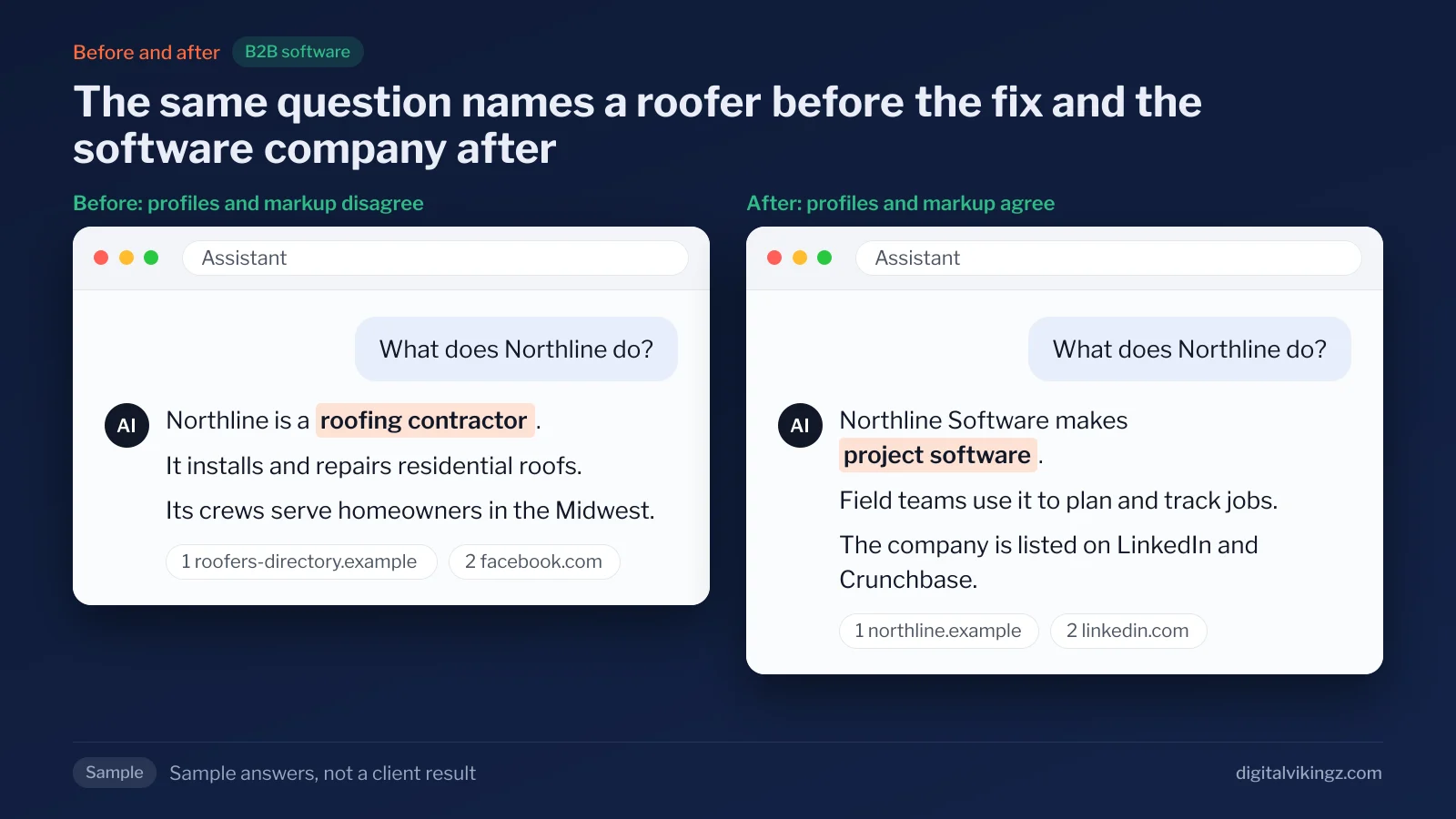
A sample of one question asked before and after the markup and profiles agree.
Each assistant picks its sources in its own way, so the answers differ from one tool to the next, and our page on how Perplexity chooses its sources covers one of them.
We repeat that check every month inside AI Search Visibility, and the free AI Visibility Checker for entity clarity reads one page of your site.
Our page on the five-step check of AI answers about your brand covers the same task in more depth. Our AI SEO guide to AEO, GEO and LLM visibility covers the wider picture of AI answers.
Pages are recrawled on each engine's own schedule, so ask again over several weeks and not once, and note the date of each round. Keep every answer with its date, the assistant that gave it and the pages it cited. Round two then has a fair record to compare.
Questions about Organization schema and sameAs
Should a local business use LocalBusiness instead of Organization?
Yes, Google recommends the most specific subtype of Organization that matches your business, and LocalBusiness subtypes suit a physical business. Keep the same @id and the same sameAs list when you change the type, and every other property stays as it is.
Does a rebrand or new domain change the block?
Yes, a rebrand changes name, url, logo and alternateName, and the old name belongs in alternateName. Update every profile in sameAs to the new name on the same day. Then test again. Publishing the new block before the profiles change leaves the engine with two names for a while, so schedule both on one day.
Write down the three questions today, and you have a baseline before the markup changes.