 Digital Vikingz
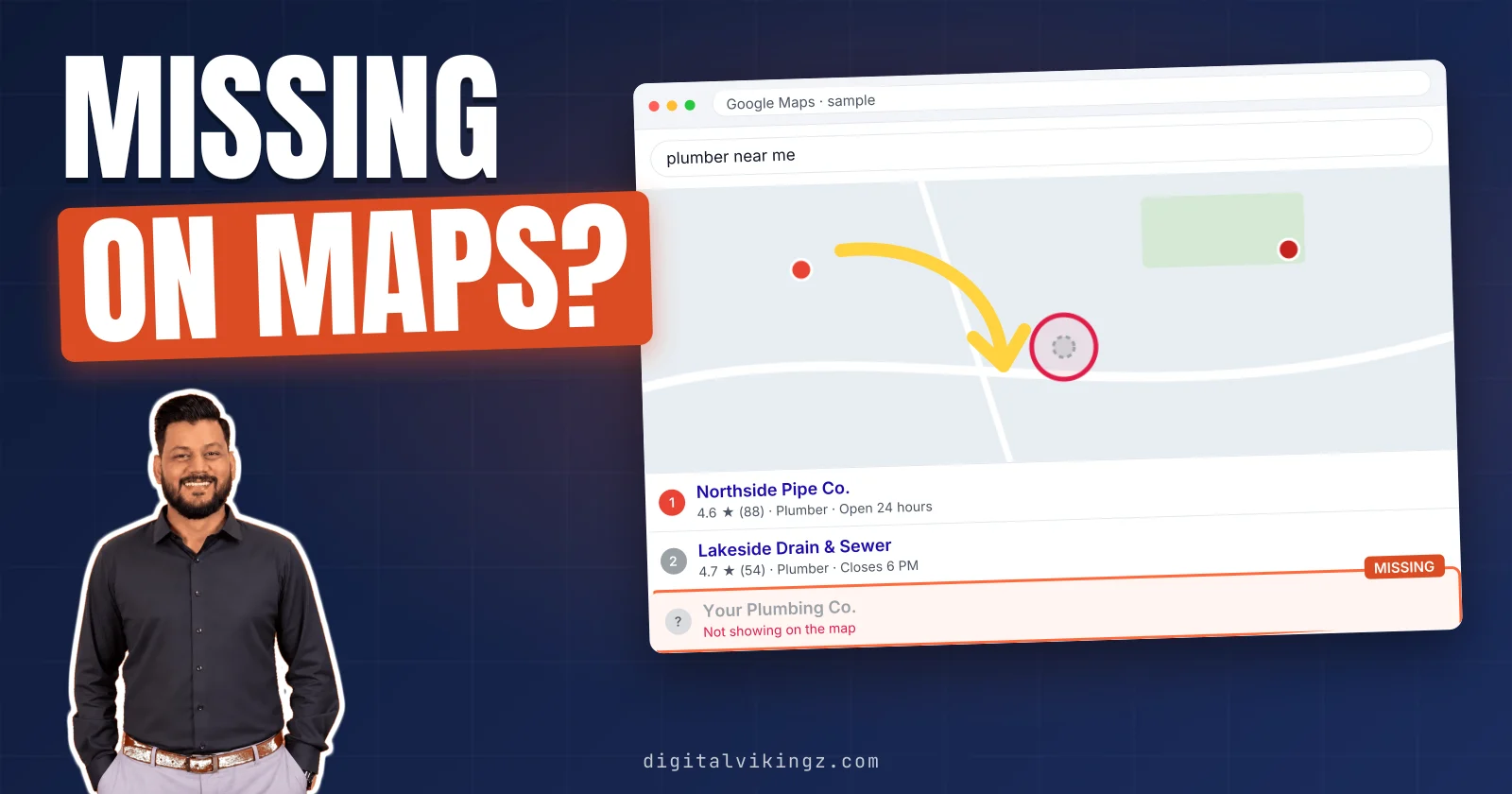
Your business is not showing on Google Maps when the Google Business Profile is hidden, misplaced on the map, or not matched to the search. Three checks find the cause of a business not showing on Google Maps. The checks are a signed-out name search, the profile status in Business Profile Manager, and a search for the main service.
The results place the profile in one of four visibility states, from not on Google at all to found only by name. Seven reasons cause those states, and the first three hide the whole profile from other users.
Google states that profile edits can take up to 3 days to appear and that rankings for new businesses can take up to a month. A business that shows on Google Search, or only by name, has a live profile that still has to match the service search.
Digital Vikingz fixes the reasons in that order, one change at a time, as the first step of Local SEO and Google Business Profile optimization.
How do you find out why a business is not showing on Google Maps?
Three checks show why a business is not showing on Google Maps: a signed-out name search, the profile status, and a service search.
The three checks are listed below:
- Search the exact business name and town in Google Maps from a private browser window or a signed-out phone.
- Open Business Profile Manager and read the status and any notice on the profile.
- Search the main service and the town, such as "AC repair" plus the town, and look for the profile in the results.
Google's help page gives the name test in one line: "On Google Maps, search for your business's name and city." The same Google page adds: "To find your profile, you must sign in to the Google Account associated with it."
Business Profile Manager is the owner dashboard where the status and notices of a Google Business Profile appear.
We run the name search signed out, because the signed-in owner view can show the profile even when other users see nothing.
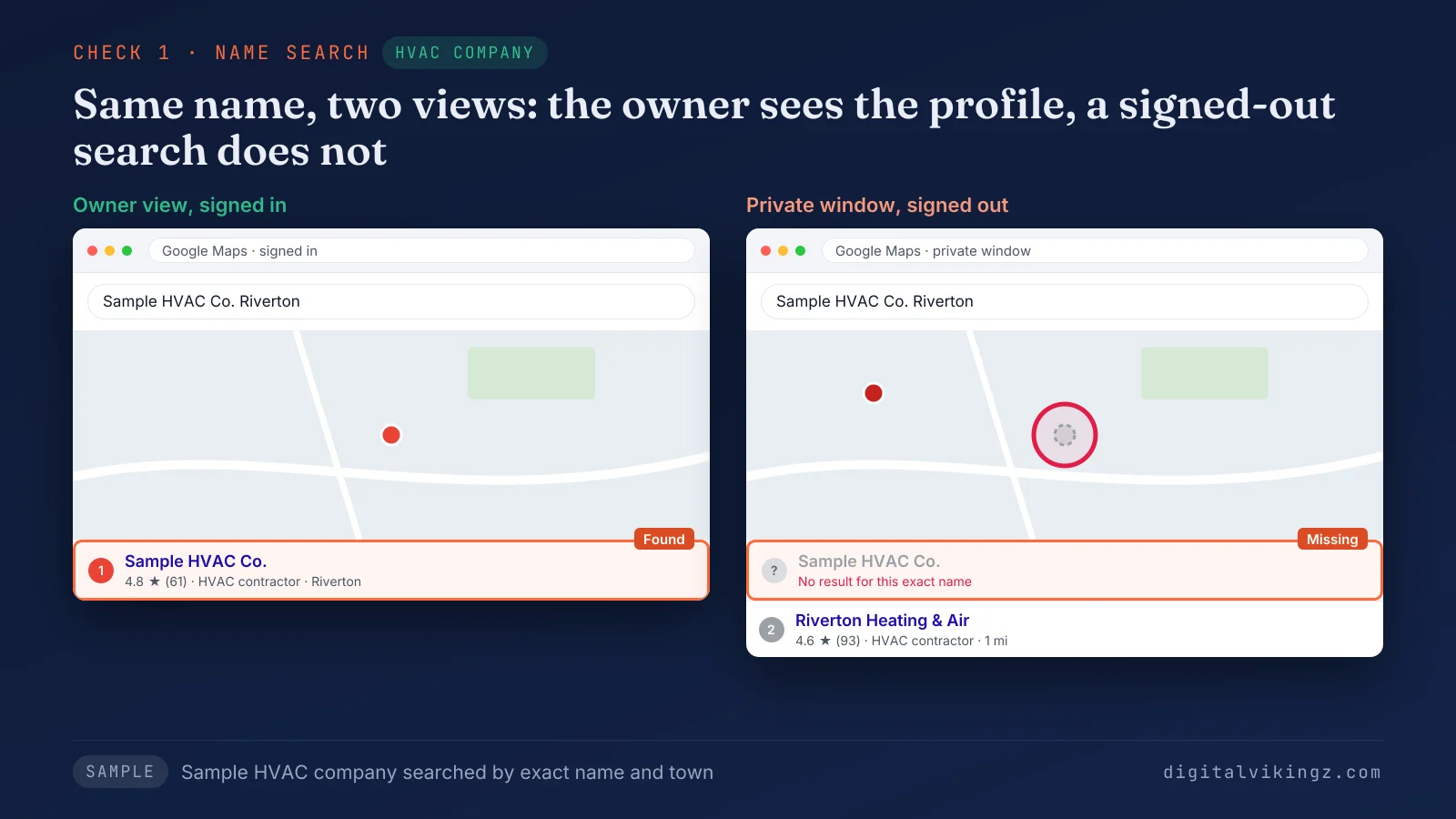
The sample HVAC company opens in the owner's signed-in view. The same exact business name returns no result in the private window, so the profile is hidden from other users. The three results place every profile in one of four visibility states.
What are the four ways a business can be missing from Google Maps?
Google Maps visibility fails in four ways: the business is not on Google, hidden, live without a pin or label, or found only by name. The four states are our sorting model for a Google Business Profile, built from the three checks.
The table below matches each visibility state to what the three checks show and to the reasons behind it:
| Visibility state | Signed-out name search | Profile status | Reasons | Words owners use |
|---|---|---|---|---|
| Not on Google | No result | No profile in the account, or a second profile shown instead | 4 | "my business disappeared" |
| Hidden from other users | No result, while the signed-in owner sees the profile | Not verified, an edit pending review, Suspended or Disabled | 1, 2, 3 | "verified but not showing", "not publicly visible", "only visible to me" |
| Live without a pin or label | The profile opens, with no pin, a wrong pin or no name on the map | Verified | 5, 6 | "business pin not showing", "icon not showing" |
| Found only by name | The profile opens by name and is missing from the service search | Verified | 7 | "competitors show up and we do not" |
Owners who search "not publicly visible" or "not visible to customers" are describing the second state, a profile hidden from other users.
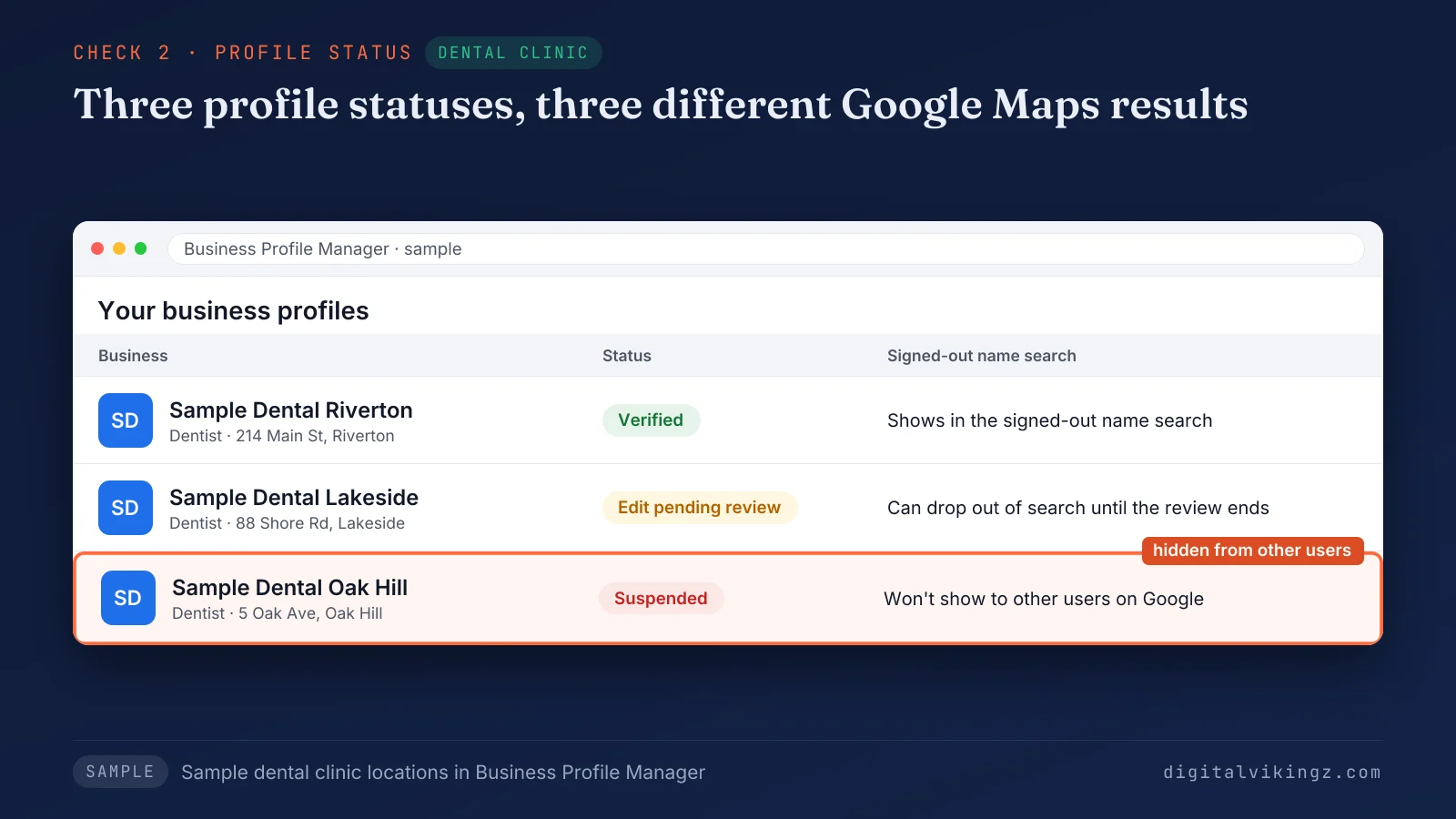
The sample dental clinic shows three profile statuses side by side: Verified, an edit pending review, and Suspended. Each card leads to a different result in the signed-out name search. Seven reasons put a profile into these four states.
What are the 7 reasons a business is not showing on Google Maps?
Seven reasons keep a business from showing on Google Maps, and a profile should be checked against them in order.
The 7 reasons a business is not showing on Google Maps are listed below:
- The profile is not verified
- Recent edits are pending review
- The profile is suspended or disabled
- A duplicate profile replaced the listing
- The address is hidden for a service-area business
- The map pin is in the wrong place
- The profile does not match the search
Reasons 1 to 3 hide the whole profile, and reason 4 removes or replaces the listing. Reasons 5 to 7 leave a live profile hard to find. Verification is the first check, because no other fix shows an unverified Google Business Profile.
1. The profile is not verified
An unverified Google Business Profile does not show on Google Maps, because Google shows business details on Maps only for verified businesses.
Google's help page states: "Only verified businesses can show their business info on Maps and Search." Business Profile Manager shows the verification status and the verification steps Google offers for that profile.
Owners report a "verified" email while the profile status still reads "Not verified". The status in Business Profile Manager is the one Google applies.
A newly verified profile can still need days to appear, and Google's stated times sit in the timing table further down. A verified profile can also drop from view while edits are reviewed.
2. Recent edits are pending review
Edits to the name, address, phone or category of a Google Business Profile go into review before the new details reach Google Maps.
Our own Google Business Profile received an edit on 17 November 2026. Business Profile Manager then showed the notice "Your edit is pending review. It may take up to 1 day to be published."
Product Experts in the Google Business Profile Community report that a profile can drop out of search while a large edit is reviewed.
The owner should wait for one review to finish before the next edit, because a new edit to the same fields can start another review. A profile that stays hidden after every review ends may be suspended.
3. The profile is suspended or disabled
A suspended or disabled Google Business Profile does not show to other users on Google until the guideline issue is resolved.
Google's help page names the cause: a Business Profile that violates the guidelines "becomes disabled or suspended." Google adds that a suspended business gets "a notification in the Google Account you use to manage your profile."
Google's guidelines name one common cause: extra words in the business name "could result in the suspension of your Business Profile."
Google's appeal page says "Do not create a new Business Profile for the same business." The same page warns: "Appeals can only be submitted once."
A restricted Google Account also suspends every Business Profile that the account manages. The account appeal therefore comes before the profile appeal.
The full appeal process for a suspended Google Business Profile, from the decision notice to reinstatement, needs a separate guide. A profile that is neither unverified nor suspended may be missing from Google Maps because of a second listing.
4. A duplicate profile replaced the listing
A duplicate Google Business Profile can be the listing Google shows, which leaves the managed profile out of Google Maps results.
Google's guidelines state: "There should only be one profile per business, as this can cause problems with how your information displays on Google Maps and Search."
A Google Maps search for the business phone number and the street address finds a second listing that the name search can miss.
Removing one of two profiles can change what Search and Maps show for a while. The owner should keep the profile that holds the verification and the reviews.
A profile missing from Business Profile Manager after an account change should be checked from the Google Account that first created the profile. The last three reasons apply to a profile that is live and verified.
5. The address is hidden for a service-area business
A service-area business that hides the address shows no map pin, because the Google Business Profile then shows the service area instead.
Google's address help page states: "If you hide your business address, your Business Profile will only show your service area." The same page advises: "You should only choose to not show your address if your business is a service-area business."
The setting sits in Edit profile, under Location, as the switch "Show business address to customers".
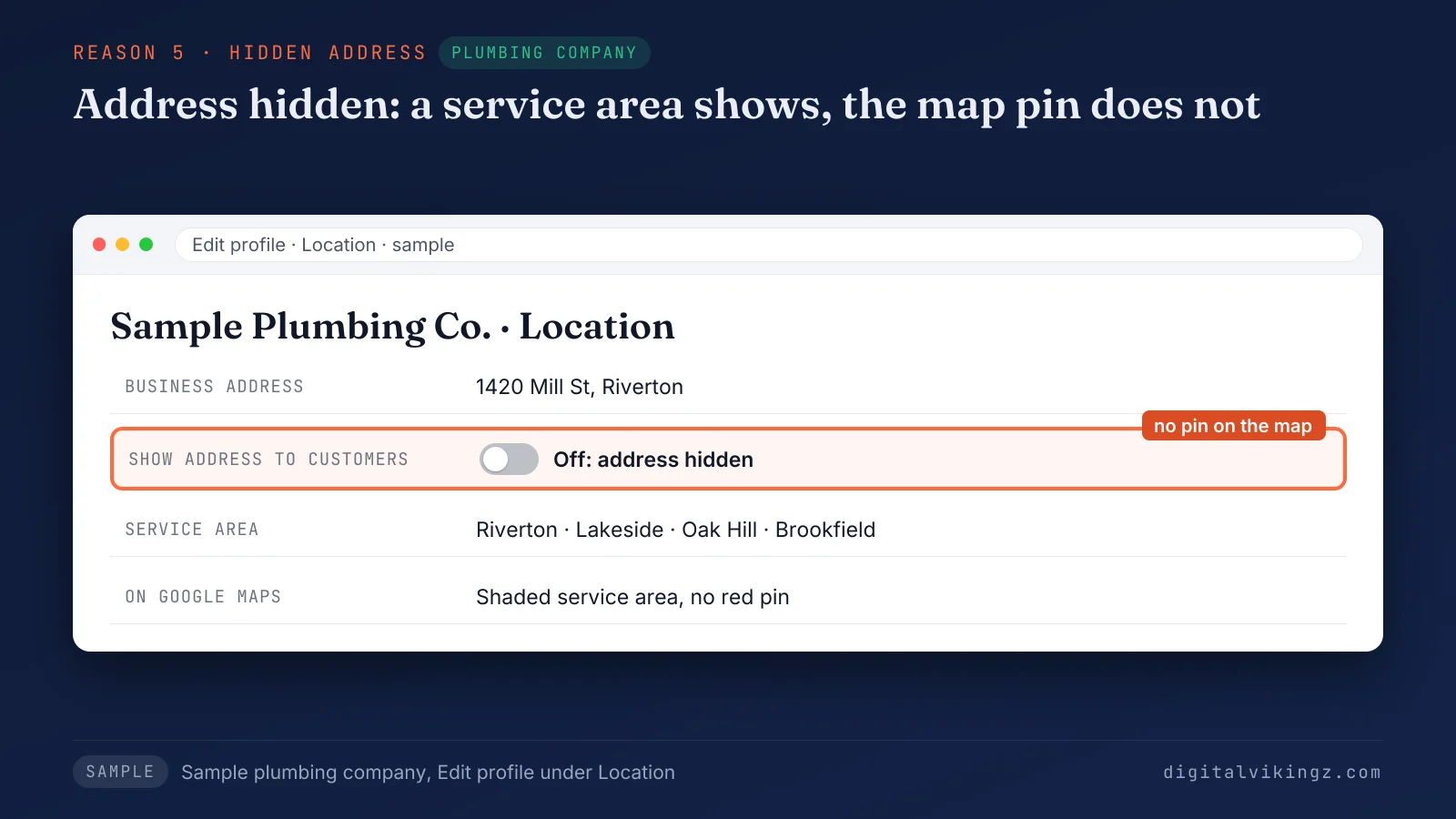
The sample plumbing company has the switch turned off and four towns listed, so Google Maps shows an area and no pin. The top Google community thread for this search, from 2019, traced a missing red pin to the same hidden-address setting.
A business with a storefront that also travels to customers can show the address and a service area together. The website then names the same towns through service area pages that avoid becoming doorway pages. A storefront that shows the address can still have the pin in the wrong place.
6. The map pin is in the wrong place
A map pin in the wrong place shows the business at the wrong spot on Google Maps, so nearby searches can miss the business.
Google's address help page says an owner "can pin your location on the map" when Google finds no correct address. The Google Business Profile pin moves in Edit profile, under Location, through Adjust, until the pin sits on the business.
Google asks for a complete street address with suite and floor numbers, not a description such as a corner of two streets.
An address change after a move goes into review. Owners report calls from the old area until the new address is approved. A profile in the right place still has to match the search people type.
7. The profile does not match the search
A Google Business Profile found by name but missing from a service search does not match that search, most often through the primary category.
Google names relevance as the first ranking factor: "Relevance is how well a Business Profile matches what someone is searching for." A primary category that names a side service makes the profile a weaker match for the main service search.
A sample roofing company with "Gutter cleaning service" as the primary category can show for gutter searches. The same profile can miss the "roofer near me" search that roofing SEO for the map pack targets.
Keywords added to the business name are no fix, because Google's guidelines treat extra name words as grounds for suspension. Choosing the primary category of a Google Business Profile follows a separate five-step method.
Every fix, from verification to the category, then needs time to show on Google Maps.
How long does a business take to show up on Google Maps?
Google states that profile edits can take up to 3 days to appear and that rankings for new businesses can take up to a month. Google's address help page states that changes "usually take about 10 minutes to show up" and up to 30 days "in some cases."
The table below separates the times Google states from the waits owners and volunteers report:
| Event | Time Google states | Google source | What owners and volunteers report |
|---|---|---|---|
| Edit to business details | Up to 3 days | "Find your business on Google" help page | 24 to 72 hours, from Product Expert answers in 2026 threads |
| Change to the profile | About 10 minutes, up to 30 days | "Manage your business address" help page | None recorded |
| Ranking of a new business | Up to a month | "Find your business on Google" help page | "Multiple weeks" in owner threads |
| Edit on our own profile, 17 November 2026 | Up to 1 day | On-screen notice in Business Profile Manager | None recorded |
| Verification review | No time stated on the help pages read | None | Days to weeks, with no Google source |
The Google Business Profile help pages read in November 2026 state no fixed time for a verification review. Day counts for verification are therefore owner reports, not Google figures. A profile can pass verification and still stay off Google Maps after these times.
Why is a verified business still not showing on Google Maps?
A verified business can still be missing from Google Maps, because verification makes a Google Business Profile eligible to show, not placed in every search.
Four things keep a verified profile missing: time still running, an edit pending review, a hidden address, or a match only the name search finds.
The signed-out name search separates the cases: no result means time or review, and a result means the profile is live.
A profile that shows on Google Search and not on Google Maps is a separate case.
Why does a business show on Google Search but not on Google Maps?
A business can show on Google Search and not on Google Maps, because a website result does not prove the Business Profile is live.
The Google Maps listing comes from the Google Business Profile, so the profile status decides the Maps result. Google Search and Google Maps read the same Business Profile, so a profile hidden on one surface is hidden on the other.
The owner's signed-in view shows the profile on both surfaces, which is why the first check runs signed out.
Results also change with place, and Google states: "Distance refers to how far each business is from the customer who's searching." The Google Maps app on an iPhone or an Android phone uses the phone's location. A search from home and a search from the shop can therefore differ.
The business name can also be missing from the map while the profile works.
Why is the business name not showing on the map?
A business name can be missing as a label on Google Maps while the Google Business Profile stays live and searchable.
A Product Expert in the Google Maps Community explained in 2021 that Maps does not show every place on the map at one time. Owners call the missing name a pin, an icon or a label. The place label usually appears as the map zooms in.
A profile that opens from the name search is live, even when the business name is missing from the zoomed-out map. A live profile with every check passed is ready for the fix order that gets the business back on Google Maps.
How do you get a business back on Google Maps?
A business gets back on Google Maps through one fix at a time, in reason order, with a name search after each review. The fix order follows the seven reasons, so each Google Business Profile edit targets one reason.
The steps to get a business back on Google Maps are listed below:
- Write down the result of the three checks before changing anything on the profile.
- Fix the first reason that applies, in the order of the seven reasons.
- Make one change at a time and wait for the review to finish.
- Repeat the signed-out name search after each review ends.
- Book a profile review when the name search still fails after every fix.
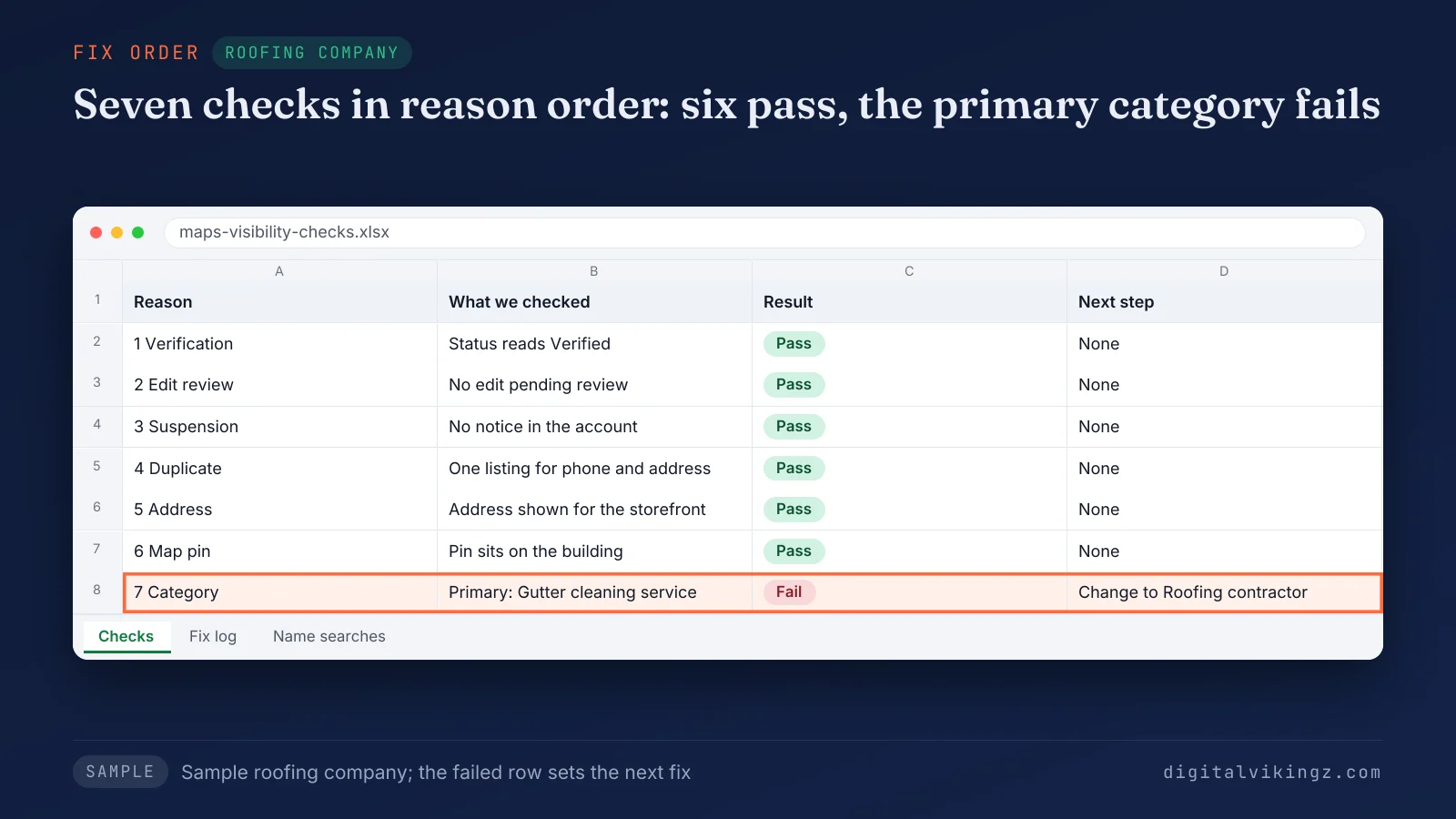
The sheet for the sample roofing company shows reasons 1 to 6 passed and reason 7 failed. The next fix is the primary category, from Gutter cleaning service to Roofing contractor.
A profile review is the first task in Local SEO and Google Business Profile optimization. Our Local SEO and Google Business Profile optimization service runs the three checks on a live profile and makes each fix in reason order. The owner approves each change before the change is made.
A profile that passes every step and still shows only by name faces a ranking question.
Is a business found only by name a ranking problem?
A business found only by name has a ranking problem, because the profile is live and other profiles win the service search.
Google's ranking help page states, in November 2026: "Local results are mainly based on relevance, distance, and popularity." The same page explains: "Prominence means how well-known a business is."
Distance stays outside the owner's control. Relevance and prominence respond to profile, website and review work. Other Google Business Profile listings then hold the map pack for that service search.
Moving up for the service search is the work of learning to rank higher on Google Maps. A business with several locations faces the same question once per location.
Why do only some locations of a business show on Google Maps?
Only some locations of a business show on Google Maps when the Google Business Profile of each location has a different status, address or match.
Google's guidelines state: "Do not create more than one page for each location of your business, either in a single account or multiple accounts."
Each location needs the three checks on the profile of that location. One verified location says nothing about the other locations. A location that fails the name search follows the same seven reasons as a single profile.
The website side, one location page for each profile, follows a semantic SEO plan for a multi-location business. The same profile facts now reach AI assistants as well.
Does a business on Google Maps also show in AI assistant answers?
A business on Google Maps is not automatically named in AI assistant answers, because assistants also weigh directories, reviews and websites.
AI assistants pick a local business from profiles, directories, reviews and websites, then name the few whose facts agree. A hidden or suspended Google Business Profile can remove one of the sources an assistant reads about the business. Restoring the profile returns that source to the set an assistant can read.
The sources behind those answers decide which local business AI assistants recommend for a service and a town. Every route back to visibility still starts with the signed-out name search.
Questions about a business not showing on Google Maps
Five more questions about a business not showing on Google Maps cover listing, cost, payment, address rules and calls.
How do you get a business to appear on Google Maps?
A business appears on Google Maps after the owner adds or claims a Google Business Profile and completes verification. Google's help page "Add or claim your Business Profile" covers both cases for the profile formerly called Google My Business.
Is it free to put a business on Google Maps?
Putting a business on Google Maps is free, because Google offers the Business Profile at no cost. Google's product page offers "a free Business Profile".
Can a business pay to rank higher on Google Maps?
No payment buys a higher position on Google Maps, because Google sells no local ranking. Google states: "There's no way to request or pay for a better local ranking on Google."
Does a P.O. box or virtual office keep a business off Google Maps?
A P.O. box or a virtual office keeps a business off Google Maps, because Google's guidelines make neither address eligible. Google's guidelines state that "P.O. boxes or mailboxes located at remote locations aren't acceptable."
Why did calls drop while the business still shows on Google Maps?
Calls can drop while a business still shows on Google Maps, because a name search says nothing about position in the service search. A profile that stays visible and still loses calls and direction requests needs the separate check for Google Business Profile calls and direction requests that dropped.
The first step for a business missing from Google Maps
The first step for a business missing from Google Maps is the signed-out name search, because the result decides which reasons to check. Verification, pending edits, suspension and duplicates come before the address, the pin and the match.
Digital Vikingz works through the same order on client Google Business Profile listings before any ranking work starts. A profile that is back on Google Maps stays active with daily Google posts for home-service businesses.
