 Digital Vikingz
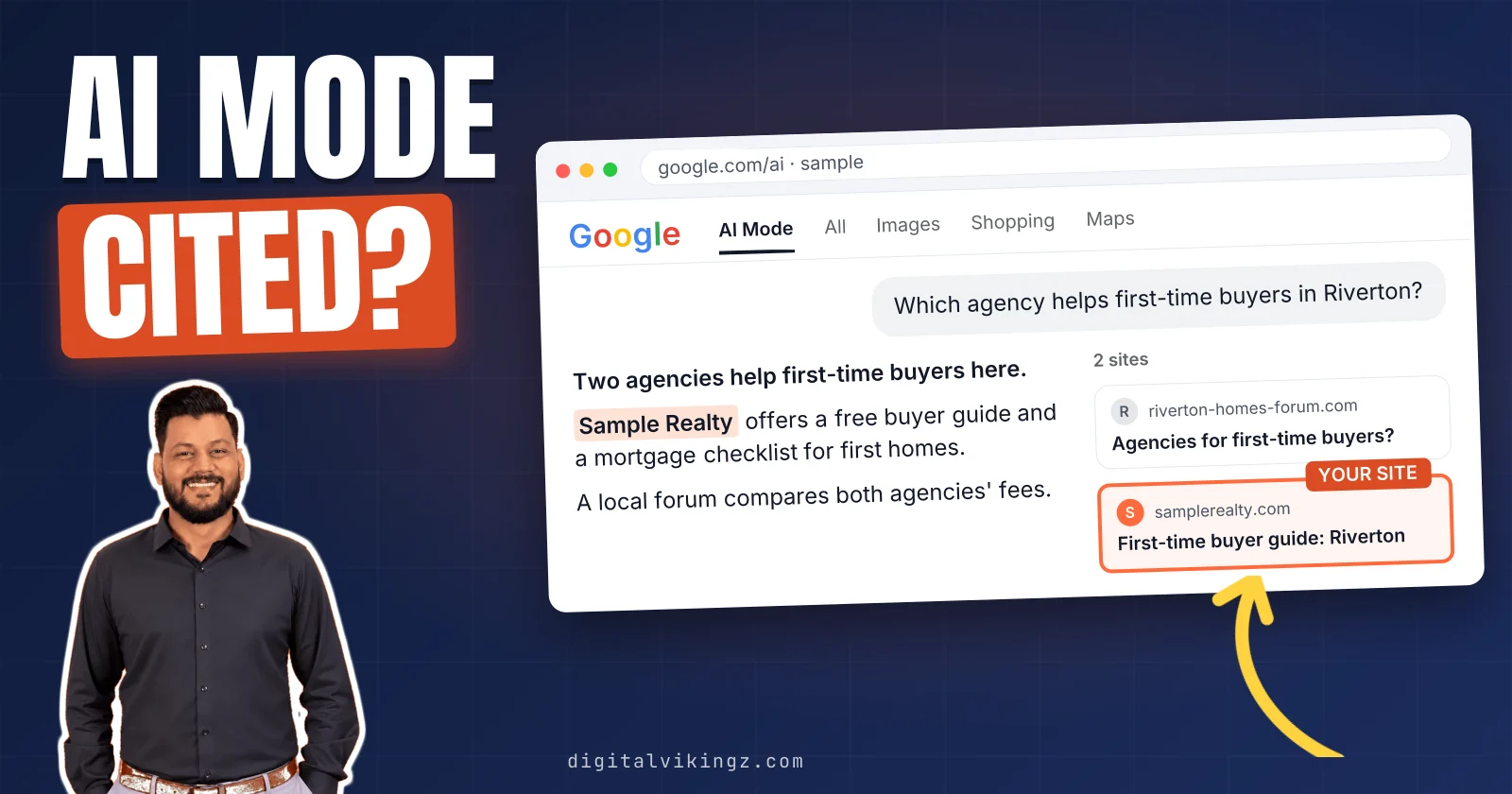
Google AI Mode is a conversational search experience in Google Search that answers complex questions with an AI response linked to supporting web pages. AI Mode splits each question into subtopics, searches for each one and combines the results, a method Google calls query fan-out.
AI Mode is a separate experience from AI Overviews, which appear on the results page for some queries. AI Mode changes four things for a business website: source selection, business information, measurement and clicks. A page can appear as a supporting link once the page is indexed and snippet-eligible in Google Search.
Google's link choice is one case of how AI search engines decide which sources to cite. Google names the Google Business Profile and Merchant Center feeds as inputs for local businesses and products in AI responses. Listing data also shapes how AI assistants choose which local business to recommend.
Google Search Console counts AI Mode traffic in the Performance report. Google Search Console also shows AI feature impressions by page in the generative AI performance report. Running fixed prompts is the way to check what ChatGPT and AI Overviews say about your business.
No Google report separates AI Mode clicks, so the effect on clicks to a business website has no public Google figure. Each type of business feeds AI Mode from different pages and data, from service pages and profiles to product feeds and pricing pages.
Google's advice for AI Mode is standard SEO: crawlable, indexable pages that answer the sub-questions, with no llms.txt file. A page that ranks in Google and is not cited by AI needs a clearer answer passage first. Google asks for no special schema.org markup, which narrows the question of whether schema markup affects AI citations.
Google upgraded Search to Gemini 4 Hydrogen on 12 November 2026. Google added temporary threads to AI Mode on 17 November 2026. An AI Search Visibility engagement re-runs the same prompt set every month to track updates.
AI Mode sits beside the classic results. Search controls such as nosnippet and noindex limit what AI Mode shows from a page. Crawler access and answer readiness come first, the two checks the free AI Visibility Checker runs.
What is Google AI Mode?
Google AI Mode is a conversational search experience in Google Search that answers complex questions with an AI response linked to supporting web pages. Google describes AI Mode as its most powerful AI search experience, built on Gemini models with advanced reasoning and multimodal understanding.
People reach AI Mode in three ways: at google.com/ai, through the AI Mode option after a search on google.com and through the Google app. The conversation stays open, so a buyer can ask follow-up questions without starting a new search. AI Mode runs inside Google Search, and the Gemini app is a separate Google product.
A business website now meets buyers in two places on Google: the classic results and the AI Mode response. The way AI Mode builds each response decides which pages appear in that response.
How does AI Mode work?
AI Mode works by splitting a question into subtopics, searching for each subtopic at the same time and combining the results into one response. Google calls the method "query fan-out": one question becomes several related searches across subtopics and data sources.
Google's generative AI features rely on the core Search ranking systems to retrieve pages from the Search index for those searches. A buyer question such as "which CRM suits a 10-person agency for under $50 a user" can fan out into three searches. The three searches cover CRM features, team size and pricing.
Google states that fan-out lets AI features show a wider and more diverse set of links than a classic web search. A follow-up question runs the same process again, with the earlier conversation as context. AI Overviews may use the same fan-out method, so the two features are easy to confuse.
Is AI Mode the same as AI Overviews?
AI Mode is not the same as AI Overviews: AI Overviews sit on the results page, while AI Mode answers in a separate conversation. Google shows AI Overviews only when an overview is judged additive to classic Search, so many queries show none.
AI Mode and AI Overviews may use different models and techniques, so the two features can link different pages for the same question. A business can appear in one feature and not the other, so each feature needs its own reading. Both features change what a buyer sees, and the changes add up for a business website.
What does Google AI Mode change for business websites?
Google AI Mode changes four things for a business website: source selection, business information, measurement and clicks. Google states that the best practices for SEO remain relevant for AI Mode.
The four changes AI Mode brings to a business website are listed below:
- Source selection: AI Mode links pages that answer the subtopics of a question.
- Business information: AI Mode can draw on the business website, Google Business Profile and Merchant Center data.
- Measurement: AI Mode traffic sits inside Google Search Console totals, and a separate report counts impressions only.
- Clicks: AI Mode answers first, and a visit starts only when the reader follows a link.
We read each change against the pages a business already has. Source selection comes first, because every other change depends on which pages AI Mode links.
How does AI Mode choose sources?
AI Mode chooses sources from indexed pages that answer the subtopics of a question, and links the pages that support each part. A page is eligible as a supporting link when the page is indexed and eligible to show in Google Search with a snippet.
Google adds no other technical requirement and states that indexing and serving are not guaranteed. Each fan-out search can surface a different page. A page on a business website that answers one subtopic well can therefore be linked beside larger sites.
Pages that answer a subtopic in the first sentence after a heading can give AI Mode a clear passage to link.
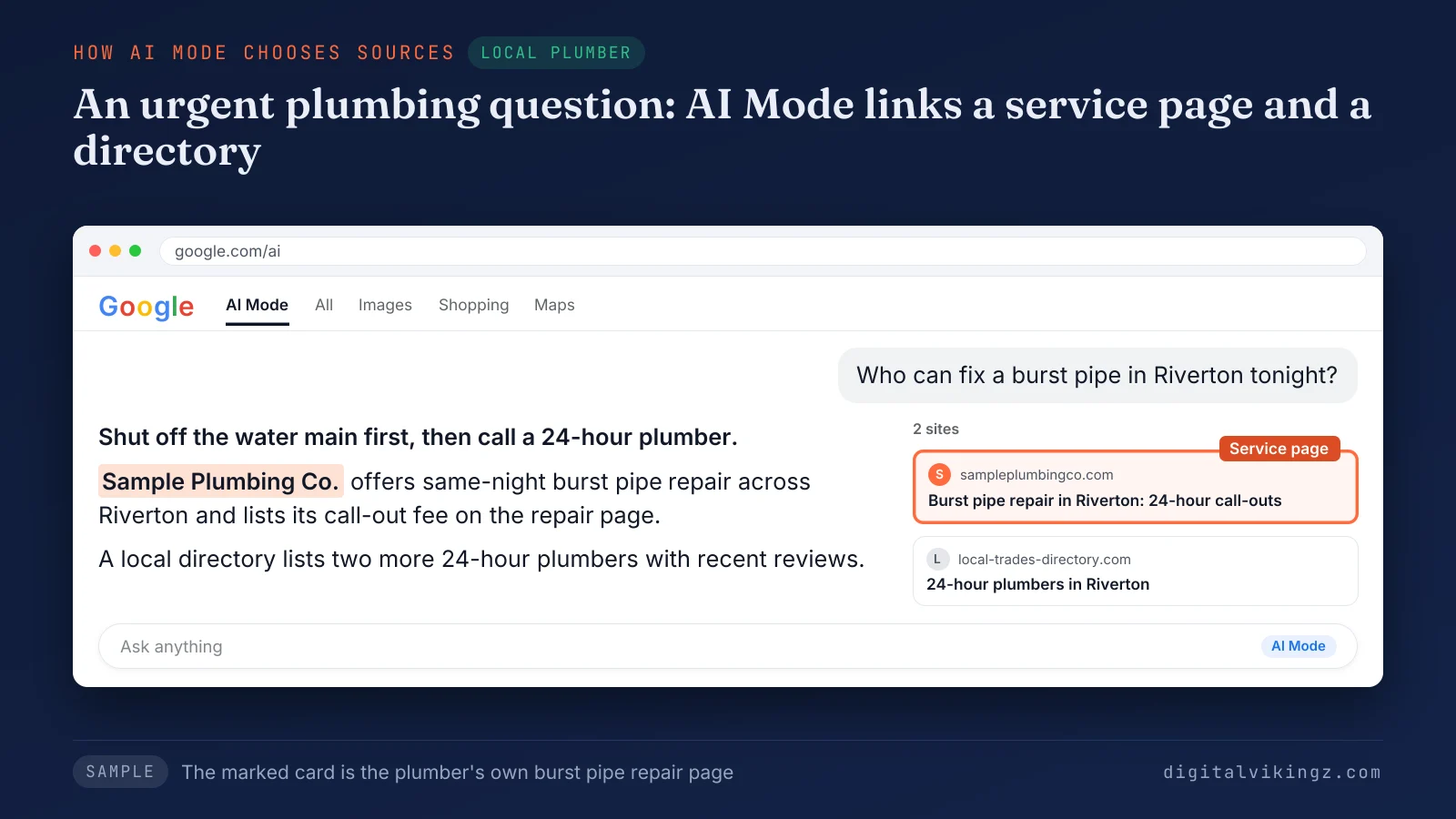
The sample AI Mode answer for a burst pipe in Riverton links Sample Plumbing Co.'s burst pipe repair page and one directory listing.
Each engine sets its own rules, and how AI search engines decide which sources to cite differs between Google, ChatGPT and Perplexity. The full comparison shows how AI search engines decide which sources to cite across ChatGPT, Perplexity and Google. Pages are one source, and business data is the other.
Which business information does AI Mode use?
AI Mode can draw on three sources of business information: the business website, the Google Business Profile and Merchant Center product feeds. Google states that Merchant Center feeds and Google Business Profiles can help products and services appear in AI responses.
Google lists checking that Merchant Center and Google Business Profile information is up to date among the SEO best practices for AI features. Google also names Business Agent, a conversational experience on Google Search that lets customers chat with a brand.
Outdated hours or an old phone number on the profile can carry into an AI Mode answer. The profile and the website should state the same facts.
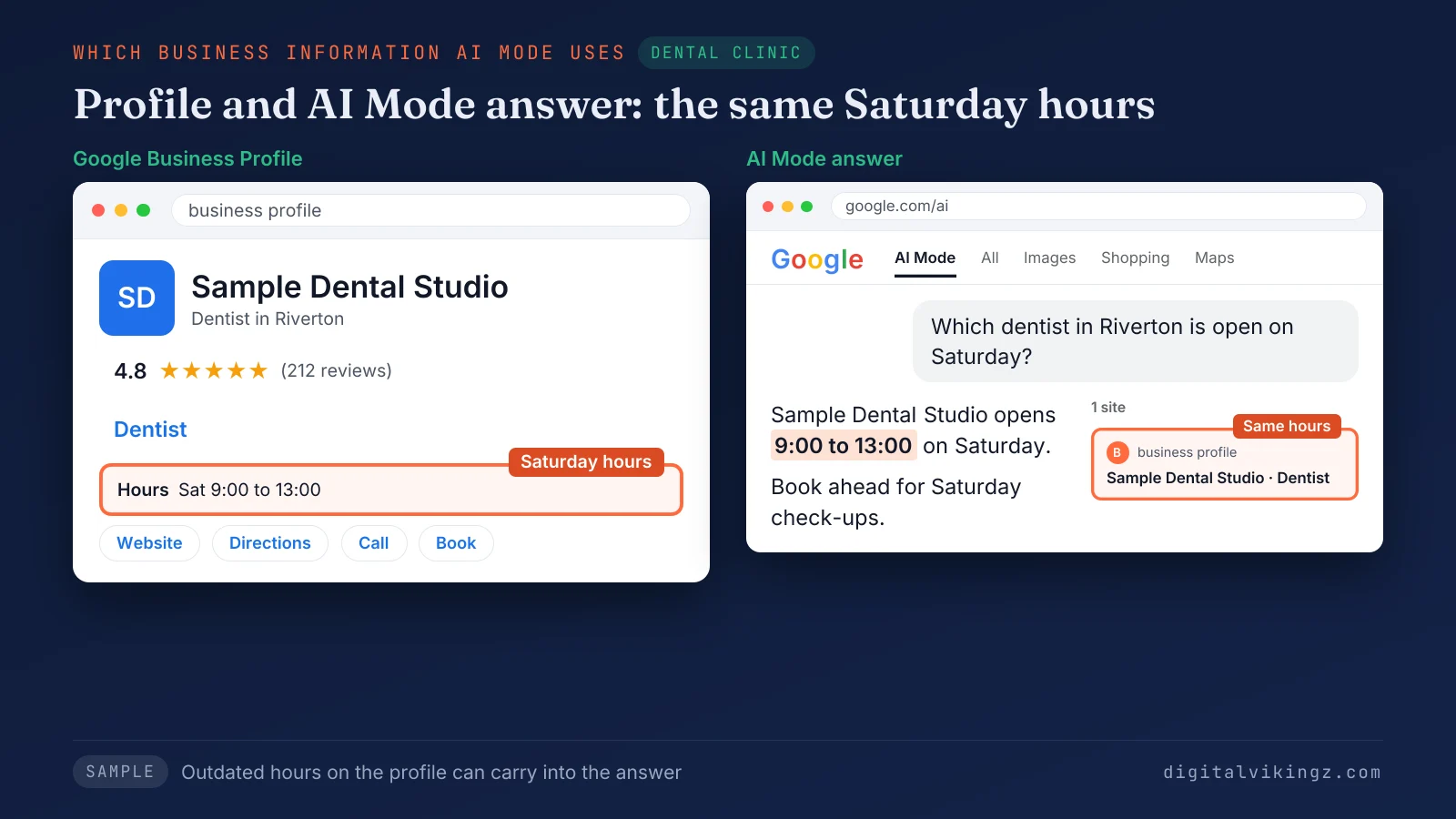
The sample AI Mode answer repeats the Saturday hours, 9:00 to 13:00, that Sample Dental Studio lists on the profile.
Local businesses face one more question: how AI assistants choose which local business to recommend. The guide on how AI assistants choose which local business to recommend compares the sources each assistant reads. Business information feeds the answer, and measurement shows whether the answer names the business.
How do you measure AI Mode visibility?
AI Mode visibility is measured in Google Search Console and by asking AI Mode the questions buyers ask. Google Search Console counts AI Mode clicks and impressions in the Performance report, within the Web search type.
The generative AI performance report in Google Search Console shows impressions in AI Overviews and AI Mode by page, country, device and date. Google rolled the report out to all websites by 31 August 2026. The report lists impressions without clicks.
AI Mode can tailor responses to a signed-in user's past searches through Personal Intelligence. A temporary thread runs the same question detached from the account, so past preferences do not shape the answer. Answers about a business website are read in AI Mode and logged apart from AI Overviews.
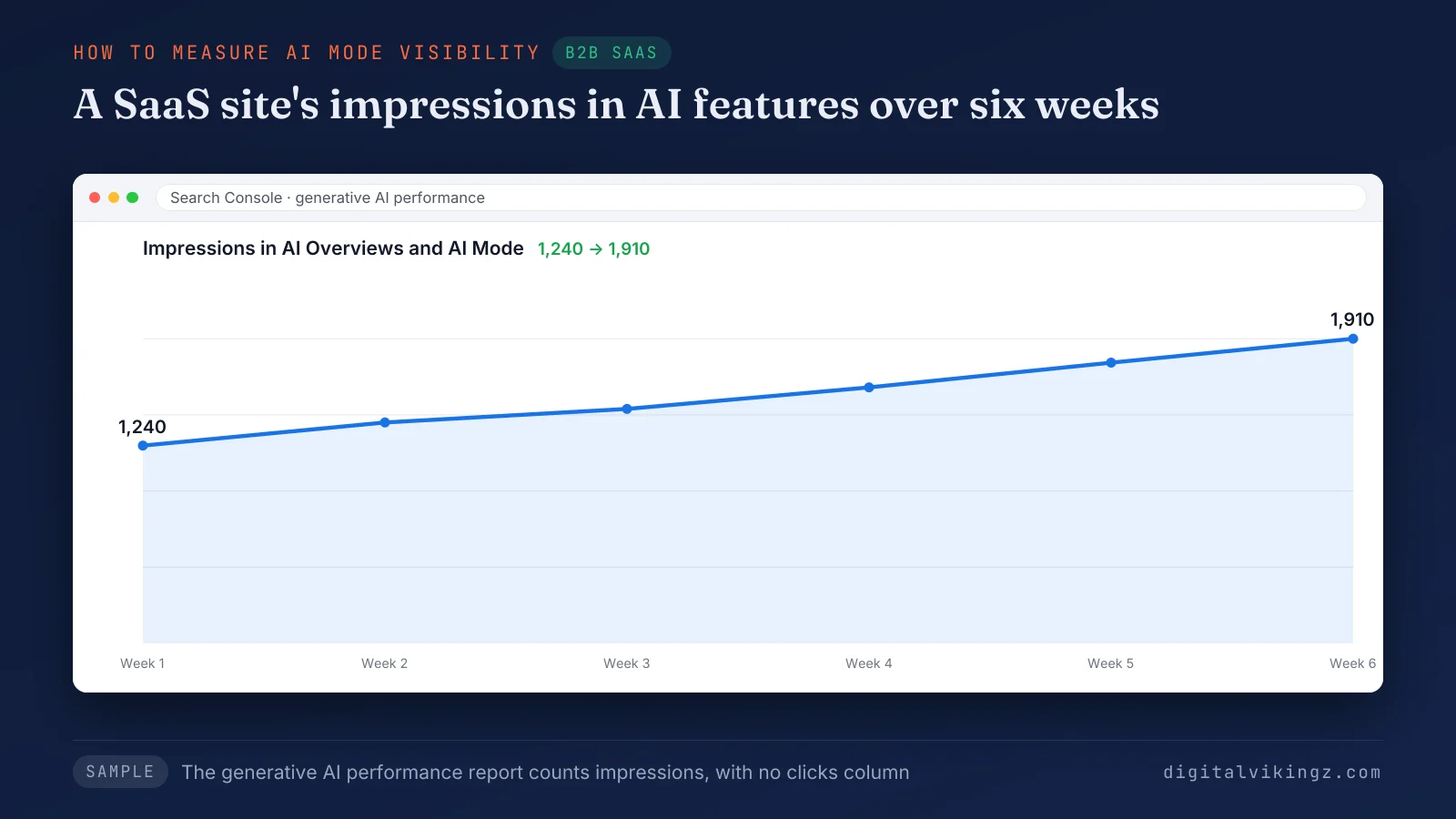
The sample report for a B2B SaaS site shows impressions rising from 1,240 to 1,910 over six weeks, with no clicks column.
The prompt side follows the steps to check what ChatGPT and AI Overviews say about your business. The five-step guide to check what ChatGPT and AI Overviews say about your business logs AI Mode as a separate row. Measurement shows impressions, and clicks raise a separate question.
Does AI Mode reduce clicks to business websites?
No public Google figure shows whether AI Mode reduces clicks to business websites, because no Google report separates clicks from AI responses. AI Mode answers inside the response, and a visit starts only when the reader follows one of the supporting links.
Click-loss percentages shared in forums and vendor posts trace to no primary source we could verify. A business should compare clicks and impressions per page over time. The same business should read the AI Mode answer to the questions behind those pages.
The answer differs by business, because each type of business feeds AI Mode different pages.
How does AI Mode affect each type of business?
AI Mode affects each type of business through the pages and data that answer the buyer's questions, from service pages to product feeds. None of the top 12 results we read for "google ai mode" on 18 November 2026 split the effect by type of business.
The table below compares five types of business by AI Mode sources, data to keep current and a test question.
| Business type | What AI Mode can draw on | What to keep current | Test question for AI Mode |
|---|---|---|---|
| Local plumber | Service pages, Google Business Profile, directory listings | Hours, service area, phone number, services | "Who can fix a burst pipe in [town] tonight?" |
| Real estate agency | Area guides, agent pages, Google Business Profile | Office locations, agent names, areas served | "Which agency helps first-time buyers in [town]?" |
| B2B SaaS | Feature, pricing, comparison and integration pages | Plan prices, feature lists, integration names | "Which [category] tool suits a 10-person team?" |
| Dental clinic | Treatment pages, Google Business Profile, review sites | Opening hours, treatments offered, insurance accepted | "Which dentist in [town] is open on Saturday?" |
| Ecommerce store | Product pages, Merchant Center feed, returns page | Price, stock, shipping, returns | "Which [product] under [price] ships this week?" |
We build the test questions from the sub-questions buyers ask, so each answer shows which page AI Mode linked or skipped.
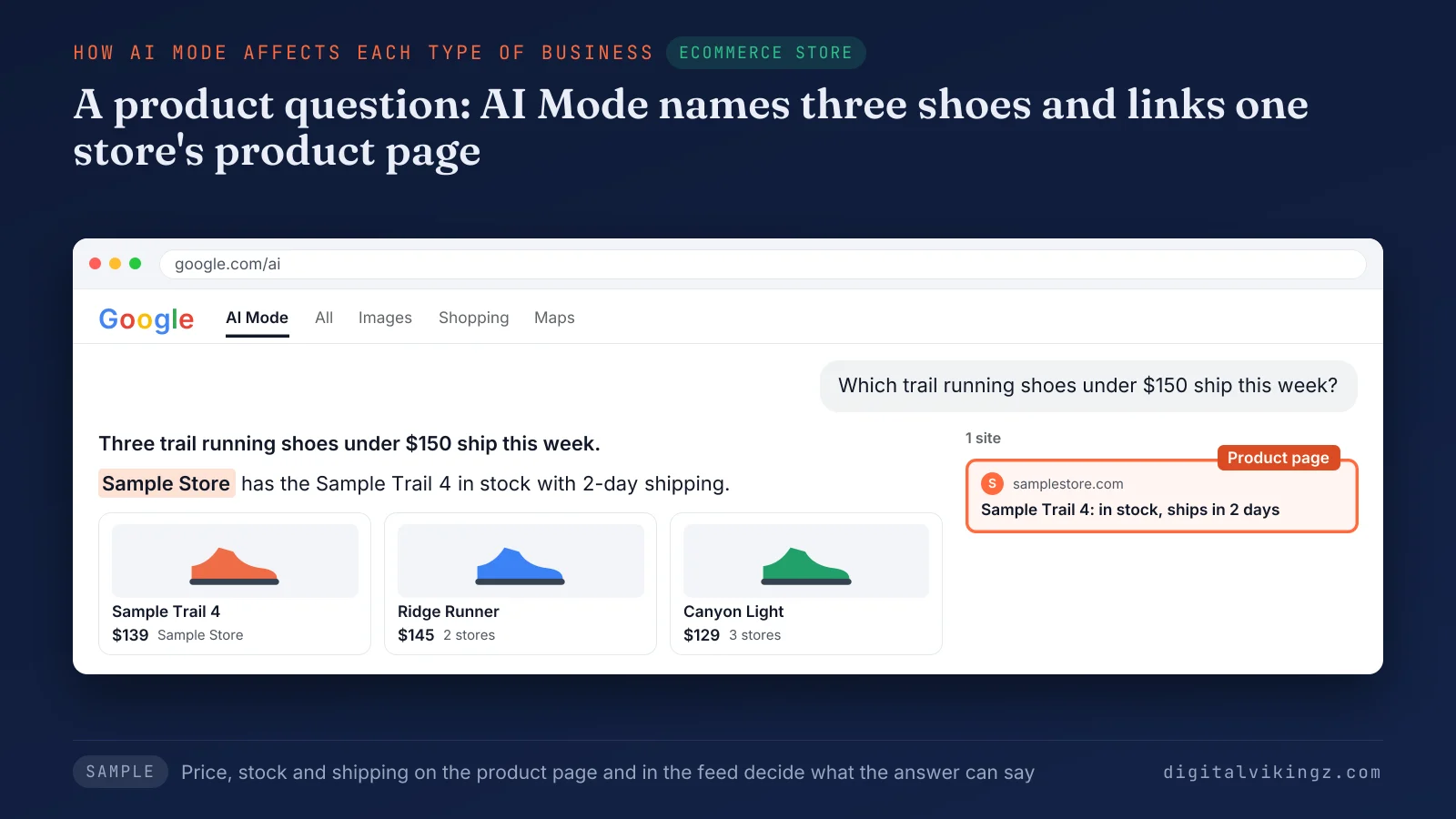
The sample AI Mode answer names three trail running shoes and links Sample Store's product page for one of the three. Each row points to the same short list of actions for the business website.
What should a business website do for AI Mode?
A business website prepares for AI Mode with the same SEO fundamentals Google gives for Search, applied to the questions buyers ask.
The six actions that prepare a business website for AI Mode are listed below:
- Allow Googlebot in robots.txt and at the CDN or hosting layer.
- Keep key pages indexed and eligible for a snippet in Google Search.
- Answer the sub-questions buyers ask on one strong page per topic.
- Put important content in text, with images and video in support.
- Match structured data to the visible text on each page.
- Keep the Google Business Profile and Merchant Center details current.
Google warns that building separate pages for every fan-out query to manipulate AI responses violates the scaled content abuse spam policy. Google asks for non-commodity content: pages built on expert knowledge that add value beyond common knowledge.
Ranking alone does not settle the link, as a page that ranks in Google and is not cited by AI shows. The fixes for a page that ranks in Google and is not cited by AI start with the answering passage. Two shortcuts sold as AI Mode fixes are missing from Google's list.
Does a business website need llms.txt or special markup for AI Mode?
A business website does not need llms.txt or special markup for AI Mode, because Google Search does not use llms.txt files or AI-specific markup. Google states that no special schema.org structured data is needed. An llms.txt file neither helps nor harms visibility in Google Search.
Google adds that content needs no splitting into small chunks. The guide to what llms.txt is and whether a business needs one covers what the file should say for other AI assistants.
Structured data still describes a business, and whether schema markup affects AI citations depends on the passage beside the markup. The evidence on whether schema markup affects AI citations covers Google, ChatGPT and Perplexity. AI Mode itself changed four times in November 2026.
What changed in Google AI Mode in November 2026?
Google changed AI Mode four times in November 2026: a model upgrade, a placement test, a model label change and temporary threads.
The table below lists the four November 2026 changes by date, with the source for each.
| Date | Change | Source | What a business website notices |
|---|---|---|---|
| 12 November 2026 | Search, including AI Mode, moved to Gemini 4 Hydrogen, which Google says improves query fan-out and linking | Google blog post, VP of Product for Search | More subtopic searches behind each question |
| 13 November 2026 | Google tested hiding the AI Mode tab and the Ask anything box under AI Overviews for some users | Search Engine Roundtable | A test, with no confirmed removal |
| 15 to 16 November 2026 | AI Mode stopped naming the Gemini model in the header, and Gemini 4 Carbon reached Google AI Pro subscribers | Search Engine Roundtable, confirmed on X by Google's VP of Engineering for Search | Subscribers may see answers from another model |
| 17 November 2026 | Temporary threads keep an AI Mode session off the account, unsaved and not personalized | Google blog post | A clean way to check answers |
No Google announcement of an AI Mode removal appeared in the sources we read on 18 November 2026.
Frequent changes are why an AI Search Visibility engagement re-runs the same prompt set monthly. Each AI Search Visibility engagement checks AI Mode beside AI Overviews, ChatGPT, Perplexity, Gemini and Claude. The tab test raises a further question about the classic results.
Does AI Mode replace the classic search results?
AI Mode does not replace the classic search results, because the conversation runs as a separate experience beside the results page. The classic results page still lists web links, with an AI Overview above the links for some queries.
An Ask anything box under some AI Overviews carries a follow-up question into AI Mode. Search Engine Roundtable reported that the 13 November 2026 test hid the tab and the box for some users only. Neither entry point removes the web links from the results page.
Google describes AI Mode as most helpful for questions that need exploration, reasoning or complex comparisons. A business website therefore works in two roles: a ranked result on the results page and a linked source in AI Mode. Appearing in AI Mode remains a choice a site owner can limit.
Can a business keep content out of AI Mode?
A business can keep content out of AI Mode only through the controls that limit Google Search itself. Googlebot rules in robots.txt control crawling for Search.
The nosnippet, data-nosnippet, max-snippet and noindex rules limit what Search shows from a page. The data-nosnippet attribute hides only the marked part of a page from snippets, so the rest of the page stays eligible.
Google-Extended limits AI training and answers built from a page in some other Google systems. Google-Extended does not remove the page from AI Mode.
A nosnippet rule removes the snippet from the classic results too, because AI Mode links only snippet-eligible pages. A noindex rule removes the page from Google Search results altogether.
Business websites should keep service and product pages open to AI Mode and limit only private or paid pages. Shorter questions about AI Mode follow.
Questions about Google AI Mode
Business owners ask five further questions about AI Mode, on price, launch, personalization, rankings and accuracy.
Is Google AI Mode free?
Google AI Mode is free to use in Google Search, and Google's help page lists extra model choices for Google AI Ultra subscribers.
When did Google launch AI Mode?
Google tested AI Mode in Search Labs from March 2025 and opened the experience to all US users on 20 May 2025. Google announced the US rollout at Google I/O 2025, with no Labs sign-up required.
Who sees personalized AI Mode answers?
Personalized AI Mode answers reach signed-in users aged 18 or older who keep Search history and personalized recommendations switched on. Users can also connect Gmail, Google Calendar and Google Photos to Personal Intelligence.
Does ranking first in Google guarantee a link in AI Mode?
Ranking first in Google does not guarantee a link in AI Mode, because each AI response is built from several fan-out searches.
Can AI Mode get facts about a business wrong?
AI Mode can get facts about a business wrong, and Google's help page warns that responses may misinterpret web content or miss context. Google tells searchers to check important information through the linked sources.
Where should a business start with AI Mode?
A business starts by confirming that key pages can be crawled, indexed and quoted, then reading the AI Mode answers to buyer questions. Each check shows how semantic SEO builds topical authority that Google and AI answer engines recognise, one answer at a time.
Crawler access and answer readiness are the first checks for a business website. The free AI Visibility Checker runs both on up to five public pages. Run the free AI Visibility Checker on the service or product page buyers reach most.
Digital Vikingz runs the AI Mode checks and the fixes for B2B SaaS companies and local service businesses, starting with a strategy call.
